
Contractors hear wildly different website prices: free builders, a few hundred dollars from a freelancer, several thousand from an agency, or a monthly fee from a marketing company that “includes” a website. The right choice depends on what you need, how much time you have and, most importantly, whether you’ll own the result. This guide explains the options, the ongoing costs and how to think about payback.
For general small business guidance, see small business website design services and our small business website guide.
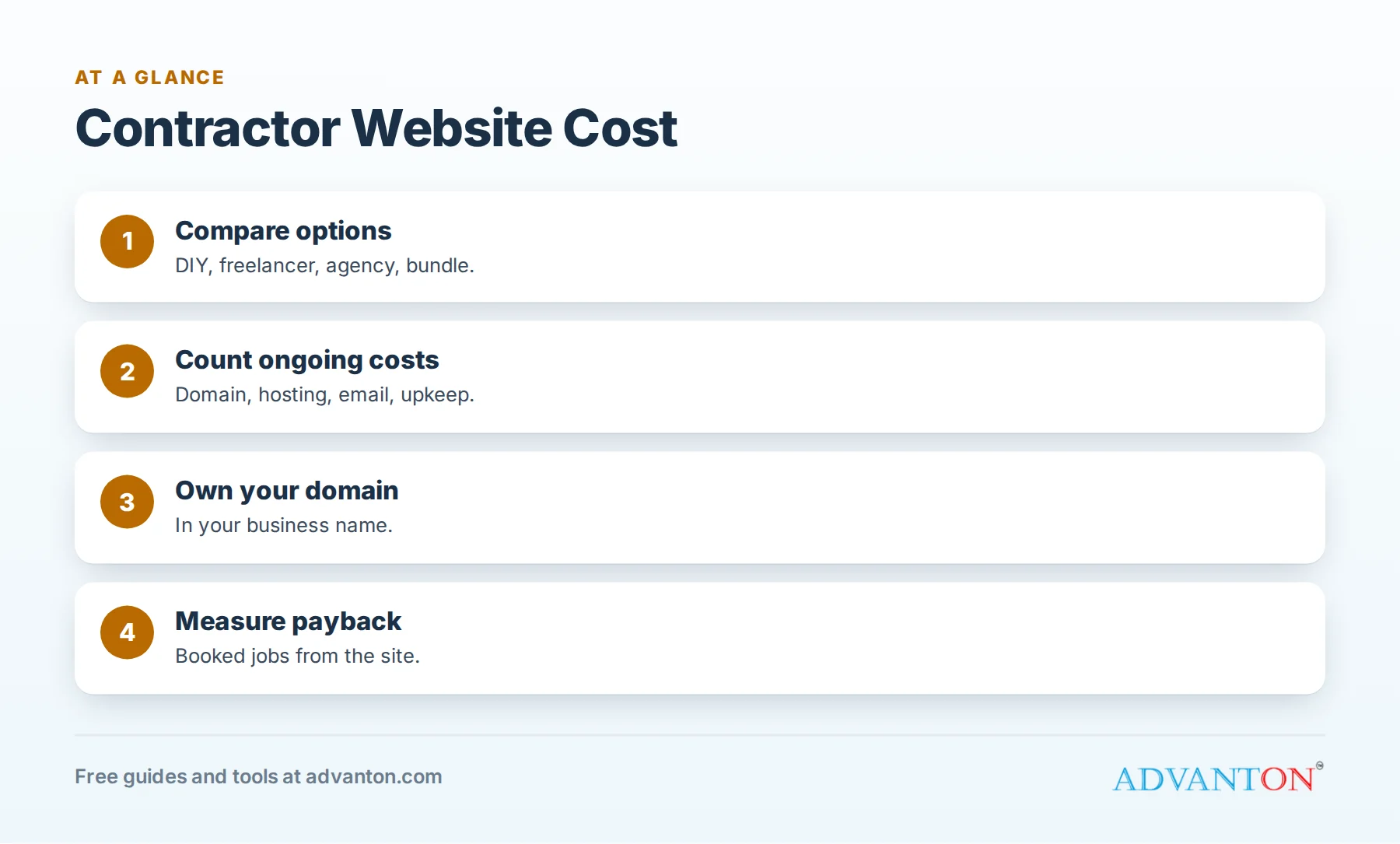
Your options at a glance
Table of Contents
| Option | Upfront | Ongoing | Best for | Watch for |
|---|---|---|---|---|
| Free or low-cost builder (DIY) | Your time | Domain, optional plan | New and small contractors | Your time to build and update |
| Freelancer | One-time project fee | Hosting, updates | A custom look on a moderate budget | Ownership and support after launch |
| Agency | Larger project fee | Often a monthly plan | Larger companies with marketing needs | Long contracts, reporting quality |
| Contractor marketing bundle | Low or none | Monthly fee | Owners wanting everything handled | Who owns the site and domain if you leave |
Prices vary widely by region, scope and provider, so get written quotes for the same scope.
Ongoing costs to budget
| Cost | Notes |
|---|---|
| Domain name | Yearly; register it in your business’s name |
| Hosting or builder plan | Monthly or yearly; check renewal prices |
| Business email | Often per mailbox |
| Maintenance | Updates, backups and security, your time or a plan |
| Photos | Your own job photos, plus occasional professional shoots |
| Changes and new pages | Your time or hourly fees |
Features contractors need
- Click-to-call buttons on every page.
- A page for each main service.
- Service area or town pages.
- Project gallery with real photos.
- Reviews and credentials.
- Short quote request form.
- Fast loading on phones.
See contractor website must-haves and contractor website examples.
Payback: think in booked jobs
A website is worth what it brings. A simple way to think about it:
| Example | Number |
|---|---|
| Average job profit | $600 |
| Extra booked jobs a month from a better website | 2 |
| Extra profit a month | $1,200 |
| Extra profit a year | $14,400 |
These numbers are illustrative. Even modest improvements in calls and quote requests often pay for a good website quickly. Track website leads to see your real return. See call tracking for contractors.
Ownership traps to avoid
Some marketing companies build sites on their own platforms and keep the domain or content if you cancel. Before you pay, confirm in writing:
- You own the domain, registered in your business’s name.
- You own your content and photos.
- You can move the site or get a copy of your content if you leave.
- You have admin access.
- Cancellation terms and fees are clear.
Do it yourself or hire help?
| If you… | Consider |
|---|---|
| Have time and want low cost | A contractor website builder |
| Want a custom look but limited ongoing help | A freelancer with a clear handoff |
| Need ongoing SEO, ads and content | An agency with transparent reporting |
| Want everything handled monthly | A bundle, only with ownership protections |
Questions to ask any provider
- What exactly is included, and what costs extra?
- Who owns the domain, site and content?
- What are the ongoing costs after launch?
- How long is the contract, and how do I cancel?
- Can you show contractor sites you’ve built and their results?
- How will you measure success: calls, forms, booked jobs?
Budgeting by business stage
| Stage | Sensible approach |
|---|---|
| New contractor | Free builder with your own domain; invest time, not money |
| Growing contractor | Better photos, service and town pages, possibly a freelancer |
| Established company | Professional build or agency, with tracking and ongoing improvements |
Don’t forget the domain
Your domain is your online address. Register it yourself, in your business’s name, and keep the login. If someone else controls it, they control your website and email. See launch your business online.
A sample first-year budget (DIY approach)
| Item | Notes |
|---|---|
| Domain | Yearly fee |
| Builder or hosting plan | Monthly or yearly |
| Business email | Per mailbox |
| Professional photo shoot | Optional, for your best projects and team |
| Your time | Building pages, adding photos and updates |
Adding these up for your situation, using renewal prices, gives a realistic first-year cost to compare with the profit from a few extra jobs.
Features that cost more
Online booking integrations, custom quote calculators, multi-location setups, large galleries with filters, financing applications, and custom design work usually add cost. Decide which features truly help customers contact and choose you, and start with those.
Redesign or refresh?
If your site has the right structure but looks dated, a refresh (new photos, clearer headlines, faster pages, better calls to action) can deliver most of the benefit at a fraction of a full redesign. Rebuild only when the structure, platform or ownership is the problem.
Reading website proposals
Compare proposals on the same items: number of pages, service and town pages, mobile design, speed, forms, tracking, content writing, photos, revisions, launch support, ongoing maintenance and ownership. A cheaper proposal that leaves out content writing or ownership can cost more in the end.
Hidden costs
- Content you’ll have to write yourself.
- Premium themes or plugins with yearly fees.
- Charges for small changes after launch.
- Renewal price increases for hosting or plans.
- Fees to transfer your domain or get a copy of your site.
Compare three quotes
Ask three providers to quote the same scope. Put the quotes side by side in a simple table, including ongoing costs and ownership terms, before deciding.
What a good website provider delivers
Good providers explain your options clearly, show examples of contractor sites with real results, write or help with content, set up tracking, deliver fast mobile pages and hand over full ownership. They also tell you what you don’t need. A provider who pushes expensive extras without explaining how they bring jobs may not be the right fit.
Your time has a cost
Building your own site saves money but takes time: writing pages, choosing photos, setting up forms and learning the builder. Estimate the hours honestly, and decide whether that time is better spent on jobs. Many contractors start with a do-it-yourself site, then pay for help as the business grows.
Websites and other marketing work together
Your website makes your other marketing work better. Yard signs, postcards, ads, directory listings and referrals all send people to search your name, and your website is where they decide whether to call. A clear, fast site with real photos and reviews raises the return on every other dollar you spend on marketing. See neighborhood marketing for contractors.
Plan for growth
Choose a platform that lets you add service pages, town pages, galleries and landing pages easily as you grow, without starting over. A site that’s easy to update is more likely to stay current.
Measure before and after
Before changing your website, note your current monthly calls, form submissions and booked jobs from the site. After launch, compare the same numbers over a few months. This tells you whether the investment paid off, and which improvements to make next.
Maintenance plans: what’s worth paying for
If you pay for ongoing maintenance, it should include software updates, backups, security monitoring, uptime checks and a set number of small changes each month. Ask for a simple monthly report. If you’re paying but can’t tell what’s being done, ask, or consider handling maintenance yourself with a simpler platform.
Common mistakes
- Choosing on price alone without comparing features and ownership.
- Letting a provider own your domain.
- Ignoring ongoing costs.
- Building one page for all services.
- Never measuring results.
Frequently asked questions
How much does a contractor website cost?
It ranges from nearly free with a builder to larger project fees with agencies; ongoing costs include your domain, hosting or builder plan and maintenance.
Is a free website builder good enough for contractors?
For many new and small contractors, yes, especially with your own domain, real photos and service pages.
Should I pay monthly for a website?
Monthly bundles can be convenient, but make sure you own your domain and content and can leave easily.
What features matter most?
Click-to-call, service pages, real photos, reviews, credentials and a short quote form.
How do I know if my website is paying off?
Track calls, form submissions and booked jobs from your website.
Do contractors need to update their website often?
Add photos, reviews and projects regularly; major redesigns are needed only every few years.
Can I start cheap and upgrade later?
Yes, if you own your domain and content; you can move to a more advanced site when the business needs it.
Is a website more important than a Google Business Profile?
Both matter: your profile helps you get found, and your website helps homeowners decide to call.
How Advanton helps
Advanton is a free resource for small businesses. Build your site free with the contractor website builder or a trade-specific builder, and set up your domain, hosting and email with launch your business online. Advanton earns money when you buy a domain or hosting through our store, which helps keep everything else free. You can also add your business to the Advanton directory for free.
Keep learning
Last reviewed October 30, 2026. Startup costs are estimates; check local prices, licensing and tax rules before you commit money.


Leave a Reply