
Whether or not you’ve ever logged in, your business probably already has a Yelp page. Customers add businesses, upload photos and write reviews, and Yelp’s information also flows into other places people search. In July 2026, Yelp was reported to have agreed to supply its business information, ratings, reviews and photos to OpenAI for local recommendations in ChatGPT, making an accurate Yelp page more important than ever.
Claiming your page is free, and it puts you in control of your hours, photos, services and replies to reviews. But Yelp works differently from Google in one important way: you’re not allowed to ask customers for reviews. This guide explains how to claim and improve your page, how Yelp’s review system works, how to respond to reviews, whether Yelp Ads are worth paying for, and how to measure results.
Yelp for Business at a glance
Table of Contents
| Topic | What to know |
|---|---|
| Cost to claim | Free; claiming doesn’t make you an advertiser |
| Free features | Yelp offers more than 20 free page features, including hours, photos, services, messaging and replies to reviews |
| Reviews | Yelp’s policy says businesses shouldn’t ask anyone to review them on Yelp |
| Review filtering | Yelp’s recommendation software decides which reviews appear as "recommended" |
| Ads | Optional pay-per-click ads; Yelp says you can start with an average budget as low as about $5 a day |
| Watch out for | Competitors’ ads can appear on free pages, and sales calls can be persistent |
How to claim your Yelp page
- Go to Yelp for Business (biz.yelp.com) and search for your business name and location.
- Choose "Claim this business" if your page exists, or add your business if it doesn’t.
- Create your business account with your name, email and a password.
- Verify you own the business, usually by phone call or email.
- Complete your page (see the checklist below).
Search carefully before adding a new page; creating a duplicate splits your reviews and confuses customers. If you find duplicates, ask Yelp support to merge them.
Your Yelp page checklist
- Business name, address and phone number exactly matching your website and Google Business Profile.
- Hours, including holiday hours.
- Categories: the most specific ones that describe what you do.
- Services or menu with clear descriptions.
- Specialties and history: what makes you different, and your story.
- Photos: your storefront, interior, team, products and completed work. Customers trust real photos over stock images.
- Website and booking links.
- Amenities and attributes, such as parking, accessibility, payment options and whether you’re family-friendly.
- Messaging, so customers can request quotes or ask questions; reply quickly.
Our free online presence checkup helps you check your Yelp page alongside Google, Apple Maps and your website.
Yelp’s review rules: why you can’t ask
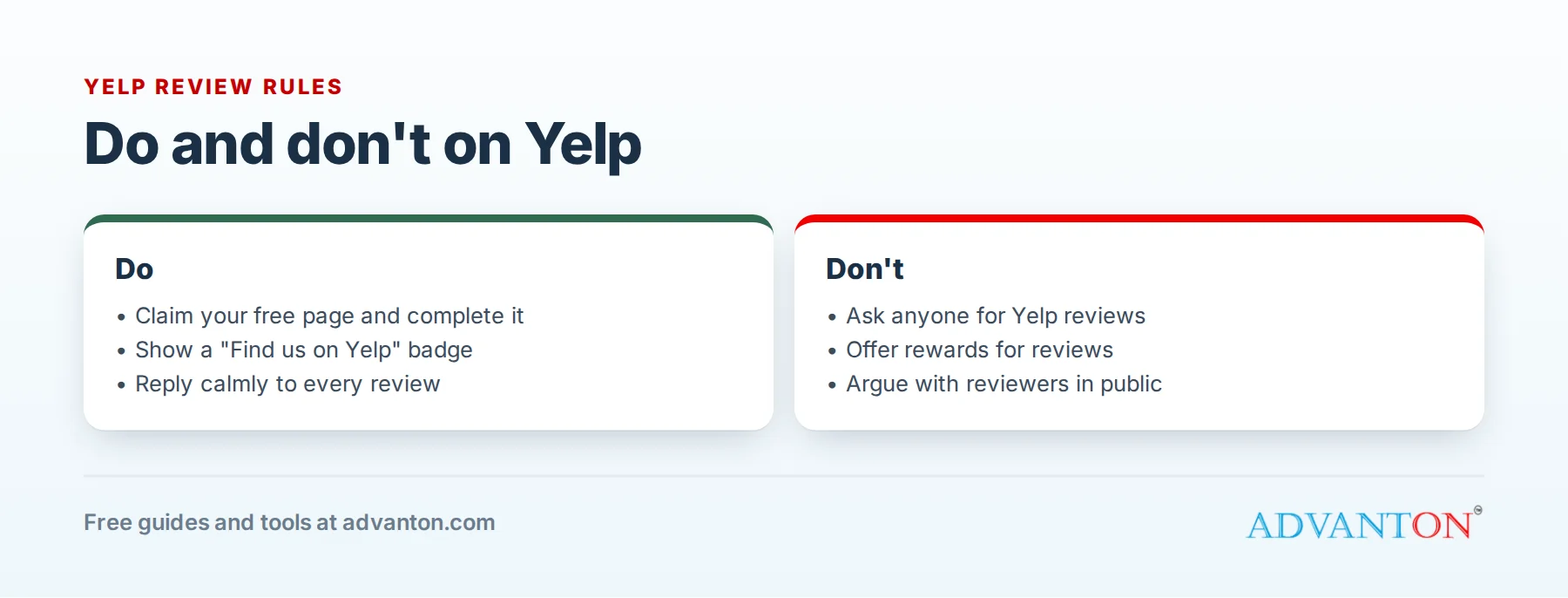
Yelp’s "Don’t Ask for Reviews" policy is unusually explicit: businesses shouldn’t ask customers, mailing list subscribers, friends, family or anyone else to review them on Yelp. Yelp’s reasoning is that businesses naturally ask their happiest customers, which skews ratings.
What you can do:
- Let customers know you’re on Yelp with a "Find us on Yelp" sticker or badge, or a link on your website, without asking for reviews.
- Earn reviews naturally with great service and a complete, active page.
- Ask for reviews on other platforms, such as Google, where asking is allowed. Our review request kit helps with that.
What you must not do:
- Offer discounts, gifts or anything else in exchange for reviews.
- Write reviews of your own business, or ask friends and family to.
- Post fake negative reviews of competitors.
Beyond Yelp’s rules, the Federal Trade Commission’s 2024 rule bans fake reviews and buying reviews, and allows civil penalties for violations. Yelp may also place a Consumer Alert on pages where it detects suspicious review activity.
Why some reviews are "not recommended"
Yelp uses automated recommendation software to decide which reviews appear in the main review section. Reviews from new or less active accounts, or reviews that look solicited, may be placed in a separate "not currently recommended" section, where they don’t count toward your star rating. Owners can’t remove reviews from that section, and Yelp doesn’t sell placement of reviews. The best defense is a steady flow of genuine reviews from active Yelp users.
How to respond to reviews
You can reply publicly (everyone sees it) or by private message (only the reviewer sees it).
For positive reviews: thank the customer by name, mention something specific, and keep it short.
For negative reviews:
- Wait until you’re calm, then respond within a day or two.
- Acknowledge their experience and apologize for how they felt, without arguing.
- Take it offline: offer a phone number or email to make it right.
- Don’t share private details about the customer or their visit.
- Fix the underlying problem if the complaint is fair.
Future customers read your replies as much as the reviews. A calm, helpful response to a bad review often builds more trust than a page of perfect five-star ratings.
If a review breaks Yelp’s rules, for example it’s from someone who was never a customer, contains threats or hate speech, or is about a different business, report it through your business account. Yelp removes reviews that violate its guidelines, but not reviews just because they’re negative.
Free tools worth using
- Check-In Offers: a free promotion for customers who check in at your location.
- Photos and highlights that show your work.
- Messaging and quote requests with fast replies; Yelp shows response times on your page.
- Business information updates, such as temporary closures or new services.
- Performance data showing how many people viewed your page and took action.
Are Yelp Ads worth it?
Yelp Ads place your business at the top of relevant searches and on competitors’ pages. You set a budget, and Yelp says advertisers can start with an average budget as low as about $5 a day, and can edit or cancel ads. Some businesses get good results, especially restaurants and home services in cities where Yelp is popular. Others find ads expensive for the work they bring in.
Test it like an investment:
- Check that your customers use Yelp: ask new customers how they found you.
- Set a modest, fixed budget and a test period, such as two months.
- Track results: calls, messages and booked jobs from Yelp.
- Calculate your cost per customer: total Yelp ad spend divided by customers won from Yelp.
- Compare it with what a customer is worth to your business.
A worked example (illustrative numbers): a plumber spends $600 on Yelp Ads over two months and books 5 jobs from them, an ad cost of $120 per job. If an average job earns $330 and leaves a healthy profit after materials, the test may be worth continuing. If only 1 job came in, it probably isn’t.
Note that free pages may show competitors’ ads, and removing them is a paid upgrade. Read contract terms carefully, and expect sales calls once you claim your page.
How different businesses use Yelp
- Restaurants and cafés: Yelp is especially influential. Keep your menu, photos and hours current, enable reservations or waitlist features if you use them, and post photos of your best dishes.
- Home services and contractors: customers request quotes through Yelp messaging, so respond within an hour where possible; Yelp shows response time on your page. Add photos of completed projects and your license details.
- Salons, spas and wellness: show your team, services and prices, and link to online booking.
- Retail shops: highlight what makes your store special, with photos of your products and interior.
- Professional services: complete your specialties and history, and respond thoughtfully to reviews; clients judge your professionalism by your replies.
Yelp vs Google: different rules
| Yelp | Google Business Profile | |
|---|---|---|
| Asking for reviews | Not allowed | Allowed, as long as you don’t offer incentives or filter for happy customers |
| Review filtering | Recommendation software filters many reviews | Google removes reviews that break its policies |
| Cost to manage | Free | Free |
| Ads | Yelp Ads | Google Ads and Local Services Ads |
Most local businesses should keep both complete and accurate.
Common mistakes
- Ignoring your Yelp page because you didn’t create it.
- Asking customers for Yelp reviews, which can lead to filtered reviews or warnings.
- Arguing with reviewers in public.
- Inconsistent business information across Yelp, Google and your website.
- Signing up for ads without tracking results.
Frequently asked questions
Is Yelp free for businesses?
Yes. Claiming and managing your page is free. Ads and some page upgrades are optional paid services.
Can I delete my business from Yelp?
Generally no. Yelp keeps pages for businesses that serve the public, but you can claim yours and keep it accurate. Closed businesses can be marked as closed.
Can I pay Yelp to remove bad reviews?
No. Yelp doesn’t remove reviews for advertisers. You can report reviews that break its content guidelines.
Why did my good reviews disappear?
They were probably moved to the "not currently recommended" section by Yelp’s software. They may reappear as reviewers become more active on Yelp.
Keep learning
- How to get online reviews from customers
- Apple Business Connect: claim your Apple Maps listing
- Free online presence checkup
Sources
- Signpost, Is Yelp free? What small business owners should know
- ShiftFlow, Is Yelp worth it for contractors? (checked July 30, 2026)
- Igniting Business, How to get more Yelp reviews (2026)
Last reviewed October 27, 2026. Startup costs are estimates; check local prices, licensing and tax rules before you commit money.


Leave a Reply