• Skip to primary navigation
  • Skip to main content
  • Skip to primary sidebar
  • Skip to footer
advanton usa logo

Advanton USA

MENUMENU
  • Start
    • How to start a business, A to Z
    • Business ideas
    • Choosing a business structure
    • Get an EIN
    • SBA loans
    • Small business grants
    • Business banking
    • Franchises
  • Grow
    • Hiring your first employee
    • Taxes and bookkeeping
    • Keeping customers
    • Financing growth
    • Using AI
    • Industry data
    • Services owners use
      • USPS for small business
      • Every Door Direct Mail
      • USPS vs UPS vs FedEx
      • Yelp for Business
      • Apple Maps listing
  • Free Tools
    • Plan your business
      • One-page business plan
      • Startup cost calculator
      • Break-even calculator
      • Pricing calculator
    • Build your brand
      • Brand Kit
      • Business cards
      • Flyers
      • Gift certificates
      • Loyalty cards
      • Rewards program
    • Get found and get reviews
      • Launch your business online
      • Website builder
      • Online presence checkup
      • Review request kit
    • Paperwork
      • Quotes and invoices
      • Word to PDF
    • More tools
      • Your Rewards Card
  • Contractors
    • Contractor website builder
    • Websites by trade
      • Roofing
      • Remodeling
      • Painting
      • Plumbing
      • Flooring and tile
      • Electrical
      • HVAC
      • Handyman
    • Yard signs and door hangers
    • Marketing for contractors
    • Angi vs Thumbtack
  • Directory
    • Browse the directory
    • Add your business
  • Get Online
    • Launch your business online
    • Free website builder
    • Contractor website builder
    • Domains and hosting
    • After you buy: help guides
      • Verify your new domain
      • Upload your website
      • Connect your domain
      • Turn on free SSL
      • Set up business email
      • Renewals
Home ยป How to Upload Your Website to cPanel (Step by Step)

How to Upload Your Website to cPanel (Step by Step)

October 27, 2026 Leave a Comment

You’ve built your website and bought hosting. Now it’s time to put the website online. Most small business hosting includes cPanel, a control panel for managing your website, email and domains. Uploading a website takes about 10 minutes, and you don’t need any technical skills.

Before you start

Table of Contents

  • Before you start
  • Step-by-step: upload with File Manager
  • Updating your website later
  • Other ways to upload
  • Troubleshooting
  • Frequently asked questions
  • Next steps
  • Your website files. If you built your site with the Advanton website builder, you downloaded a ZIP file containing your website.
  • Your hosting welcome email. It contains your cPanel address (often yourdomain.com/cpanel or a server address), username and password. Search your inbox for "welcome" or "cPanel" if you can’t find it.

Step-by-step: upload with File Manager
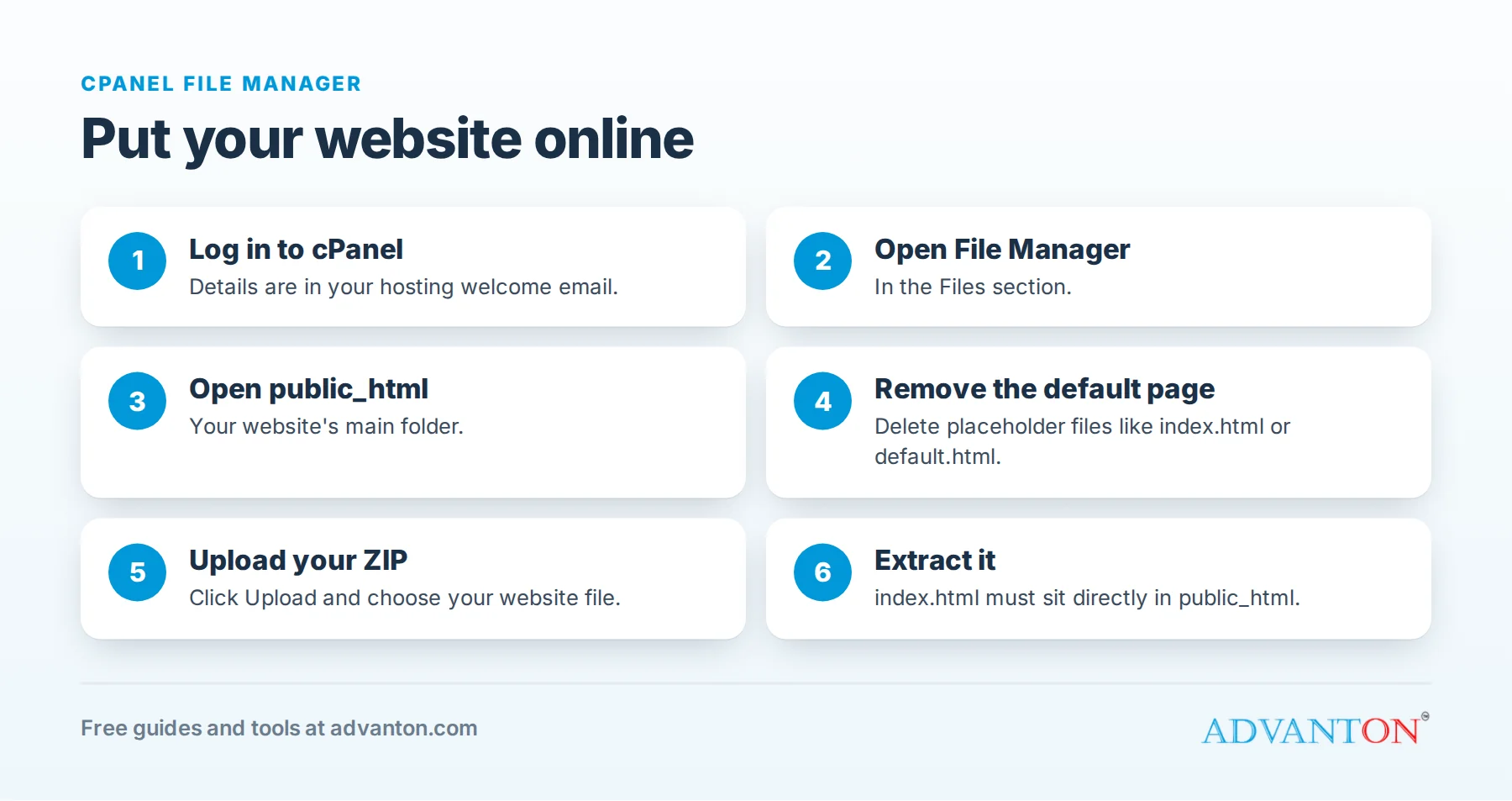
How to upload your website to cPanel in six steps
  1. Log in to cPanel using the address, username and password from your welcome email.
  2. Open File Manager. It’s in the Files section.
  3. Open the public_html folder. This is your website’s main folder: anything in it appears on your website.
  4. Remove any default page. Some hosts place a placeholder file such as index.html, default.html or index.php here. Delete it (or rename it) so it doesn’t replace your homepage. Leave other folders such as cgi-bin alone.
  5. Upload your ZIP file. Click Upload, choose your website ZIP file, and wait for it to finish. Then go back to public_html.
  6. Extract it. Right-click (or select) the ZIP file, choose Extract, and extract into public_html. Then delete the ZIP file.

Check the result: your homepage file (index.html) must be directly inside public_html, not inside another folder. If the extraction created a folder (for example public_html/my-website/), open it, select all the files, choose Move, and move them up into public_html.

Now visit your domain. If you’ve just connected it, allow time for the change to take effect; see connecting your domain.

Updating your website later

When you change your site in the website builder, download the new version, then upload and extract it the same way, replacing the old files.

Other ways to upload

  • FTP: programs such as FileZilla connect to your hosting with FTP details from cPanel (under FTP Accounts). Useful for large websites.
  • Your builder’s publish option: some website builders publish directly; Advanton’s builder gives you files to upload, which works with any host.

Troubleshooting

Problem Likely cause and fix
You still see the host’s default page A default file is still in public_html. Delete it, and refresh your browser.
"Index of /" with a list of files Your index.html is inside a subfolder. Move the files up into public_html.
Images or styles missing Some files didn’t upload or were extracted to the wrong place. Re-upload and extract into public_html.
The domain shows an error or a parking page The domain isn’t pointed at your hosting yet. See connect your domain to your hosting.
"Not secure" warning Turn on free SSL. See how to turn on free SSL.

Frequently asked questions

Can I upload a WordPress site this way?
WordPress needs to be installed (most hosts offer a one-click installer in cPanel) rather than uploaded as files. This guide is for ready-made websites like those from the Advanton builder.

Is it safe to delete files in public_html?
Delete only the default placeholder page and files from your old website. Don’t delete folders like cgi-bin or .well-known, which your host may use.

How long until my website appears?
Immediately on your hosting. If your domain was connected recently, it can take a few hours, occasionally up to 48, to work everywhere.

Next steps

  • Turn on free SSL
  • Set up your business email
  • Launch your business online, step by step

Last reviewed October 27, 2026. Startup costs are estimates; check local prices, licensing and tax rules before you commit money.

Filed Under: small business Tagged With: cPanel, help, hosting, websites

Reader Interactions

Leave a Reply Cancel reply

Your email address will not be published. Required fields are marked *

Primary Sidebar

Free website builder

Build your business website free

Pick a template, add your details and publish in about 10 minutes.

  • Beautiful templates
  • Local SEO built in
  • No sign-up needed
Build my website →
★★★★★
Thanks for choosing us! Would you share a quick review? It helps a lot.

Free review kit

Get more 5-star reviews

Ready-to-send texts and emails, reply templates and a printable QR card that makes reviewing you one tap.

Get my review kit →

Small Business Ideas, Guides, Industry data & Tools to help you grow!

Free website builder

Build your business website free

Pick a template, add your details and publish in about 10 minutes.

  • Beautiful templates
  • Local SEO built in
  • No sign-up needed
Build my website →
submit guest post

Start and grow

  • Start a business, A to Z
  • Industry data
  • Services owners use
  • Grow your business

Free tools

  • Website builder
  • One-page business plan
  • Quotes and invoices
  • Rewards program
  • Brand kit
  • All free tools

Get online

  • Launch your business online
  • Domains and hosting
  • Verify your new domain
  • Upload your website
  • Set up business email
  • For contractors

Advanton

  • About
  • Contact
  • Business directory
  • Add your business
  • Privacy policy

Advanton Free guides and tools for US small businesses.

Advanton earns money when you buy a domain or hosting through our store. It helps keep our guides and tools free.

Footer

About ADVANTON

ADVANTON empowers small businesses with the world’s leading CLOUD solution for local business marketing. Our technology solves one major challenge for every small business and that is acquiring local customers. Over 10,000 small businesses generate business leads and revenues every month. Are you the next?

Follow us

  • facebook
  • twitter
  • yelp

Our Associations

Contact Us

Email: info[at]advanton.com

From rest of the world, email us: info[at]advanton.com

Copyright © 2026 — ADVANTON • All rights reserved. • Privacy Policy

  • Start
  • Grow
  • Free Tools
  • Contractors
  • Directory
  • Get Online