
Your website should be one of your hardest-working salespeople. Analytics tells you whether it is: how many people visit, how they find you, what they look at, and whether they call, book or buy. Without it, you’re guessing which marketing works and which pages lose customers. Below, we compare the best free website analytics tools for small businesses and explain how to choose.
The best website analytics tools for small businesses are free. This guide reviews the leading options in 2026, explains what each one measures (they’re not interchangeable), and shows the handful of numbers worth checking each month, so analytics becomes useful rather than overwhelming.
Three kinds of website analytics
Table of Contents
- Traffic analytics counts visitors, where they came from and which pages they viewed. Example: Google Analytics 4.
- Search analytics shows how your site appears in Google search: the searches that show your pages, clicks and rankings. Example: Google Search Console.
- Behavior analytics shows what visitors do on a page, through heatmaps and session recordings. Example: Microsoft Clarity.
Most small businesses get the clearest picture by using one tool from each group, all free.
Quick picks
| Tool | Type | Free plan in brief |
|---|---|---|
| Google Analytics 4 | Traffic | Free; the most complete free traffic analytics |
| Google Search Console | Search | Free; essential for local and organic search |
| Microsoft Clarity | Behavior | Free forever, with no traffic limits: heatmaps and session recordings |
| Cloudflare Web Analytics | Simple, privacy-friendly traffic | Free, lightweight, no cookie banner needed in many cases |
| Matomo (self-hosted) | Traffic, full data ownership | Free software; you pay for hosting |
| Umami | Simple, privacy-friendly traffic | Free self-hosted; check current cloud limits |
How we evaluated
We looked at what each tool measures, how hard it is to set up and understand, privacy and cookie considerations, any traffic or data limits on the free plan, and how well it answers the questions small businesses actually ask. Free-plan details come from current 2026 sources; check each provider before relying on a specific limit.
The best free analytics tools, reviewed
1. Google Analytics 4 (GA4): the free standard
GA4 is free and the most complete traffic analytics available at no cost. It shows visitors, sources (search, social, ads, email, referrals), top pages, devices, locations, and key events, such as form submissions, calls and purchases.
The catch: GA4 is powerful but confusing at first. Set up a few key events and simple reports, and ignore the rest. It also uses cookies, so depending on where your visitors are, you may need a cookie consent banner.
Choose it if: you want a full view of your traffic and marketing results.
2. Google Search Console: essential for search
Search Console is free and shows how Google sees your site: which searches show your pages, how often people click, your average position, and any problems such as pages Google can’t index. For a local business, it reveals exactly which services and towns people search for when they find you.
The catch: it only covers Google search, not other traffic.
Choose it if: you have a website. Every business with a site should use it.
3. Microsoft Clarity: free heatmaps and recordings
Clarity is free forever with no traffic limits. It records anonymized visitor sessions and creates heatmaps showing where people click and how far they scroll. It also flags "rage clicks" (repeated clicks on something that doesn’t work) and "dead clicks".
The catch: it’s not a full traffic analytics tool; use it alongside GA4. Recordings are kept for a limited time. Session recordings can require consent in some regions, so review privacy rules.
Choose it if: you want to see why visitors leave without contacting you.
4. Cloudflare Web Analytics: simple and privacy-friendly
Cloudflare’s free web analytics gives a clean, simple view of page views, visits, top pages, referrers and countries, without cookies.
The catch: fewer features than GA4, with no detailed conversion tracking.
Choose it if: you want simple numbers without cookies or complexity.
5. Matomo (self-hosted): own your data
Matomo is open-source analytics you install on your own web hosting. The software is free, and you keep full ownership of your data, with features similar to GA4.
The catch: you need hosting and some technical skill to install and update it. Some premium features, such as heatmaps and session recordings, are paid plugins.
Choose it if: data ownership and privacy matter most, and you or your developer can maintain it.
6. Umami: lightweight and privacy-focused
Umami is open-source, cookieless analytics with a clean dashboard. The self-hosted version is free; its cloud service has offered a free tier for small sites, but check current limits.
The catch: traffic analytics only, with no heatmaps or recordings, and self-hosting needs technical setup.
Choose it if: you want simple, privacy-friendly stats and don’t mind a little setup.
Not free: Plausible. Plausible is often recommended as a privacy-friendly analytics tool, but it’s a paid service after a free trial.
Comparison at a glance
| GA4 | Search Console | Clarity | Cloudflare | Matomo | Umami | |
|---|---|---|---|---|---|---|
| Measures | Traffic and conversions | Google search | Behavior | Simple traffic | Traffic and conversions | Simple traffic |
| Free limits | Free | Free | No traffic limits | Free | Free software, paid hosting | Free self-hosted |
| Cookies | Yes | No (no tracking code) | Yes | No | Configurable | No |
| Ease | Moderate | Easy | Easy | Very easy | Harder | Moderate |
The recommended free setup for small businesses
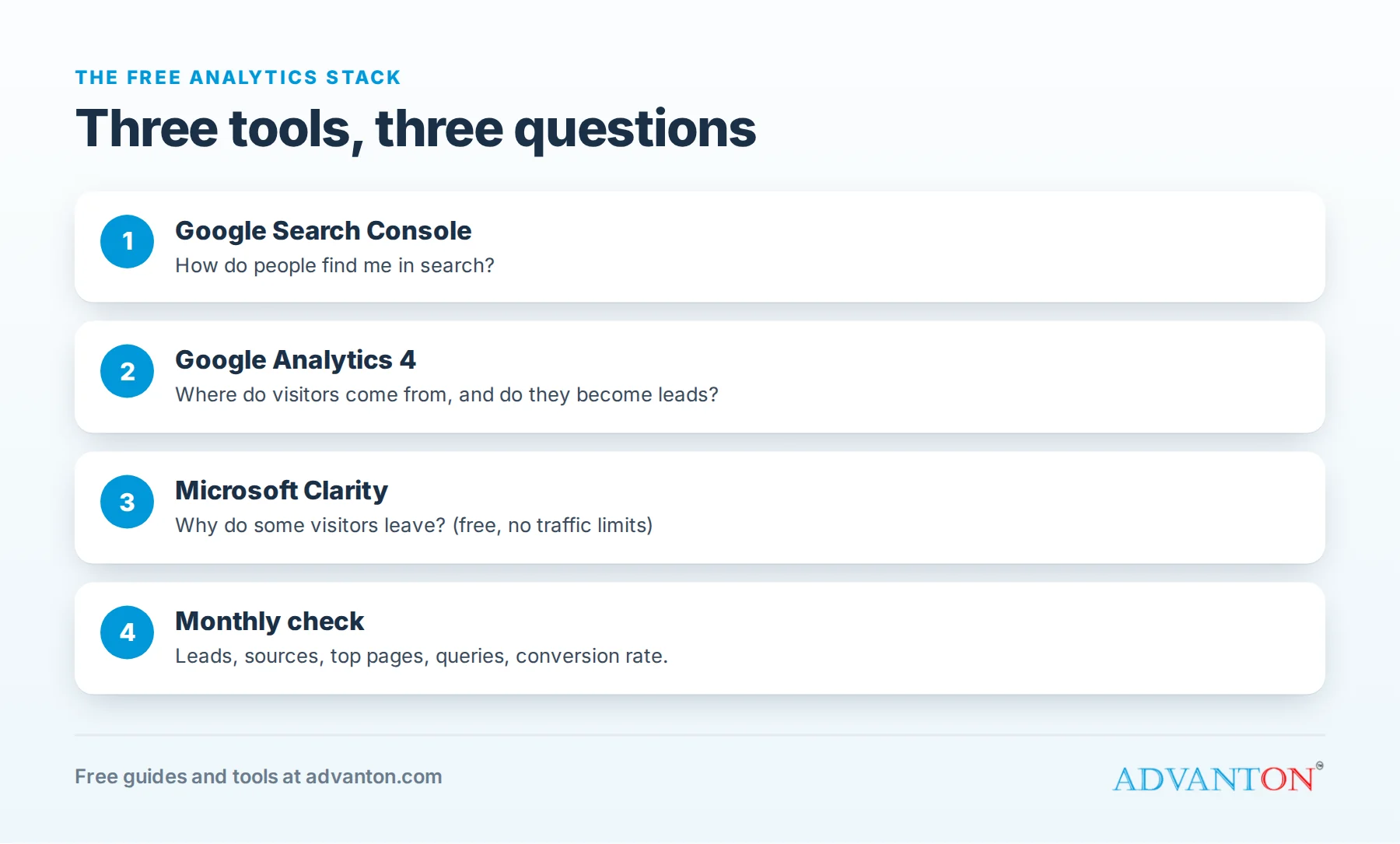
- Google Search Console, to see how people find you in search.
- Google Analytics 4, with key events for calls, form submissions and bookings.
- Microsoft Clarity, to watch how people use your most important pages.
Together they answer: how do people find me, what do they do, and why do some leave?
The GA4 reports worth using
GA4 has dozens of reports. These answer most small business questions:
- Acquisition, traffic acquisition: where visitors came from (organic search, paid search, social, referral, direct, email).
- Engagement, pages and screens: which pages get the most views and engagement.
- Engagement, events and key events: form submissions, calls and bookings.
- Demographics, by city: whether visitors are in your service area.
- Tech, by device: how many visitors use phones, a reminder to check your site on mobile.
Set the date range to last month, compare it with the month before, and look for changes rather than absolute numbers.
Find easy wins in Search Console
- Open the Performance report and sort queries by impressions.
- Find searches where you appear but rarely get clicked, often with an average position between about 5 and 20. These are "almost there" opportunities.
- Improve the matching page: a clearer title, the service and town in the heading, and more helpful content.
- Check the Pages report for pages Google can’t index, and fix the problems listed.
- Submit your sitemap so Google finds new pages quickly.
What to look for in Clarity recordings
- Rage clicks: visitors clicking repeatedly on something that isn’t a link, such as a photo or a heading they expect to open.
- Scroll depth: if most visitors never reach your "Request an estimate" button, move it higher.
- Form drop-off: watch where people abandon your contact form, and remove unnecessary fields.
- Mobile problems: buttons too small, menus that don’t open, or text that’s hard to read.
Watching ten recordings of mobile visitors often reveals more than any report.
The five numbers to watch each month
- Leads from the website: form submissions, calls and bookings. This matters most.
- Visitors by source: search, Google Business Profile, social, ads, referrals.
- Top pages: which services or products attract interest.
- Search queries (Search Console): what people type to find you, and what’s almost working.
- Conversion rate: leads divided by visitors.
A worked example: conversion rate
A plumber’s website gets 1,200 visitors in a month and receives 36 estimate requests and calls from the site.
Conversion rate = 36 ÷ 1,200 = 3%.
If a clearer "Request an estimate" button and a faster mobile page lift conversion to 4%, the same 1,200 visitors bring 48 leads: 12 more a month with no extra advertising. That’s why improving the page often beats buying more traffic.
Set up the basic stack in an hour
- Google Search Console (15 minutes): add your website as a property, verify ownership (your website builder or host usually makes this easy), and submit your sitemap.
- Google Analytics 4 (25 minutes): create a property, add the tracking code (many website builders have a field for your measurement ID), and check that real-time reports show your own visit.
- Microsoft Clarity (10 minutes): create a project, add its code, and confirm recordings start appearing.
- Key events (10 minutes): mark your form submission and tap-to-call clicks as key events in GA4.
Then leave it for a month to collect data before drawing conclusions.
How to set up tracking for calls and forms
- Forms: set up a key event when someone reaches your thank-you page or submits the form.
- Phone calls: track clicks on tap-to-call links, which matter most for mobile visitors.
- Email links and booking buttons: track clicks as events.
- UTM tags: add tracking tags to links in emails, social posts and QR codes, so visits are labeled by source. A QR code on a flyer can point to a tagged link, so you know exactly how many visits it brought.
Don’t forget Google Business Profile insights
For local businesses, many customers never visit your website: they call or ask for directions straight from your Google Business Profile. Its free performance reports show searches, calls, direction requests and website clicks from your listing. Review them alongside your website analytics each month.
Privacy and cookie basics
- Tell visitors what you collect in a privacy policy.
- Cookie consent: depending on your visitors’ locations and the tools you use, you may need a consent banner, particularly for visitors from Europe and some U.S. states. Cookieless tools like Cloudflare Web Analytics and Umami reduce this need.
- Don’t collect more than you need, and never record sensitive form fields in session recordings. Clarity masks many sensitive inputs by default; check its settings.
A monthly 30-minute analytics routine
- Leads (5 minutes): how many calls, forms and bookings came from the website, and from which sources?
- Search (10 minutes): which queries grew or fell in Search Console? Any "almost there" queries to improve?
- Behavior (10 minutes): watch a few Clarity recordings of your key page on mobile.
- One action (5 minutes): pick one improvement for the month and note it, so next month you can see whether it worked.
Common mistakes
- Installing analytics and never looking at it. Put a 30-minute review in your calendar each month.
- Tracking visitors but not leads. Set up key events for calls and forms first.
- Counting your own visits. Exclude your own and your team’s traffic where possible.
- Chasing vanity numbers like total page views instead of leads and sales.
- Installing too many tools, which slows your site and creates conflicting numbers.
When to upgrade
Free tools cover almost every small business. Consider paid tools when you need advanced ecommerce reporting, longer data retention, privacy-focused hosted analytics without maintenance, or dedicated support.
Frequently asked questions about free website analytics tools
Is Google Analytics really free?
Yes, for small businesses. The paid enterprise version is for very large organizations.
Do I need both Google Analytics and Search Console?
Yes. They answer different questions: Search Console shows how you appear in Google search; GA4 shows what visitors do once they arrive.
Will analytics slow down my website?
A few lightweight scripts have little effect, but avoid installing many overlapping tools.
Does my website builder include analytics?
Many do, with simple stats. They’re a good start, but Search Console and GA4 give a fuller picture. Sites built with Advanton’s free website builder can add these tools.
How much website traffic is normal for a local business?
It varies enormously by industry and area. A local service business might see a few hundred to a few thousand visits a month. Focus on whether leads grow over time, not on comparisons with other businesses, and on whether visitors come from your service area.
Keep learning
- Online presence checkup: score how you look online
- Lead source tracker: cost per customer by channel
- Free QR code generator
Sources
- Toolradar, Best free web analytics tools in 2026
- Swetrix, Free web analytics tools for 2026 (Microsoft Clarity, Matomo)
- Pretty Insights, Free website visitor tracking tools (2026 guide)
Last reviewed October 28, 2026. Startup costs are estimates; check local prices, licensing and tax rules before you commit money.
This article is general information, not financial, legal or tax advice. Check the rules that apply to you or talk to a qualified professional before making decisions. See our disclaimer.
Leave a Reply