• Skip to primary navigation
  • Skip to main content
  • Skip to primary sidebar
  • Skip to footer
advanton usa logo

Advanton USA

MENUMENU
  • Start
    • How to start a business, A to Z
    • Business ideas
    • Choosing a business structure
    • Get an EIN
    • SBA loans
    • Small business grants
    • Business banking
    • Franchises
  • Grow
    • Hiring your first employee
    • Taxes and bookkeeping
    • Keeping customers
    • Financing growth
    • Using AI
    • Industry data
    • Services owners use
      • USPS for small business
      • Every Door Direct Mail
      • USPS vs UPS vs FedEx
      • Yelp for Business
      • Apple Maps listing
  • Free Tools
    • Plan your business
      • One-page business plan
      • Startup cost calculator
      • Break-even calculator
      • Pricing calculator
    • Build your brand
      • Brand Kit
      • Business cards
      • Flyers
      • Gift certificates
      • Loyalty cards
      • Rewards program
    • Get found and get reviews
      • Launch your business online
      • Website builder
      • Online presence checkup
      • Review request kit
    • Paperwork
      • Quotes and invoices
      • Word to PDF
    • More tools
      • Your Rewards Card
  • Contractors
    • Contractor website builder
    • Websites by trade
      • Roofing
      • Remodeling
      • Painting
      • Plumbing
      • Flooring and tile
      • Electrical
      • HVAC
      • Handyman
    • Yard signs and door hangers
    • Marketing for contractors
    • Angi vs Thumbtack
  • Directory
    • Browse the directory
    • Add your business
  • Get Online
    • Launch your business online
    • Free website builder
    • Contractor website builder
    • Domains and hosting
    • After you buy: help guides
      • Verify your new domain
      • Upload your website
      • Connect your domain
      • Turn on free SSL
      • Set up business email
      • Renewals
Home ยป How to Connect Your Domain to Your Hosting (Nameservers Explained)

How to Connect Your Domain to Your Hosting (Nameservers Explained)

October 27, 2026 Leave a Comment

Your domain is your address, and your hosting is where your website lives. For visitors to reach your website when they type your address, the domain needs to point to your hosting. This usually takes a couple of minutes to set up, then some time to take effect across the internet.

Good news if you bought both together: when you buy a domain and hosting from the same store at the same time, the domain is often pointed at the hosting automatically. Check first: if your website (or your host’s default page) appears when you visit your domain, you’re already connected.

What are nameservers?

Table of Contents

  • What are nameservers?
  • How to change your nameservers
  • How long does it take?
  • The alternative: an A record
  • Don’t forget email
  • Troubleshooting
  • Frequently asked questions
  • Next steps

Nameservers tell the internet which company manages the settings (DNS records) for your domain. When you point your domain’s nameservers to your hosting company, your host handles everything else: your website, your email, and the records that connect them.

Nameservers look like this: ns1.yourhost.com and ns2.yourhost.com. Your hosting welcome email lists the exact ones to use.
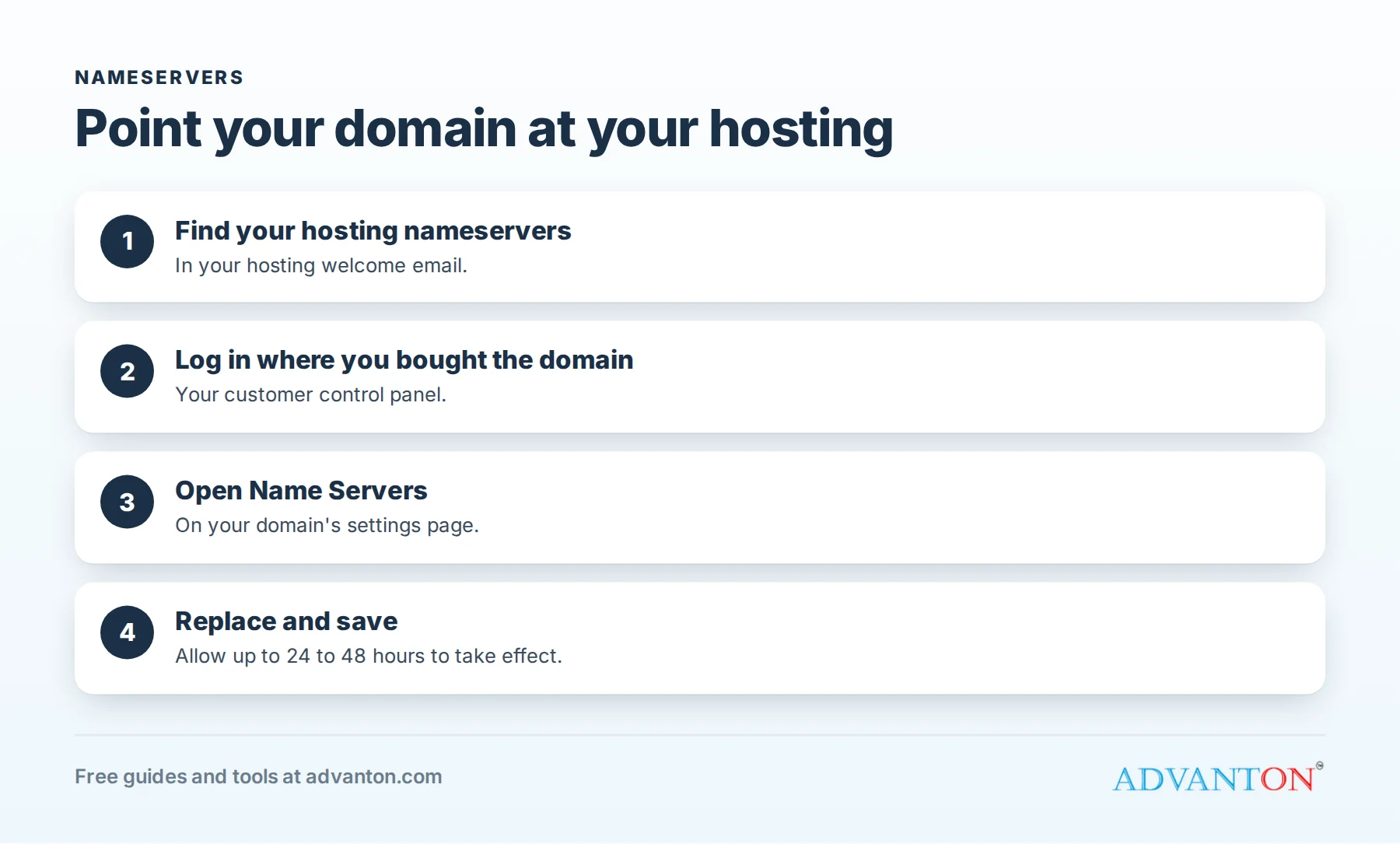
How to connect your domain to your hosting in four steps

How to change your nameservers

  1. Find your hosting nameservers in your hosting welcome email (search for “nameserver” or “DNS”).
  2. Log in to the control panel where you bought your domain. If you bought it from our store, that’s your customer control panel.
  3. Open your domain and find Name Servers (sometimes called DNS or Nameserver settings).
  4. Replace the existing nameservers with your hosting nameservers, exactly as written, and save.

How long does it take?

Changes usually start working within a few hours, but can take up to 24 to 48 hours to reach everyone, because internet providers store old settings for a while. During that time, some people may see your new website and others the old page. That’s normal.

Tip: check from your phone using mobile data, or in a private browser window, to see the change sooner.

The alternative: an A record

Sometimes you’ll want to keep your domain’s DNS where it is, for example if your email is already set up elsewhere. Instead of changing nameservers, add an A record pointing to your hosting’s IP address (also in your welcome email or cPanel):

Field What to enter
Type A
Name / Host @ (your main domain), and another A record (or a CNAME) for www
Value Your hosting’s IP address

Only use this method if you’re comfortable with DNS settings, because the wrong change can affect your email.

Don’t forget email

If you change nameservers, your email will also be handled by your new host. If you already have email working elsewhere (such as Google Workspace or Microsoft 365), recreate its DNS records (MX, SPF and others) at your new host before switching, so email keeps flowing.

Troubleshooting

What you see What it means
A parking page or “coming soon” The domain still points to the registrar’s default page; check your nameservers are saved, and wait
Your host’s default page Connected; now upload your website
“This site can’t be reached” Changes are still spreading, or the nameservers have a typo
Works on your phone, not your computer Your computer has the old settings saved; wait, or clear your browser cache
“Not secure” warning Connected, but SSL isn’t set up yet; see free SSL

Frequently asked questions

Do I need to connect both “yourdomain.com” and “www.yourdomain.com”?
With nameservers, your host usually handles both. With A records, add one for each.

Will changing nameservers delete anything?
It doesn’t delete your website or domain, but your new host’s DNS settings take over, so recreate any custom records, especially for email, first.

Can I move my domain to a different store later?
Yes. You can transfer a domain to another registrar, usually after 60 days from registration.

Next steps

  • Upload your website to cPanel
  • Turn on free SSL
  • Launch your business online, step by step

Last reviewed October 27, 2026. Startup costs are estimates; check local prices, licensing and tax rules before you commit money.

Filed Under: small business Tagged With: DNS, domains, help, hosting

Reader Interactions

Leave a Reply Cancel reply

Your email address will not be published. Required fields are marked *

Primary Sidebar

Free website builder

Build your business website free

Pick a template, add your details and publish in about 10 minutes.

  • Beautiful templates
  • Local SEO built in
  • No sign-up needed
Build my website →
★★★★★
Thanks for choosing us! Would you share a quick review? It helps a lot.

Free review kit

Get more 5-star reviews

Ready-to-send texts and emails, reply templates and a printable QR card that makes reviewing you one tap.

Get my review kit →

Small Business Ideas, Guides, Industry data & Tools to help you grow!

Free website builder

Build your business website free

Pick a template, add your details and publish in about 10 minutes.

  • Beautiful templates
  • Local SEO built in
  • No sign-up needed
Build my website →
submit guest post

Start and grow

  • Start a business, A to Z
  • Industry data
  • Services owners use
  • Grow your business

Free tools

  • Website builder
  • One-page business plan
  • Quotes and invoices
  • Rewards program
  • Brand kit
  • All free tools

Get online

  • Launch your business online
  • Domains and hosting
  • Verify your new domain
  • Upload your website
  • Set up business email
  • For contractors

Advanton

  • About
  • Contact
  • Business directory
  • Add your business
  • Privacy policy

Advanton Free guides and tools for US small businesses.

Advanton earns money when you buy a domain or hosting through our store. It helps keep our guides and tools free.

Footer

About ADVANTON

ADVANTON empowers small businesses with the world’s leading CLOUD solution for local business marketing. Our technology solves one major challenge for every small business and that is acquiring local customers. Over 10,000 small businesses generate business leads and revenues every month. Are you the next?

Follow us

  • facebook
  • twitter
  • yelp

Our Associations

Contact Us

Email: info[at]advanton.com

From rest of the world, email us: info[at]advanton.com

Copyright © 2026 — ADVANTON • All rights reserved. • Privacy Policy

  • Start
  • Grow
  • Free Tools
  • Contractors
  • Directory
  • Get Online