
When someone asks Siri for "a coffee shop near me", searches Apple Maps on an iPhone, or taps an address in Messages or Calendar, Apple shows a place card for the business: its name, hours, photos, phone number and directions. Many businesses have never checked theirs, even though a large share of their customers use iPhones and Apple Maps comes built in.
Apple Business Connect is Apple’s free tool for claiming and managing how your business appears across Apple Maps, Siri, Wallet, Mail, Messages and more. According to Apple, claimed businesses get 30% more views, and action links (such as "Book" or "Order") raise click-through rates by 31%. This guide walks you through setting it up, step by step.
Apple Business Connect at a glance
Table of Contents
| Topic | What to know |
|---|---|
| Cost | Free |
| What you need | An Apple Account and proof that you own or manage the business |
| Where your listing appears | Apple Maps, Siri, Spotlight search, Calendar, Messages, Wallet and other Apple apps |
| Key features | Place cards, photos, Showcases, action links, Branded Mail, Tap to Pay on iPhone and insights |
| Who it’s for | Businesses with physical locations, plus online and service businesses for features such as Branded Mail |
Why it matters for a small business
- iPhone users find you through Apple Maps and Siri by default, not Google.
- Wrong hours or a missing phone number send customers to competitors.
- Photos and offers on your place card help you stand out in search results.
- It’s free, and most of your competitors probably haven’t done it yet.
How to claim your listing, step by step
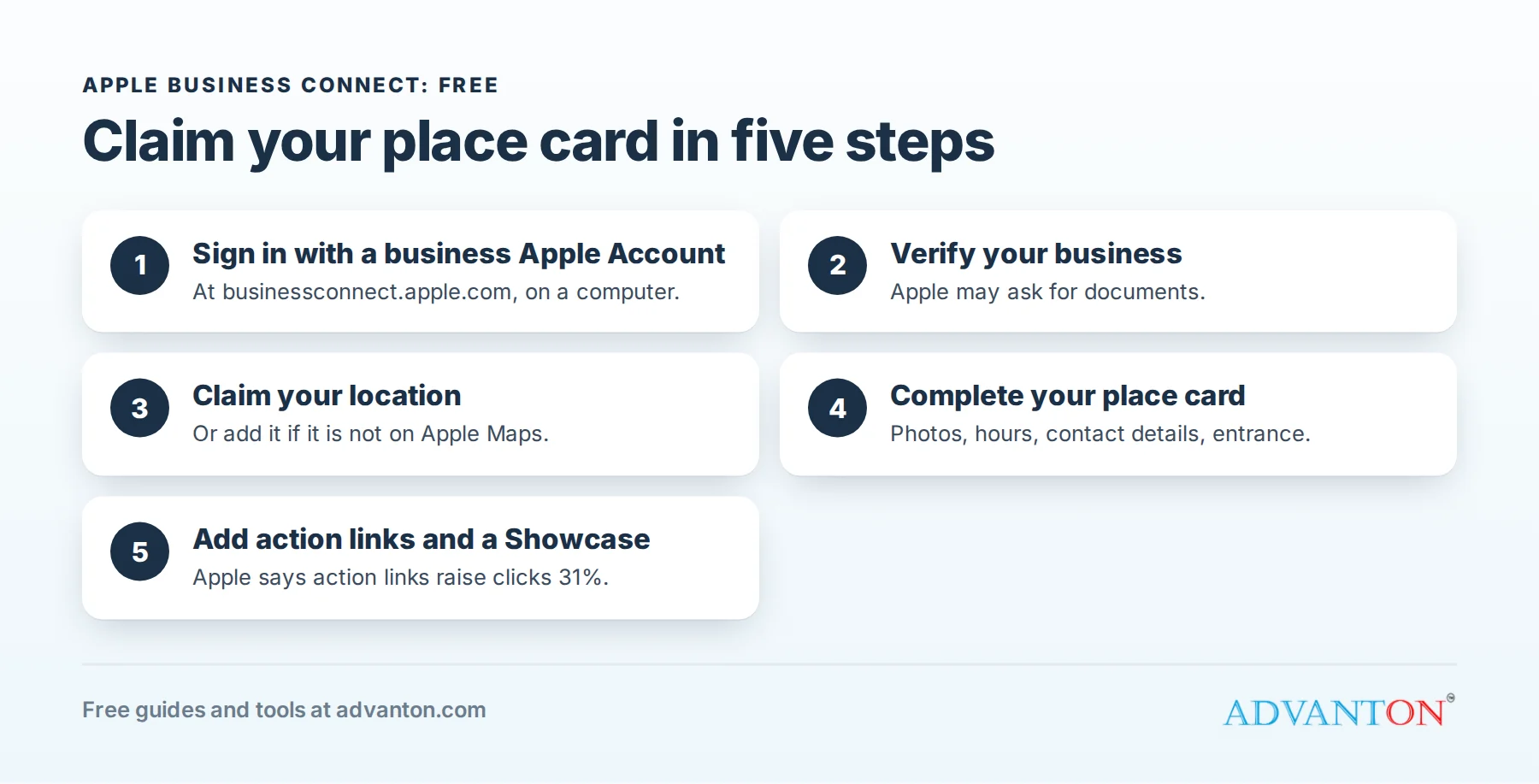
- Go to Apple Business Connect (businessconnect.apple.com) on a computer and sign in with an Apple Account. Apple recommends using one dedicated to your business, rather than your personal account.
- Choose your account type: a company or organization managing its own business, or a third-party partner (such as an agency) managing businesses for clients.
- Enter your business details: your legal business name, address and phone number.
- Verify your business. Apple may ask for documents or other proof that you own or are authorized to represent the business.
- Find and claim your location. Search for your business; if it’s already on Apple Maps, claim it. If not, add a new location.
- Verify the location, for example by phone or with documents, as Apple asks.
- Customize your place card (see below).
Verification can take a few days, so start early, and keep your documents, such as a business license or utility bill in the business name, ready to upload.
Customize your place card
Your place card is your business’s profile across Apple apps. Complete every section:
- Cover photo: a clear, attractive image of your storefront, food, products or work.
- Photo gallery: your interior, team, products and finished projects.
- Hours, including special hours for holidays.
- Contact details: phone, website and social media.
- Category that best describes your business.
- Accurate entrance location: Apple lets you pinpoint your entrance on the map, so customers arrive at the right door.
- Payment options and amenities where available.
Keep the details identical to your website, Google Business Profile and Yelp page.
Action links: let customers act in one tap
Action links add buttons to your place card, such as Book, Order, Reserve, Get tickets or Request a quote, linking to your booking page, ordering system or website. Apple reports that action links increase click-through rates by 31%. Point them to pages that work well on phones. Our free website builder creates mobile-friendly pages, and our guide to free scheduling apps covers online booking.
Showcases: promote what’s new
A Showcase is a promotional panel on your place card, with a photo, a short message and a call-to-action button. Use it for:
- Seasonal offers: "Fall menu now available" or "Spring AC tune-up special".
- New products or services.
- Events: live music, workshops or grand openings.
- Limited-time deals.
Showcases are reviewed by Apple before they appear, and run for a set period. Refresh them regularly so your place card stays current.
Branded Mail: your logo in customers’ inboxes
Branded Mail displays your business name and logo next to emails you send to customers who use Apple Mail. It helps customers recognize and trust your emails, such as receipts, appointment reminders and newsletters, and makes impersonation by scammers more obvious. You’ll register the email domain or addresses you send from and verify them through Business Connect. Make sure your email is properly authenticated (SPF, DKIM and DMARC) first; see our guide to business email clients.
Tap to Pay on iPhone
Through supported payment providers, Tap to Pay on iPhone lets you accept contactless cards, Apple Pay and other digital wallets using just an iPhone, with no extra card reader. It’s useful for mobile businesses such as contractors, food trucks, pop-up shops and service providers. Business Connect lets you show your brand when customers pay.
Insights: see how customers find you
Business Connect shows how customers interact with your place card:
- Searches: how many people found your business, and how.
- Interactions: taps for directions, calls, website visits and action links.
- Benchmarks: how your place card performs compared with similar businesses.
Check insights monthly. If many people view your place card but few tap your website or call, improve your photos, Showcase or action links.
Reviews and ratings on Apple Maps
Apple Maps place cards can show ratings and reviews, including Apple’s own ratings from customers and, in many cases, reviews from partner services such as Yelp. That’s another reason to keep your Yelp page accurate and active.
Ads on Apple Maps
Apple has announced ads on Apple Maps for local businesses, letting you promote your business when nearby customers are deciding where to go, at a cost and duration you control. As with any advertising, start small and measure the customers it brings.
How iPhone customers find you
- Siri: "Hey Siri, find a plumber near me" or "When does [your business] close?" uses your place card information.
- Spotlight search: typing your business name on an iPhone or Mac can show your place card instantly.
- Apple Maps search and suggestions: customers browsing categories such as "Coffee" or "Gas" see nearby businesses with photos and ratings.
- Messages and Calendar: addresses and business names in messages and events link to your place card.
- Wallet and Mail: Branded Mail and payment features show your brand where customers already look.
Accurate categories, hours and photos make your business more likely to appear and be chosen in all of these.
A monthly upkeep routine
- Check your hours, especially before holidays.
- Refresh your Showcase with a new offer, product or event.
- Add a few new photos.
- Review insights: views, direction requests, calls and action-link taps.
- Confirm action links still work and lead to mobile-friendly pages.
It takes about 15 minutes a month.
Several locations or an agency?
Businesses with several locations can manage all of them from one Business Connect account, with place cards for each. Marketing agencies and listing services can register as Third-Party Partners to manage place cards on behalf of clients, once the business owner authorizes them. If you hire help, make sure the account remains in your company’s name.
Apple Business Connect vs Google Business Profile
| Apple Business Connect | Google Business Profile | |
|---|---|---|
| Cost | Free | Free |
| Where it appears | Apple Maps, Siri, Spotlight, Mail, Wallet | Google Search and Google Maps |
| Promotions | Showcases | Posts and offers |
| Booking buttons | Action links | Booking and ordering links |
| Email branding | Branded Mail | Not available |
| Reviews | Apple ratings and partner reviews | Google reviews |
You should claim both: they reach different customers.
Common mistakes
- Using a personal Apple Account that an employee or family member controls.
- Leaving holiday hours out of date.
- Inconsistent details between Apple, Google, Yelp and your website.
- Never updating Showcases.
- Linking action buttons to pages that don’t work on phones.
Frequently asked questions
Is Apple Business Connect free?
Yes. Claiming and managing your place card, Showcases, action links and insights are free. Apple Maps ads are a separate, optional paid service.
How long does verification take?
Usually a few days, depending on the documents Apple needs.
Do I need a physical location?
Place cards are for physical locations, but online and service businesses can still use features such as Branded Mail.
My business shows the wrong address on Apple Maps. How do I fix it?
Claim your location in Business Connect and update it there. You can also report a problem from the Maps app on an iPhone.
Can my marketing agency manage Apple Business Connect for me?
Yes. Agencies can register as Third-Party Partners and manage your listings once you authorize them, but keep ownership of your company account.
Will claiming my place card change my Apple Maps ranking?
Apple doesn’t publish how it ranks businesses, but a complete, accurate place card with good photos and fresh Showcases gives customers more reasons to choose you, and Apple reports that claimed businesses get more views.
Keep learning
- Yelp for Business: claim and manage your page
- How to get online reviews from customers
- Free online presence checkup
Sources
- Apple Business Connect
- Apple Support, Benefits of using Apple Business Connect
- Apple Support, Overview of Apple Business Connect
- Apple Business, Promote your business on Apple
Last reviewed October 27, 2026. Startup costs are estimates; check local prices, licensing and tax rules before you commit money.


Leave a Reply