
Every phone call spent finding a time that works is time you’re not working, and every missed appointment is lost income. Online booking lets customers pick a time that suits them, day or night, and automatic reminders cut no-shows. For many small businesses, a free scheduling app is enough to start.
But free plans differ a lot. One tool lets you offer only one type of appointment, another limits bookings per month, and another only takes payments through its own processor. This guide reviews the best free scheduling and booking apps in 2026, explains exactly what each free plan includes, and helps you pick the right one for your business.
Quick picks
Table of Contents
| If you’re | Choose |
|---|---|
| A consultant booking one kind of call | Calendly |
| A solo service provider who takes payments | Square Appointments |
| A small team of up to four | Setmore |
| One person wanting many appointment types free | Cal.com |
| Already living in Google Calendar | Google Calendar booking page |
| A salon, spa or barber | Fresha |
| Already using Zoho apps | Zoho Bookings |
What to look for in a scheduling app
- Calendar sync with Google, Outlook or iCloud, so you’re never double-booked.
- Appointment types: different services, lengths and prices.
- Reminders by email or text, which reduce no-shows.
- Buffers between appointments for travel or cleanup.
- Payments or deposits, to protect valuable time slots.
- Staff calendars, if more than one person takes bookings.
- A booking page or website widget you can share and embed.
The best free scheduling apps, reviewed
Calendly: simplest for one type of meeting
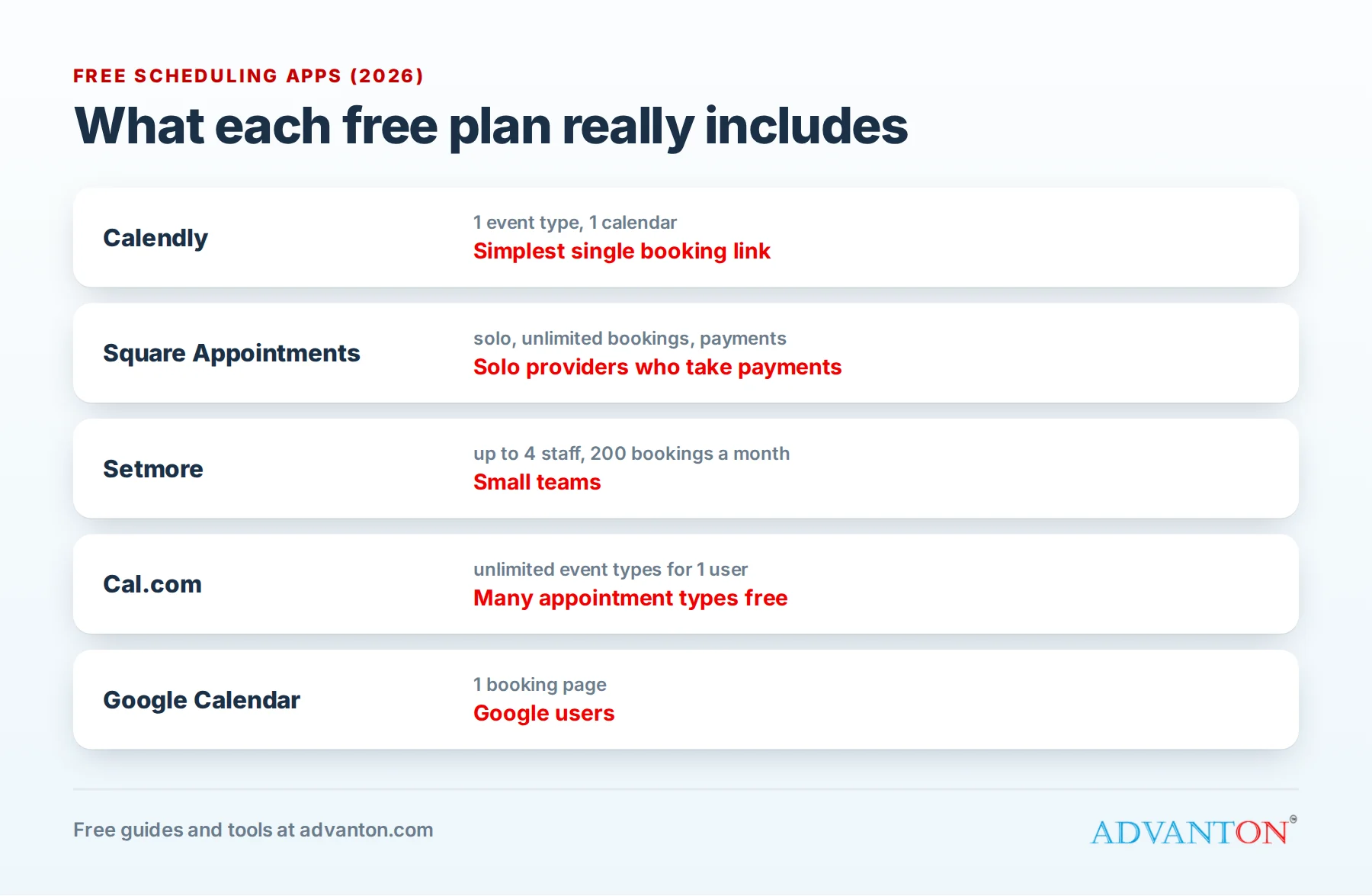
What’s free: one active event type, unlimited bookings, a personal booking page, and one calendar connection (Google, Outlook or iCloud).
Best for: consultants, coaches and freelancers who book one kind of call, such as a free 30-minute consultation.
Catches: you can only offer one appointment type at a time, the free plan doesn’t take payments or send reminders and workflows, and Calendly branding appears on your booking page. Because it checks only one calendar, appointments on a second calendar won’t block your availability.
Square Appointments: best for solo providers who take payments
What’s free: for individuals, unlimited bookings, a free online booking site, automated email reminders, client records and Square payment processing (standard card fees apply).
Best for: solo hairstylists, trainers, therapists, tutors and other service providers who want booking and payments in one place.
Catches: payments run only through Square, and adding staff requires a paid plan.
Setmore: best free plan for small teams
What’s free: up to four staff logins and up to 200 bookings a month, with Square and PayPal payments and booking through social media.
Best for: small teams such as a two-chair salon or a small clinic.
Catches: text reminders, recurring appointments and intake forms aren’t included on the free plan.
Cal.com: most generous for one person
What’s free: for one user, unlimited event types and calendar connections, with no usage limits. It’s also open-source, so technical teams can host it themselves for free.
Best for: professionals who offer several appointment types and want them all free.
Catches: team features are paid, and self-hosting needs technical skills.
Google Calendar booking pages: simplest if you use Google
What’s free: a personal Google account can publish one booking page that checks your calendar availability and adds bookings to it.
Best for: people who already live in Google Calendar and need one simple booking page.
Catches: more booking pages, reminders and payments require paid Google plans.
Fresha: built for salons and spas
What’s free: Fresha’s scheduling and calendar tools are free with no user limits; it earns money from payment processing and optional marketplace features.
Best for: salons, barbers, spas and beauty businesses.
Catches: check payment processing fees and marketplace charges carefully.
Zoho Bookings: best for Zoho users
What’s free: a free plan with booking pages and two-way sync with Zoho, Google and Microsoft calendars.
Best for: businesses already using Zoho CRM, Zoho Books or Zoho Mail.
Catches: the free plan is basic; most growing teams upgrade.
Comparison at a glance
| Calendly | Square Appointments | Setmore | Cal.com | Google Calendar | |
|---|---|---|---|---|---|
| Free users | 1 | 1 | Up to 4 | 1 | 1 |
| Appointment types | 1 active | Multiple | Multiple | Unlimited | 1 booking page |
| Bookings | Unlimited | Unlimited | 200 a month | Unlimited | Unlimited |
| Payments | No | Square only | Square or PayPal | Paid add-ons | No |
| Reminders | No | Limited |
Free plans change often, so check each app’s current terms.
Questions to ask before you choose
- How many appointment types do you offer, and how many people take bookings?
- How many bookings a month do you expect, now and in a year?
- Do you need payments or deposits, and through which processor?
- Do you need text reminders, or will email do?
- Which calendars must it check to avoid double-booking?
- Do you need intake forms or service addresses?
Which should you choose?
- One kind of consultation call: Calendly.
- Several services, just you: Cal.com, or Square Appointments if you take payments.
- Two to four staff: Setmore.
- Salon, spa or barber: Fresha or Square Appointments.
- Simplest possible start: your Google Calendar booking page.
A worked example: what no-shows cost
These are illustrative numbers. Suppose a massage therapist charges $90 a session and gets six no-shows a month:
| Monthly | |
|---|---|
| Lost income from 6 no-shows at $90 | $540 |
| If reminders and a deposit policy prevent just 4 of them | $360 recovered |
| Over a year | About $4,300 recovered |
That’s why reminders, easy rescheduling and deposits on long appointments often pay for a paid plan many times over.
How to cut no-shows
No-shows cost real money: an empty hour you could have sold. These habits make a big difference:
- Send reminders 24 hours before and again a couple of hours before.
- Make rescheduling easy with a link in every reminder, so people move rather than skip.
- Publish a clear cancellation policy, such as 24 hours’ notice.
- Take a deposit for long or high-value appointments.
- Confirm new clients personally the first time they book.
- Keep a short waitlist to fill last-minute gaps.
Scheduling setups by business type
- Salons, barbers and spas: separate services with accurate lengths (a cut versus color), staff calendars, deposits for long services, and rebooking reminders a few weeks after each visit.
- Contractors and home services: book estimate visits, not full jobs. Add travel buffers between appointments, ask for the service address and a short description, and limit bookings to your service area. Our contractor website builder adds an estimate request form to your website.
- Tutors, trainers and coaches: recurring weekly sessions, packages of sessions, and online meeting links added automatically.
- Consultants and professional services: one or two appointment types (an introductory call and a paid session), with intake questions so you arrive prepared.
- Clinics and wellness providers: intake forms, reminders and clear cancellation policies (see the privacy note below).
Write a booking page that converts
- Use clear service names customers understand, such as "Kitchen deep clean (3 hours)".
- Show the price or a "starting from" price, and the length.
- Explain what to expect and how to prepare.
- Add a friendly photo of you or your team.
- State your policies (cancellations, late arrivals, deposits) in one short paragraph.
- Keep the form short: ask only for what you need to do the job.
Time zones and remote bookings
If you meet clients online, choose an app that shows times in the client’s time zone automatically, and set your working hours in your own. Double-check daylight saving changes in March and November, when clients in other states or countries can be an hour off.
A privacy note for health and wellness providers
If you’re a healthcare provider covered by HIPAA, booking details can count as protected health information. Many free scheduling tools won’t sign the business associate agreement (BAA) HIPAA requires. Check before you collect health details through a booking form, or keep forms to names and contact details only.
Set up online booking in an afternoon
- List your services with lengths, prices and any preparation time.
- Set your working hours and buffers between appointments.
- Connect your calendar so personal appointments block your availability.
- Write a short description for each service, with what to expect and how to prepare.
- Add intake questions where useful, such as the service address or vehicle model.
- Test it: book yourself an appointment, cancel and reschedule.
- Share your link everywhere (see below).
Let customers book from Google
Your Google Business Profile can show a booking button that links to your scheduling page, so customers who find you on Google Search or Maps can book in a couple of taps. Add your booking link in your profile’s settings, and check that the services and prices on your booking page match your profile.
Classes and group events
If you run classes, workshops or tours, look for group booking features: set a capacity, let several people book the same time slot, and close bookings when it’s full. Some free plans limit group events, so test this before you commit. A waitlist for full classes helps fill cancellations.
Is online booking working? Measure it
Check these numbers once a month:
- Online bookings as a share of all appointments.
- No-show rate before and after you turned on reminders.
- Rebooking rate: how many customers book their next visit.
- Busiest booking times, which often reveal demand outside your opening hours.
If customers often book late at night or on weekends, that’s demand your phone line was missing.
Put your booking link everywhere
- Your website: our free website builder includes a booking button.
- Your Google Business Profile, which can show a booking link.
- Your email signature and social media profiles.
- Printed materials: business cards, flyers and receipts with a QR code.
When to upgrade
Upgrade when you need more appointment types or staff, text reminders, payments or deposits on a tool that doesn’t include them free, intake forms, or your own branding instead of the provider’s.
Frequently asked questions
Are free booking apps secure?
Reputable providers protect data with encryption. Collect only the information you need, and use a strong password with two-factor login on your account.
Can customers book without creating an account?
With most scheduling apps, yes: they pick a time and enter their name and contact details.
Can I take deposits on a free plan?
Some free plans support payments (such as Square Appointments and Setmore), with standard processing fees. Others require a paid plan.
Should I use my own website or a booking page?
Both work. A booking page is fastest to set up; embedding booking on your website keeps customers on your site. Many owners do both.
Will online booking replace phone calls?
Not entirely, and it doesn’t need to. Many customers still prefer to call, especially for urgent or complex work. Online booking simply catches the customers who would rather book at 10 p.m. than call during business hours.
How do I stop people booking times I’m not free?
Connect every calendar you use (work and personal) where your app allows, set buffers between appointments, and block out time for travel, admin and breaks.
What about Acuity Scheduling?
Acuity, owned by Squarespace, is a popular and capable scheduling tool, especially for wellness and service businesses, but it doesn’t offer a permanent free plan. It’s worth comparing once you’re ready to pay for features such as intake forms, packages and text reminders.
Can I embed booking on my website?
Most scheduling apps provide a link and an embed code. Paste the link into your website’s booking button, or embed the calendar on your contact page, so customers can book without leaving your site.
Do I need a separate app for each staff member?
Not with team-friendly tools. Setmore’s free plan covers up to four staff, and paid plans of most apps add staff calendars, so customers can choose a person or simply the first available time. One shared booking page is simpler for customers than several.
Keep learning
Sources
- Calendly, Pricing
- Square Appointments, Pricing
- Setmore, Pricing
- Cal.com, Pricing
- SimplyBook.me, Best free booking software for service businesses (2026)
- Google, Appointment schedules in Google Calendar
Last reviewed October 26, 2026. Startup costs are estimates; check local prices, licensing and tax rules before you commit money.


Leave a Reply