
Posting regularly on social media helps customers find and remember your business, but finding time to post every day is hard. A scheduler lets you plan and create a week or month of posts in one sitting, then publishes them automatically. Several good schedulers are free, though their free plans are tighter than they used to be, and some well-known tools no longer offer free plans at all.
This guide reviews the best free social media schedulers in 2026, explains each free plan’s limits, and gives you a simple weekly system that takes about an hour.
Quick picks
Table of Contents
| Tool | Free plan in brief | Best for |
|---|---|---|
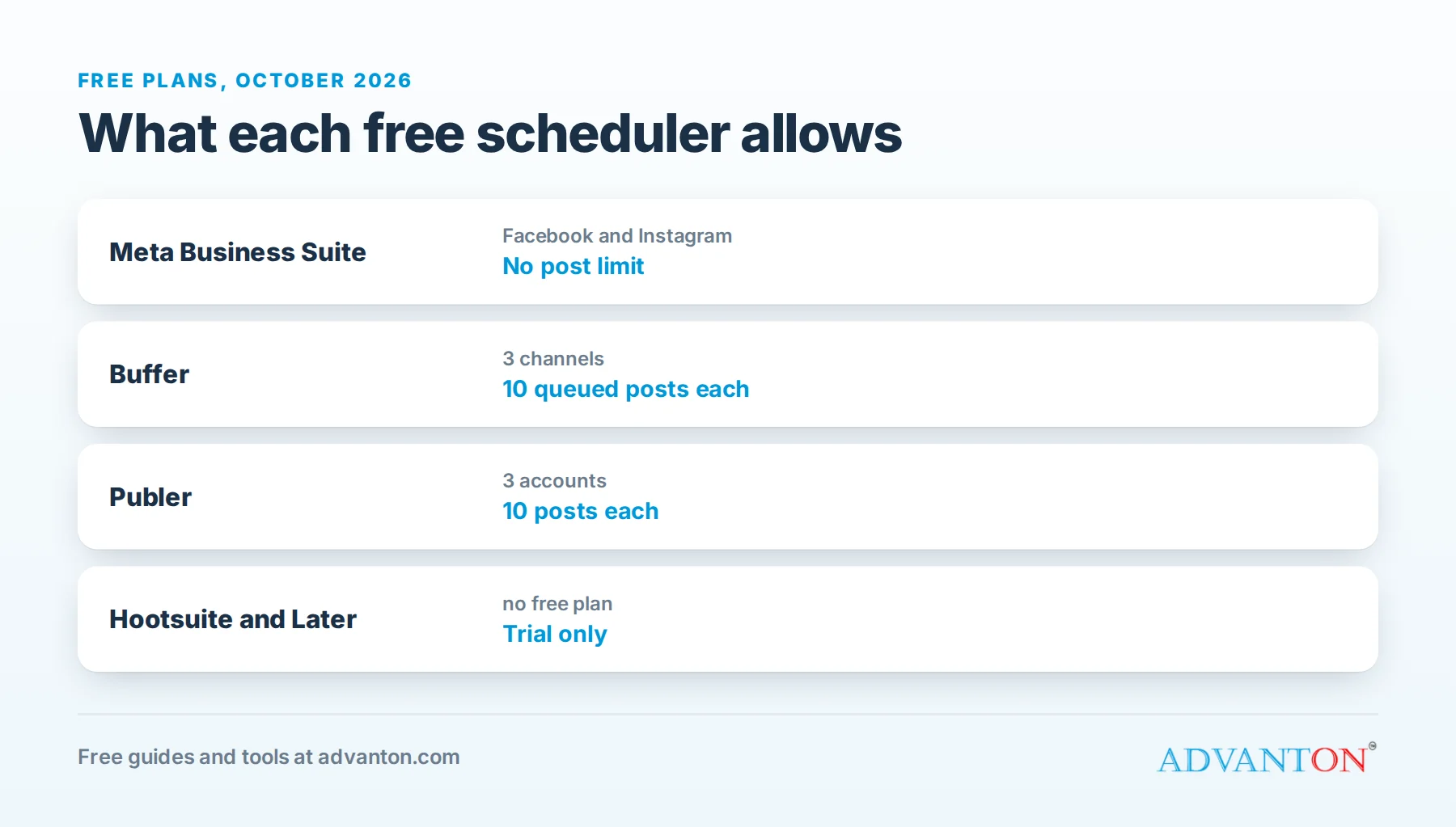
| Meta Business Suite | Free, with no post limit, for Facebook and Instagram | Businesses focused on Facebook and Instagram |
| Buffer | 3 channels, up to 10 scheduled posts per channel at a time | A simple queue across a few platforms |
| Publer | 3 accounts, 10 scheduled posts each | Facebook, Instagram and Pinterest |
| Metricool | One brand, a limited number of posts a month, plus analytics | Scheduling with basic analytics |
| Native schedulers | Free inside each platform (LinkedIn, YouTube, TikTok and others) | Businesses focused on one platform |
No longer free: Hootsuite ended its free plan in 2023, and Later now offers a free trial rather than a free plan.
How we evaluated
We compared which platforms each tool supports, how many accounts and posts the free plan allows, ease of use, analytics, and the cost of upgrading. Free-plan limits come from current 2026 sources and change often; check each tool’s pricing page before relying on a specific limit.
The best free schedulers, reviewed
1. Meta Business Suite: best for Facebook and Instagram
Meta’s own tool lets you schedule posts, Reels and Stories to your Facebook Page and Instagram professional account, with no post limit and no cost. It also shows insights and lets you manage messages and comments in one inbox.
The catch: it only covers Meta’s platforms, and the interface can feel cluttered.
Choose it if: most of your customers are on Facebook and Instagram, which is true for many local businesses.
2. Buffer: best simple queue across platforms
Buffer’s free plan connects 3 channels, with up to 10 scheduled posts per channel at a time; as posts publish, slots open up again. It supports many platforms, including Facebook, Instagram, LinkedIn, Pinterest, TikTok, Threads, Bluesky and Google Business Profile, with a clean calendar and a simple AI writing assistant.
The catch: 10 queued posts per channel means planning about a week or two ahead if you post daily.
Choose it if: you post to two or three platforms and want something simple.
3. Publer: good for Meta and Pinterest
Publer’s free plan connects 3 accounts with 10 scheduled posts each, and handles images and video well.
The catch: limited free features compared with paid plans.
Choose it if: you post visual content to Facebook, Instagram and Pinterest.
4. Metricool: scheduling plus analytics
Metricool’s free plan covers one brand, with a limited number of posts per month and useful starter analytics in the same dashboard.
The catch: the monthly post limit and the platforms included on the free plan are restricted; check current details.
Choose it if: you want to see what works as well as schedule it.
5. Each platform’s own scheduler
Most major platforms let you schedule natively for free: Meta Business Suite for Facebook and Instagram, YouTube Studio for videos, LinkedIn for page posts, and TikTok’s web scheduling. If one platform brings most of your customers, its own scheduler is free and uncapped.
Comparison at a glance
| Meta Business Suite | Buffer | Publer | Metricool | Native schedulers | |
|---|---|---|---|---|---|
| Free accounts | Facebook Page and Instagram | 3 channels | 3 accounts | 1 brand | One platform each |
| Post limit | None | 10 queued per channel | 10 per account | Limited per month | Generally none |
| Analytics | Yes | Basic | Basic | Yes | Yes |
| Best for | Meta-focused businesses | Simple multi-platform | Visual content | Analytics | One main platform |
Which should you choose?
- Facebook and Instagram only: Meta Business Suite.
- Two or three platforms, including LinkedIn or Google Business Profile: Buffer.
- Visual brands on Pinterest: Publer.
- You want analytics too: Metricool.
- Mostly one platform: that platform’s own scheduler.
Many small businesses combine two: Meta Business Suite for Facebook and Instagram, plus Buffer’s free plan for one or two other channels.
Set up Meta Business Suite in 15 minutes
- Make sure your Instagram is a professional account (business or creator) in the Instagram app settings.
- Connect it to your Facebook Page through Meta’s account settings.
- Open Meta Business Suite on the web or app and select your business.
- Create a post, choose Facebook, Instagram or both, and adjust the caption for each.
- Choose "Schedule" and pick a date and time.
- Check the planner to see your scheduled week at a glance.
Tips for each platform
| Platform | What works for small businesses |
|---|---|
| Community updates, events, offers, reviews; local groups for reach | |
| Strong photos and short Reels of your work, behind the scenes, Stories for day-to-day | |
| B2B services, expertise, team news and client results | |
| TikTok | Quick, authentic videos: tips, transformations, a day in the business |
| Products, recipes, home and wedding ideas, with links to your site | |
| Google Business Profile | Offers, updates and photos that appear in Google search and Maps |
A one-hour weekly posting system
- Plan (10 minutes): choose 3 to 5 posts for the week using the content mix below.
- Create (30 minutes): write captions and make graphics with a template; our free graphic design tools roundup and Brand & Print Studio help.
- Schedule (10 minutes): load posts into your scheduler at times your audience is active.
- Engage (10 minutes, spread across the week): reply to comments and messages; schedulers don’t do this for you.
A simple content mix
| Post type | Example |
|---|---|
| Show your work | Before-and-after photos, products, finished jobs |
| Helpful tip | A quick answer to a common customer question |
| Social proof | A customer review or testimonial |
| Behind the scenes | Your team, process or workspace |
| Offer or call to action | A seasonal promotion or "book now" |
Mixing types keeps your feed useful and personal rather than a stream of ads.
Repurpose one piece of content
One customer project can become:
- A before-and-after photo post.
- A short Reel or TikTok of the transformation.
- A tip post explaining one thing you did.
- A Google Business Profile update with the best photo.
- A testimonial graphic once the customer leaves a review.
Five posts from one job saves hours of planning.
Captions and hashtags
Start captions with a hook in the first line, keep them conversational, and end with a clear next step ("Book through the link in our profile"). Use a few relevant hashtags, especially local ones such as your town or neighborhood, rather than long lists of generic tags. Mention your location and service in the text; it helps local customers find you.
A simple weekly content calendar
| Day | Post | Platform |
|---|---|---|
| Monday | Tip of the week | Facebook, Instagram, LinkedIn |
| Wednesday | Before-and-after or product photo | Instagram, Facebook, Google Business Profile |
| Thursday | Short video (Reel or TikTok) | Instagram, TikTok |
| Friday | Customer review | Facebook, Instagram |
| Saturday | Offer or weekend availability | Facebook, Google Business Profile |
Fill the calendar once a month, then load it into your scheduler.
A worked example: a month in one afternoon
A cleaning company posts 4 times a week on Facebook and Instagram, about 16 posts a month. Using Meta Business Suite (no post limit), the owner spends one afternoon a month:
- Batch-photographing recent jobs (with permission).
- Writing 16 captions from a list of tips, reviews and offers.
- Scheduling everything for the month.
Then about 10 minutes a day goes to replying to comments and messages. The account stays active all month with a few hours of focused work.
Plan around seasons and local events
Mark your calendar with holidays, school breaks, local festivals, weather changes and your own busy seasons, and plan posts a few weeks ahead: spring cleaning offers, back-to-school specials, holiday gift certificates. Seasonal, local posts feel timely and relevant, and they’re easy to schedule in advance.
Use AI writing help wisely
Many schedulers include AI assistants that draft captions. They’re handy for first drafts and ideas, but edit every caption so it sounds like you, includes real details about your work, and is accurate. Customers can tell the difference between a real local business and generic text.
Measure what matters
Vanity numbers like follower counts matter less than:
- Engagement: comments, shares and saves on each post type.
- Profile actions: website clicks, calls and direction requests.
- Messages and inquiries from social media.
- New customers who say they found you on social media; track them in our lead source tracker.
Review once a month, and do more of what brings inquiries.
Best times to post
Published "best times" are averages across millions of accounts; your audience may differ. Start with mornings, lunchtime and early evenings on weekdays, then check your own insights after a month to see when your followers are most active, and adjust your schedule.
Use customer photos, with permission
Photos and videos from happy customers are some of the most trusted content you can post. Always ask permission first, credit the customer if they’d like, and avoid showing faces, addresses or license plates without consent. A short "Can we share this?" message keeps you on the right side of privacy and goodwill.
Responding to comments and complaints
Scheduling saves time on posting, but conversations still need you. Reply to comments and messages within a day, thank people for positive feedback, and handle complaints calmly: acknowledge the issue, offer to resolve it privately, and follow up. How you respond publicly often matters more to onlookers than the original complaint.
When to boost a post
Once a post performs well organically, a small paid boost can show it to more local people. Start with a modest budget, target your service area, and measure inquiries rather than likes. Organic posting builds trust; paid boosts extend reach for your best content.
Common mistakes to avoid
- Scheduling and disappearing: you still need to reply to comments and messages.
- Posting only promotions.
- Using the same caption everywhere without adjusting for each platform.
- Ignoring results: check which posts bring engagement and inquiries, and do more of them.
- Posting too much, then stopping. Consistency beats volume.
Keep your brand consistent
Use the same profile photo or logo, business name, colors and description on every platform, with the same website, phone and hours. Consistency helps customers recognize you instantly and builds trust. Our free Brand Kit keeps your colors and logo in one place, and the Brand & Print Studio makes matching graphics for posts, flyers and cards.
Protect your accounts
Social accounts are valuable business assets. Turn on two-step verification, use a password manager, give team members their own access rather than sharing passwords, and remove access as soon as people leave. Keep a list of every account, who has access and the recovery email, so you never get locked out.
When to upgrade
Consider paying when you manage more channels than free plans allow, need longer queues, want team approvals, deeper analytics or bulk scheduling, or when the time saved is worth the monthly cost.
Frequently asked questions
Does scheduling posts hurt reach?
Generally, no. Platforms judge posts on engagement, not on whether they were scheduled.
Is Hootsuite free?
No. Hootsuite ended its free plan in 2023.
What’s the best free scheduler for Instagram?
Meta Business Suite, which is free with no post limit and connects directly to Instagram professional accounts.
How often should a small business post?
Often 3 to 5 times a week per main platform is enough, if you post consistently.
Can I schedule Instagram Stories for free?
Meta Business Suite supports scheduling Stories for Instagram professional accounts. Most third-party free plans don’t.
Do I need to be on every platform?
No. Choose one or two platforms where your customers spend time, and do them well. Add more only when you can keep them up consistently.
Keep learning
Sources
- Buffer, Later alternatives (Buffer free plan details)
- Post Bridge, Best free social media schedulers in 2026
- Lilach Bullock, Free social media management tools worth using in 2026
Last reviewed October 28, 2026. Startup costs are estimates; check local prices, licensing and tax rules before you commit money.


Leave a Reply