
Whether you’re claiming your Google Business Profile, adding your business to Apple Maps or listing it in the free Advanton Business Directory, the same rule applies: complete, accurate listings perform better than half-finished ones. Google itself advises businesses to enter complete data, because complete listings are more likely to match what customers search for.
This checklist covers everything to prepare, fill in and maintain, so every listing you create works hard for your business.
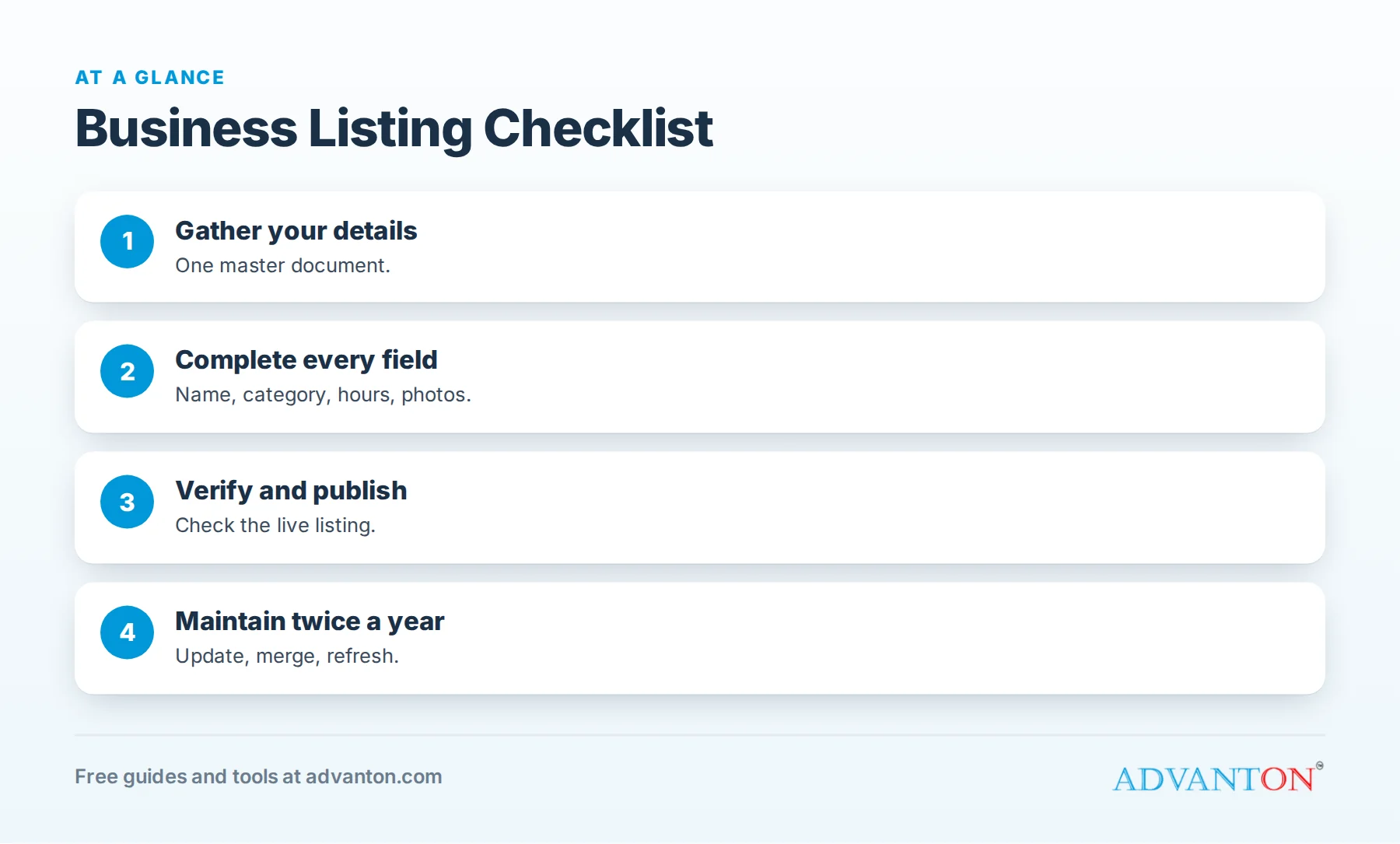
Before you start: gather your details
Table of Contents
Collect everything in one document so every listing matches exactly:
| Item | Notes |
|---|---|
| Official business name | Exactly as registered and as shown on your signs |
| Address | Street, suite, city, state and ZIP, in one consistent format |
| Service area | Towns or regions you serve, if customers don’t visit you |
| Main phone number | One local number for all listings |
| Website | Your homepage address, starting with https |
| Business email | An address you check daily |
| Hours | Regular hours, plus holiday and seasonal hours |
| Categories | Your main category and a few accurate secondary ones |
| Services or products | A list with short descriptions |
| Tagline | One line: what you do and where |
| Description | Three to six sentences |
| Logo | A clean version, readable at small sizes |
| Photos | Storefront, team, vehicles, products or finished work |
| Social links | Profiles you actually keep active |
| Credentials | Licenses, certifications, insurance, years in business |
Field-by-field checklist
Name
- Use your real business name only. Adding keywords or towns breaks many platforms’ guidelines and can get listings suspended.
Category
- Choose the category that matches your main service, the way customers would look for you.
- Add secondary categories only for services you truly offer.
Address or service area
- Use the same format everywhere (for example, "Suite 200" vs "#200").
- If customers don’t visit you, hide your address where the platform allows and list your service area instead.
- Never use virtual offices or addresses where you don’t operate.
Phone
- One main local number across all listings.
- Test it: make sure it rings someone who answers.
Website
- Link to your homepage or a relevant location page, using https.
- Make sure the page loads well on phones.
Hours
- Specific days and times, including lunch closures if any.
- Holiday and seasonal hours updated in advance.
Description
- What you do, for whom and where.
- Your main services or products.
- What makes you different: experience, guarantees, specialties.
- A clear next step: call, book, visit or request a quote.
See how to write a listing that gets calls.
Services or products
- List each one with a short, plain description, and prices or ranges where helpful.
Photos
- Logo: clean and readable.
- Main photo: real storefront, team, vehicle, products or finished work, in good light.
- No stock photos; use images you own or have permission to use.
- Follow each platform’s size limits. For example, the Advanton directory accepts JPG, PNG or WebP files, a logo up to 2 MB and a photo up to 5 MB and at least 600 pixels wide.
Social links
- Only link profiles you update regularly.
Credentials
- Mention licenses, insurance and certifications where the platform allows, and keep them current.
Verification checklist
- Google Business Profile: complete Google’s verification process; methods vary.
- Apple Business Connect and Bing Places: follow each platform’s verification steps.
- Yelp and Facebook: claim your page through the platform.
- Advanton directory: confirm your email; listings are reviewed before publishing.
Start verification early; some methods take days.
Platform-specific checklist
| Platform | Extra items to complete |
|---|---|
| Google Business Profile | Services, attributes, products, posts, Q&A |
| Apple Business Connect | Action links (call, website, order or book) and photos |
| Bing Places | Import from Google to save time, then review |
| Yelp | Specialties, history, photos; reply to reviews |
| Page details, call-to-action button, messaging settings | |
| Nextdoor | Business page details and neighborhood recommendations |
| Advanton directory | Logo, business photo, tagline, description, category, hours, social links |
| Industry directories | Credentials, specialties and service areas |
After you publish
- Check the live listing on your phone for typos and formatting.
- Share it on your website and social pages.
- Ask customers for reviews on the platforms that matter most, with our free review request kit.
- Respond quickly to calls, messages and inquiries from every listing.
- Record each listing in your tracker.
A simple listing tracker
| Platform | Listing link | Login email | Verified | Last updated | Details match? |
|---|---|---|---|---|---|
| Apple Maps | |||||
| Bing | |||||
| Yelp | |||||
| Nextdoor | |||||
| Advanton directory |
Copy this table into a spreadsheet and keep it updated.
Twice-yearly maintenance checklist
- Confirm name, address, phone, website and hours on every listing.
- Update photos with recent work or changes to your premises.
- Refresh descriptions and services if your offerings changed.
- Reply to new reviews everywhere.
- Look for duplicate listings and merge or remove them.
- Add new directories customers mention.
When things change
| Change | What to update |
|---|---|
| New phone number | Every listing, your website, invoices and vehicles |
| Move | Address on every listing; check for duplicates afterward |
| New hours | Every listing, including holiday hours |
| Rebrand | Name, logo and photos everywhere, following each platform’s rules |
| New services | Service lists and descriptions |
| Closing a location | Mark it closed on each platform rather than deleting it |
New business? A launch-week listing plan
| Day | Task |
|---|---|
| 1 | Finalize your official name, address or service area, phone, website and hours |
| 2 | Claim your Google Business Profile and start verification |
| 3 | Claim Apple Business Connect and Bing Places |
| 4 | Set up Facebook, Yelp and Nextdoor pages |
| 5 | Add your business to the Advanton directory |
| 6 | Add industry and local directories |
| 7 | Record everything in your tracker; ask your first customers for reviews |
Starting with consistent details prevents duplicates and mismatches that are harder to fix later.
Plan holiday and seasonal hours
Customers often check hours before visiting or calling, especially around holidays. Set special hours on each platform a week or two ahead, and remember seasonal businesses: summer hours, winter closures or extended evening hours. Incorrect hours frustrate customers and can lead to poor reviews.
Home-based businesses
If you work from home and don’t serve customers there, list a service area instead of your address where platforms allow it. Use a business phone number and email, and make sure your website explains where you serve. In directories that require an address, share only what you’re comfortable publishing, and keep it consistent everywhere.
Set up reviews from day one
Reviews make listings more persuasive. Get your direct review link from your most important platform (usually Google), add it to invoices, receipts and follow-up messages, and ask every satisfied customer. Reply to every review, positive or negative.
Attributes customers filter by
Many platforms let you add attributes such as wheelchair accessibility, payment methods, online booking, women-owned or veteran-owned. Customers filter by these, so complete every attribute that honestly applies.
Write descriptions that work everywhere
Different platforms allow different lengths. Prepare three versions of your description: a one-line tagline, a short version of two or three sentences, and a full version of five or six sentences. Keep the facts identical in all three (services, area, phone and hours), so you can paste the right length into each platform quickly without introducing inconsistencies.
Choose photos with a purpose
Each photo should answer a customer question. A storefront photo answers "Where is it?", team photos answer "Who will I meet?", product or project photos answer "What will I get?", and a vehicle photo answers "How will I recognize them?" Upload a set that answers all four, and refresh it a few times a year.
Common mistakes
- Rushing and leaving fields blank.
- Different phone numbers on different listings.
- Keyword-stuffed names.
- Stock or blurry photos.
- Forgetting holiday hours.
- Never checking listings again after publishing.
Frequently asked questions
What information do I need to list my business?
Your official name, address or service area, phone, website, hours, category, description, services, logo and photos.
Do complete listings perform better?
Yes. Google advises entering complete data, and complete listings answer more customer questions.
How often should I update my listings?
Whenever details change, and review all listings at least twice a year.
Where should I start?
Google Business Profile, Apple Business Connect and Bing Places, then Yelp, Facebook, Nextdoor, the Advanton directory and directories for your industry.
Can I list my business if I work from home?
Yes. Most platforms let you hide your home address and show a service area instead.
How long does it take to list my business everywhere?
The major platforms can be completed in an afternoon, though verification may take a few days.
What’s the most important field in a listing?
Your business name, phone and category must be accurate; a strong description and real photos then turn views into calls.
Should I use the same photos everywhere?
Yes, use the same logo everywhere, and a consistent set of real photos, refreshed a few times a year.
How Advanton helps
Advanton is a free resource that helps small businesses start, get online, find customers and grow. Use this checklist to add your business to the Advanton directory for free, then run our online presence checkup to find missing listings. Advanton earns money when you buy a domain or hosting through our store, which helps keep everything else free.
Keep learning
- Free business listing sites
- How to add your business to the Advanton directory
- Why name, address and phone consistency matters
Sources
Last reviewed October 30, 2026. Startup costs are estimates; check local prices, licensing and tax rules before you commit money.


Leave a Reply