
A browser extension business builds small software tools that run inside web browsers: productivity helpers, writing and research tools, shopping assistants, developer utilities, accessibility tools and add-ons for popular web apps. Extensions are quick to build, easy to install and can reach millions of users through browser stores.
Extensions run with access to what people see and do online, so browser stores enforce strict policies on purpose, permissions and user data. Profitable extension businesses usually pair a free version with paid features or subscriptions. The Bureau of Labor Statistics reports a median pay of $133,080 for software developers (May 2024), a reference point for the skills involved. This guide covers ideas, building, store rules, privacy, monetization, a worked example and a 90-day plan.
A browser extension business at a glance
Table of Contents
| Topic | What to expect |
|---|---|
| Startup cost | Very low: development time, a $5 one-time Chrome Web Store developer registration, a website and payment tools |
| Key rules | Store policies on single purpose, minimal permissions and limited use of user data, plus a privacy policy |
| How you earn | Freemium upgrades, subscriptions, one-time licenses and team plans |
| Platforms | Chrome Web Store, Microsoft Edge Add-ons, Firefox Add-ons and Safari (via Apple’s developer program) |
| Best for | Developers who like small, focused products and fast feedback from users |
Who extension development suits
It suits developers comfortable with JavaScript, HTML and CSS who enjoy shipping focused tools quickly and responding to user feedback. Marketing and support are part of the job, even for small products.
Finding an idea
- Productivity: tab management, focus tools, templates and shortcuts.
- Writing and research: clipping, note-taking, citation and summarizing tools.
- Add-ons for popular web apps: features users of a specific platform keep requesting.
- Developer tools: debugging, testing and inspection helpers.
- Accessibility: readability, contrast and navigation aids.
- Shopping and price tools, which face extra scrutiny on data and affiliate practices.
Read store reviews of existing extensions for unmet needs and complaints you can solve.
Building with Manifest V3
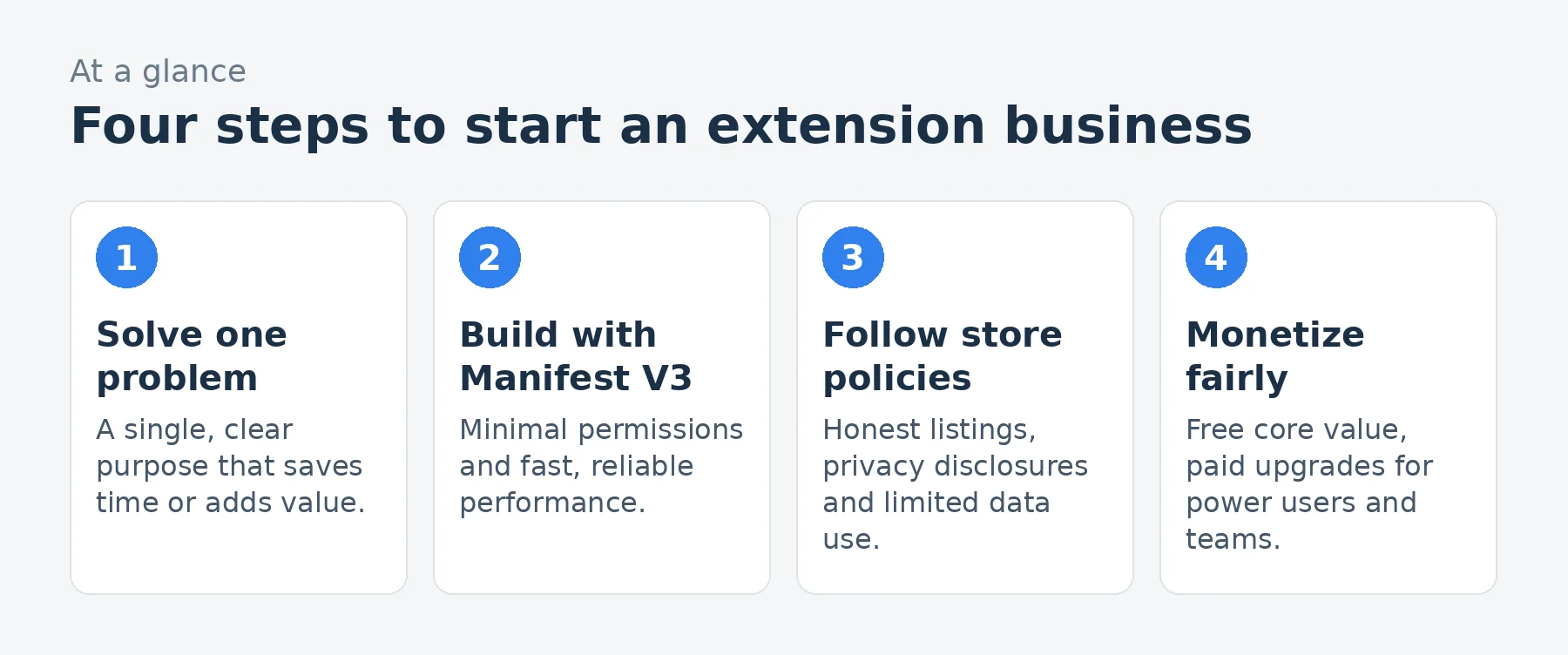
Chrome extensions are built on Manifest V3, which uses service workers instead of persistent background pages and limits some capabilities, such as remotely hosted code. Request only the permissions you need, keep the extension fast and test across browsers; Edge uses the same Chromium extension format, and Firefox supports a similar WebExtensions model.
Store registration and review
Publishing on the Chrome Web Store requires a developer account with a one-time $5 registration fee. Firefox and Edge have their own add-on stores, and Safari extensions are distributed through Apple’s developer program. Every store reviews extensions, and updates can be reviewed too, so plan for review time.
Store policies
The Chrome Web Store’s policies require extensions to have a single, clear purpose, request only necessary permissions, accurately describe what they do and follow limited use rules for user data: data may be used only to provide or improve the extension’s single purpose, not sold or used for unrelated advertising. Deceptive listings, hidden functionality and misleading monetization lead to removal.
Privacy
Extensions often can see browsing activity, so users and stores expect strong privacy. Publish a clear privacy policy, complete the store’s privacy disclosures, collect as little data as possible, encrypt data in transit and storage and never sell browsing data. The FTC expects businesses to protect personal information they collect.
Monetization models
- Freemium: a useful free version with paid advanced features.
- Subscriptions: monthly or annual plans for ongoing features and sync.
- One-time licenses for simpler tools.
- Team plans for businesses.
- Affiliate links, used only with clear disclosure and in line with store policies.
Payments are usually handled on your own website through a payment provider, with license keys or accounts unlocking features in the extension.
Startup costs to plan for
| Item | What to budget for |
|---|---|
| Developer registration | $5 one-time for the Chrome Web Store |
| Backend | Accounts, sync or API hosting if needed |
| Website | Landing page, pricing, privacy policy and docs |
| Payments | Subscription billing provider |
| Design | Icons, screenshots and promotional images |
| Marketing | Content, communities, small ads tests |
Use our startup cost calculator for your total.
Store listing optimization
Users find extensions through store search. Write a clear name and short description that state the benefit, use screenshots that show the extension in action, include a short video if possible and encourage satisfied users to leave ratings. Keep the listing accurate; exaggerated claims can violate policies.
A worked example: a solo developer
These are illustrative assumptions for a solo developer’s extension about a year after launch, not predictions.
| Assumption | Monthly | |
|---|---|---|
| Pro subscriptions | 450 users at $6 a month | $2,700 |
| Team plans | 8 teams at $40 a month | $320 |
| Revenue | $3,020 | |
| Payment processing | $(110) | |
| Backend and hosting | Sync, accounts and API | $(120) |
| Support and email tools | $(40) | |
| Marketing | Content and small ad tests | $(200) |
| Profit before owner pay and taxes | $2,550 |
That leaves about $2,550 a month before the developer’s pay and taxes, on about $3,020 of revenue. Most installs stay free, so conversion from free to paid, often a small percentage, decides income.
Loading the calculator…
Pricing
Many extensions charge modest monthly fees for pro features, with annual discounts and team pricing. Test pricing with early users, and make sure the free version is genuinely useful so people install and recommend it. Use our pricing calculator.
Marketing
- Content and search: tutorials around the problem your extension solves.
- Communities where your users discuss their tools.
- Product launch sites and newsletters.
- Integrations with the web apps your extension enhances.
- Referral rewards for users who invite others.
Updates and maintenance
Browsers update constantly and websites your extension works with change their pages, which can break features. Monitor errors, test against browser beta versions and update quickly. Reliable maintenance protects ratings and subscriptions.
Security
Extensions are targets for attackers. Protect your developer accounts with two-factor authentication, review third-party code you include, avoid remotely hosted code and never accept offers to buy your extension from unknown parties, a common way extensions are turned into malware.
Supporting users
Good support protects ratings. Add a help page and a simple contact form, respond to store reviews politely, fix the problems reviewers mention and publish clear update notes. Many negative reviews come from users who could not find how to use a feature.
Reaching users in other languages
Extensions can be localized so store listings and interface text appear in users’ languages. Translating into a few major languages can open large new audiences at low cost, especially for productivity tools.
Enterprise and team deployment
Businesses often deploy extensions to employees through browser management tools. Offering team plans, admin controls, centralized billing and a clear security overview makes your extension easier for companies to adopt and can bring larger accounts.
Measuring what matters
Track installs, weekly active users, uninstalls, conversion to paid and churn. Ask uninstalling users for a quick reason using an optional page, and use the answers to fix problems. Respect privacy: collect aggregate usage data only as your policy and the store rules allow.
Common mistakes to avoid
- Requesting more permissions than needed.
- Collecting or selling browsing data.
- Misleading store listings.
- No paid tier until long after launch.
- Weak security on developer accounts.
Your first 90 days
- Days 1-30: choose a focused problem, talk to potential users and build a prototype.
- Days 31-60: complete the extension with minimal permissions, write a privacy policy and publish to the Chrome Web Store.
- Days 61-90: add a paid tier, publish to Edge and Firefox and market to communities.
Frequently asked questions
How much does it cost to publish a Chrome extension?
The Chrome Web Store charges a one-time $5 developer registration fee.
Can browser extensions make money?
Yes, mainly through freemium upgrades, subscriptions, licenses and team plans; most users stay free, so conversion matters.
What is Manifest V3?
The current Chrome extension platform, which uses service workers and restricts some capabilities, such as remotely hosted code.
Can I collect user data in my extension?
Only what your extension’s single purpose needs, under store limited use rules, with a privacy policy and disclosures. Never sell browsing data.
Do I need a privacy policy?
Yes, if your extension handles user data, and stores require privacy disclosures.
Should I sell my extension if someone offers?
Be very cautious. Buying popular extensions is a known way to distribute malware to their users.
Can I publish on Edge and Firefox too?
Yes. Edge uses the same Chromium extension format, and Firefox supports a similar WebExtensions model with its own store review.
How long does Chrome Web Store review take?
It varies; plan time for review of new extensions and updates, especially those requesting broad permissions.
Do I need a company to publish extensions?
Individuals can publish, but a business entity separates liability and looks more trustworthy to users and businesses.
What kinds of extensions sell best?
Tools that save professionals time every day, such as productivity, writing, research and add-ons for widely used web apps, tend to convert best to paid plans.
Keep learning
- Software and SaaS industry data
- How to start a micro-SaaS business
- How to start a SaaS startup
- Pricing calculator
Sources
- Chrome for Developers, Register your developer account (Chrome Web Store)
- Chrome Web Store, Program policies
- Chrome for Developers, Manifest V3 overview
- Mozilla, Firefox Extension Workshop: publishing add-ons
- FTC, Protecting personal information: a guide for business
- US Bureau of Labor Statistics, Software developers, quality assurance analysts and testers
Last reviewed November 3, 2026. Startup costs are estimates; check local prices, licensing and tax rules before you commit money.

