
Most happy customers will leave a review if you ask at the right moment, in the right way, with a link that makes it easy. Most contractors simply don’t ask consistently. This page gives you ready-to-use templates for every channel, so asking becomes a habit for you and your team. For the strategy behind review requests, see how to get more reviews as a contractor.
Copy the templates, replace the bracketed parts and save them in your phone, scheduling software or email.
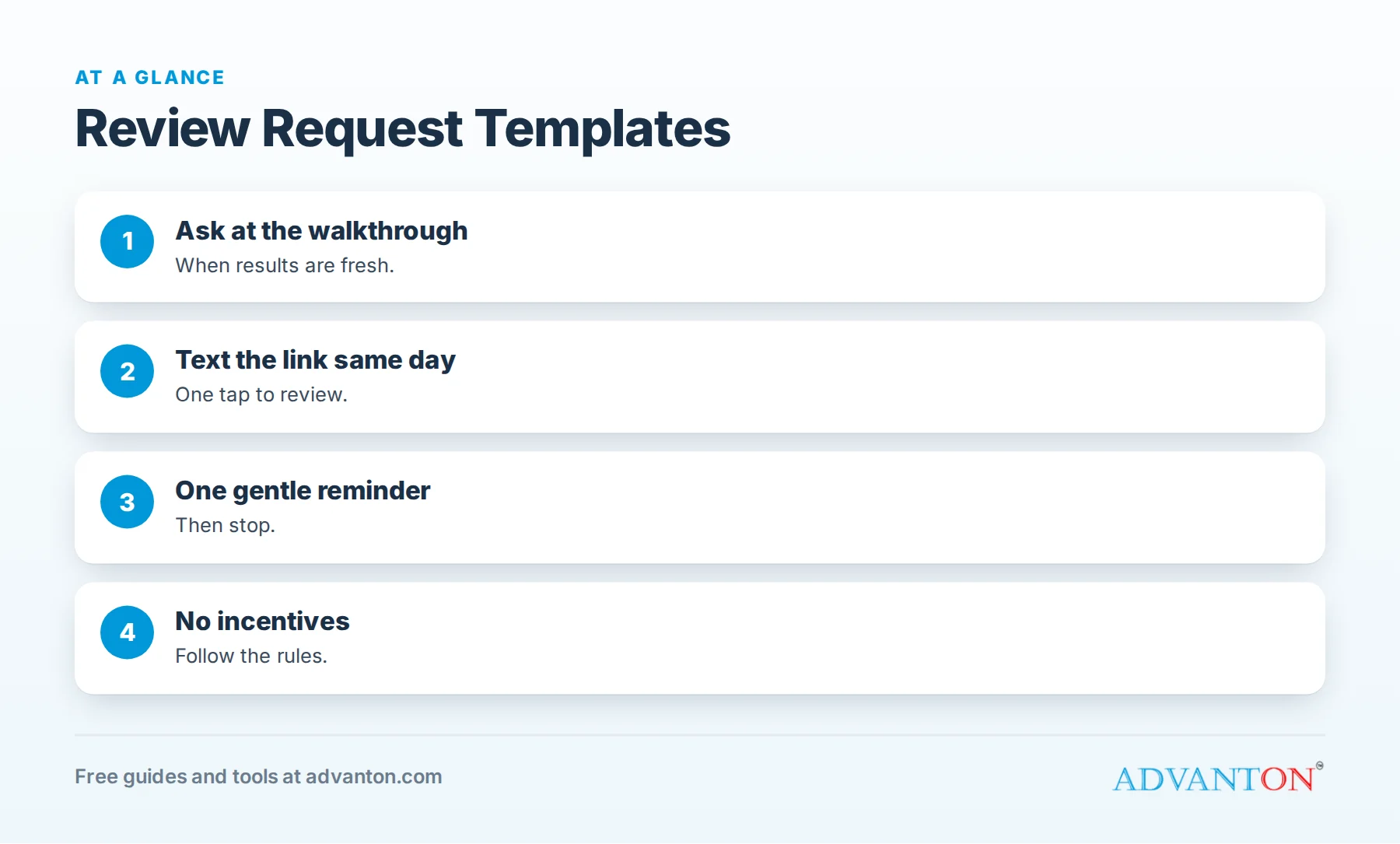
When to ask
Table of Contents
| Moment | Why it works |
|---|---|
| At the final walkthrough | The customer sees the finished work and feels relieved |
| Same day, by text | The experience is fresh |
| Two to three days later | A gentle reminder for those who didn’t respond |
| After a compliment | The customer has already said something positive |
| After solving an emergency | Gratitude is highest |
In-person scripts
End of a job:
"I’m glad you’re happy with how it turned out. Reviews really help a small business like ours. Would you mind leaving a quick one on Google? I’ll text you the link right now."
After a compliment:
"Thank you, that means a lot. Would you be willing to say that in a Google review? It helps other homeowners find us."
For a technician:
"Before I go, our office will text you a short link for a review. If I did a good job today, it would really help me."
Text message templates
Same-day request:
"Hi [Name], thanks for choosing [Business] today! If you were happy with the work, would you leave us a quick review? It takes about a minute: [link]. Thank you! [Your name]"
After an emergency:
"Hi [Name], we’re glad we could get your [heat/water/power] back on today. If you have a minute, a review would mean a lot: [link]. Thanks for trusting us!"
After a large project:
"Hi [Name], it was a pleasure working on your [kitchen/roof/fence]. Now that you’ve had a few days to enjoy it, would you share a review? [link]"
Gentle reminder (two to three days later):
"Hi [Name], just a quick reminder in case you’d like to leave a review: [link]. No worries if not. Thanks again!"
Email templates
Subject: Thank you from [Business]
Hi [Name],
Thank you for choosing [Business] for your [project]. We hope you’re enjoying the results.
If you were happy with our work, would you take a minute to leave a review? Reviews help other homeowners in [Town] find a contractor they can trust.
[Leave a review button or link]
If anything isn’t right, please reply to this email or call me directly at [number], and we’ll make it right.
Thanks again,
[Name], [Business]
Subject: How did we do? (shorter version)
Hi [Name], thanks again for having us out. If you have a minute, we’d love your feedback in a quick review: [link]. Thank you!
Invoice and receipt lines
"Thank you for your business! Happy with our work? Leave a review: [short link or QR code]."
"Reviews help small businesses like ours. Scan to share your experience."
Leave-behind card
| Side | Content |
|---|---|
| Front | "Thank you for choosing [Business]!" with your logo |
| Back | "Happy with our work? Scan to leave a quick review" plus a QR code and short link |
Create cards and QR codes free with our review request kit, QR code generator and Brand & Print Studio.
Trade-specific wording
| Trade | Personal touch to add |
|---|---|
| Plumbing | "Glad we got your water heater running again." |
| HVAC | "Hope the house feels comfortable again." |
| Electrical | "Hope you’re enjoying the new lighting." |
| Roofing | "Enjoy the peace of mind from your new roof." |
| Painting | "We loved how the colors turned out." |
| Landscaping | "Your yard looks fantastic." |
| Remodeling | "We hope you love cooking in your new kitchen." |
Mentioning the specific job makes requests feel personal and prompts reviews that mention your services, which helps similar customers find you.
Asking customers to mention details
You can gently encourage helpful detail without scripting the review:
"If you mention what we did and your town, it helps neighbors with similar projects find us."
Never tell customers what to write or ask only for five-star reviews.
What never to say or do
- Don’t offer discounts, gifts or payments for reviews. Google prohibits incentivized reviews, and the FTC’s rule on consumer reviews, effective in October 2024, prohibits buying reviews.
- Don’t ask only happy customers through a filter that steers unhappy ones away from public reviews ("review gating"); Google’s policies prohibit it.
- Don’t write reviews for customers or post reviews from staff or family.
- Don’t pressure customers or ask repeatedly.
More templates for special situations
Spanish-language text:
"Hola [Nombre], gracias por elegir [Empresa] hoy. Si quedó satisfecho con el trabajo, ¿nos dejaría una reseña rápida? Solo toma un minuto: [link]. ¡Gracias!"
Commercial client or property manager:
"Hi [Name], thanks for trusting us with [property/project]. If our team met your expectations, a short Google review would help other managers find a reliable contractor: [link]. We appreciate the partnership."
Maintenance plan member:
"Hi [Name], thanks for being a [Plan name] member. Your tune-up is complete and everything looks good. If you’re happy with our service, we’d appreciate a review: [link]."
After fixing a problem:
"Hi [Name], thank you for giving us the chance to make things right. If you’re happy with how we resolved it, we’d be grateful for your feedback: [link]."
Voicemail script:
"Hi [Name], it’s [Name] from [Business]. Just calling to make sure everything’s working well after our visit. I’ll text you a quick link in case you’d like to leave a review. Thanks again, and call us anytime at [number]."
A team huddle script
Read this to technicians and crews once a month:
"Reviews are how new customers decide to call us. At the end of every job, if the customer is happy, say: ‘Our office will text you a short link for a review; it really helps us.’ Then tell the office the job is done so the text goes out the same day."
Templates for a recommendation on Nextdoor or Facebook
"Hi [Name], thanks again! Many of our customers find us through neighbors on Nextdoor. If you use it and were happy with our work, would you recommend us there? Here’s our page: [link]. Thank you!"
Send only to customers who use these platforms, and never offer anything in return.
Track which template works best
Try two versions of your text message for a month (a shorter one and a more personal one) and compare how many customers leave reviews. Keep the winner, then test a new variation. Small wording changes can make a noticeable difference in response rates.
Thank-you message after a review
"Thank you so much for the kind review, [Name]! It means a lot to our whole team. If you ever need anything else, just call or text us at [number]."
A personal thank-you strengthens the relationship and makes customers more likely to refer friends.
Make the link easy
Use a direct review link (from your Google Business Profile) or a short link and QR code. Every extra click loses reviewers. Test your link on a phone before sending it.
Build the habit into your process
- Add a review request step to every job checklist.
- Automate the same-day text where your software allows.
- Track requests and reviews weekly.
- Celebrate team members whose customers leave great reviews.
Reply to every review
Thank every reviewer briefly, and respond professionally to any concerns. See how to respond to negative reviews.
Common mistakes
- Asking days or weeks later when enthusiasm has faded.
- Long, complicated messages.
- Links that don’t work on phones.
- Offering incentives.
- Not asking at all.
Frequently asked questions
When should contractors ask for reviews?
At the final walkthrough and by text the same day, with one gentle reminder a few days later.
Can I offer a discount for reviews?
No. Google prohibits incentivized reviews, and the FTC’s 2024 rule prohibits buying reviews.
Should I ask unhappy customers for reviews?
Don’t filter who you ask. Resolve problems first, and ask all customers in the same way.
What’s the best way to send a review link?
A short text with a direct link the customer can open on their phone.
How many times should I ask?
Once, plus one gentle reminder.
Should I send review requests in Spanish?
If you serve Spanish-speaking customers, yes. Requests in a customer’s preferred language feel more personal and get better responses.
Can I automate review requests?
Yes. Many scheduling and invoicing tools send review texts automatically after a job; keep the message personal and send it the same day.
How Advanton helps
Advanton is a free resource for small businesses. Our free review request kit creates your review link, messages and a printable QR code card. You can also add your business to the Advanton directory for free. Advanton earns money when you buy a domain or hosting through our store, which helps keep everything else free.
Keep learning
- How to get more reviews as a contractor
- How to respond to negative reviews
- Where contractors should get reviews
Sources
Last reviewed October 30, 2026. Startup costs are estimates; check local prices, licensing and tax rules before you commit money.


Leave a Reply