
For most contractors, the Google Business Profile is the most valuable free marketing tool available. It’s the listing that appears in Google Maps and the local "map pack" when someone searches for "plumber near me" or "roof repair in [town]," and it’s often the first impression customers get of your business, before they ever see your website.
This guide walks through setting up and optimizing a profile specifically for contractors, including the service-area settings most trades need, the details that help you rank, and the mistakes that get contractor listings suspended.
Why your profile matters so much
Table of Contents
Google says local results depend mainly on relevance, distance and prominence. Your profile feeds all three: categories and services tell Google what you do, service areas tell it where you work, and reviews, photos and activity show how established you are. Google also notes that review count and rating are factored into local ranking. For the full picture, see our guide to local SEO for contractors.
Step 1: Create or claim your profile
Search for your business on Google Maps first; a profile may already exist from an old address or a customer’s suggestion. If it does, claim it. If not, create one with your Google account at the Business Profile site.
Use an email address you’ll control long-term, ideally a business account, not an employee’s personal email. Add a second owner or manager you trust so you’re never locked out.
Step 2: Enter your exact business name
Use the name on your license, truck and signs, and nothing else. Adding keywords or locations ("Smith Plumbing | Emergency Plumber Austin") breaks Google’s guidelines and is a common cause of suspensions. If you want "plumbing" in your name, it has to be part of your real, registered business name.
Step 3: Set up as a service-area business
Most contractors travel to customers. Google’s guidelines say businesses that don’t serve customers at their address should hide it and list the areas they serve instead. In practice:
- Working from home? Hide your address and add service areas.
- Have a shop or showroom staffed during business hours where customers visit? You can show that address, and add service areas too.
- Never use a virtual office, mailbox or a friend’s address to appear in a city where you don’t have a real location.
Add service areas by city, ZIP code or region, focusing on places you genuinely serve.
Step 4: Choose your categories carefully
Your primary category has a big effect on which searches you appear for. Choose the one that best describes your core service, such as "Plumber," "Electrician," "HVAC contractor," "Roofing contractor" or "Painter." Then add secondary categories only for other services you truly offer. Don’t add categories for work you rarely do; it confuses customers and dilutes relevance.
Step 5: Add your services
List each service you offer with a short description, such as water heater replacement, drain cleaning, panel upgrades, EV charger installation, roof repair or exterior painting. Use the words customers search for, and add prices or price ranges where you’re comfortable doing so.
Step 6: Complete every detail
- Phone number: a local number that rings someone who will answer.
- Website: link to your homepage or a relevant service page; our free contractor website builder creates one.
- Hours: accurate regular and holiday hours; mark 24-hour service only if you truly answer around the clock.
- Business description: what you do, where, and why customers choose you, in plain language.
- Opening date, attributes and payment options where available.
An example business description
"Springfield Plumbing Co. is a family-owned, licensed and insured plumbing company serving Springfield, Oak Park and nearby towns since 2012. We handle emergency repairs, water heater replacement, drain cleaning, repiping and bathroom plumbing. Our technicians arrive on time, explain options clearly with upfront pricing, and clean up before they leave. Call or text for same-day service."
It says what you do, where, how long, and why customers choose you, with no keyword stuffing or links.
Example service descriptions
| Service | Example description |
|---|---|
| Water heater replacement | Tank and tankless water heaters installed same or next day, with haul-away of the old unit |
| Drain cleaning | Kitchen, bathroom and main line clogs cleared, with camera inspection when needed |
| Panel upgrade | Upgrades to 200-amp service for modern appliances, EV chargers and remodels, with permits |
| Roof repair | Leaks, missing shingles and flashing repairs, with photos of the problem and the fix |
Step 7: Verify your profile
Google requires verification before your profile fully appears and before you can manage all its features. Methods vary and may include video verification showing your business, branded vehicle and equipment, or other options Google offers. Have your business documents, branded truck and tools ready.
Step 8: Add photos that sell your work
Photos help customers choose you and show Google your business is real and active. Upload:
- Your logo and a cover photo.
- Team photos in uniform or branded shirts.
- Your trucks with clear signage.
- Before-and-after project photos.
- Work in progress showing quality and care.
Add new photos regularly rather than all at once, and get customers’ permission before showing their homes.
Your first 30 photos
| Photos | What to show |
|---|---|
| 1 to 3 | Logo, cover photo, owner or team photo |
| 4 to 8 | Branded trucks and equipment |
| 9 to 20 | Before-and-after pairs from recent jobs |
| 21 to 26 | Work in progress showing care, such as protected floors and tidy job sites |
| 27 to 30 | Your shop, office or team at work |
Then add two or three new photos every week.
Step 9: Get reviews, steadily
Ask every satisfied customer for a review, right after the job, with a direct link. Reply to every review, positive or negative. See our guide to getting more reviews as a contractor for scripts, and use our free review request kit for your link and QR code.
Step 10: Post updates and offers
Posts keep your profile fresh and give customers reasons to call: seasonal reminders, special offers, recent projects and tips. A post or two a week takes minutes.
Post ideas by month
| Month | Post idea |
|---|---|
| January | Frozen pipe tips, or a winter discount on indoor projects |
| March | Spring inspection offer |
| May | AC tune-up or exterior painting booking reminder |
| July | Before-and-after of a summer project |
| September | Furnace safety check or fall gutter cleaning |
| November | Holiday hours and a thank-you to customers |
Step 11: Turn on messaging and answer questions
If messaging or booking features are available, respond quickly; slow replies lose customers. Check the questions section and answer common questions yourself.
Step 12: Track what your profile brings in
Your profile’s performance data shows searches, calls, website clicks and direction requests. Ask every caller how they found you, and record it in our free lead source tracker.
Keep control of your profile
- Use a business email you own, not a former employee’s or marketing agency’s account.
- Add at least two owners or managers you trust.
- Give agencies manager access, not ownership, and remove access when they stop working with you.
- Turn on two-step verification for the Google account.
Update hours for holidays and emergencies
Set special hours for holidays and closures so customers don’t call a closed business. If you offer emergency service, explain it in your description and posts, and make sure the phone is answered when you say it will be.
Watch for suggested edits
Google and users can suggest changes to your profile, such as hours, categories or even your address. Check your profile regularly and correct inaccurate changes promptly, especially after periods when you haven’t logged in.
Mistakes that get contractor profiles suspended
| Mistake | Why it’s a problem |
|---|---|
| Keywords or cities added to the business name | Breaks Google’s guidelines |
| Virtual offices, PO boxes or fake addresses | Ineligible addresses can lead to suspension |
| Several profiles for one business | Duplicate listings violate guidelines |
| Showing a home address where you don’t serve customers | Should be hidden for service-area businesses |
| Buying or faking reviews | Violates Google policies and FTC rules |
If your profile is suspended, fix the cause and request reinstatement through Google’s official process with proof of your business.
When competitors break the rules
You’ll often see competitors with keyword-stuffed names, fake addresses or duplicate listings ranking above you. You can suggest edits to correct obvious violations, and Google offers a business redressal complaint form for reporting listings that break its guidelines. Report accurately and factually, then keep focusing on your own profile; consistent reviews, photos and a strong website win over time.
Track clicks from your profile
Add tracking parameters to your website link (for example, ending the address with a tag that identifies your Business Profile), so your website analytics show how many visitors came from your profile and what they did. Combine this with "How did you hear about us?" on every call.
Several trades, one profile
If you offer plumbing and HVAC, for example, use one profile with your main service as the primary category and the other as a secondary category, list both sets of services, and build separate website pages for each. Separate profiles are only appropriate for genuinely separate locations or businesses that meet Google’s guidelines.
A 10-minute weekly routine
- Reply to new reviews and messages.
- Upload two or three job photos.
- Publish one post with an offer, tip or project.
- Check hours and any suggested edits.
- Note calls and clicks from the performance report.
Use your profile alongside Local Services Ads
If you run Local Services Ads, many customers will check your Business Profile and reviews before calling. Keep your name, phone, hours and photos consistent across both, and keep reviews coming, since they support both your free ranking and your ads. See our Local Services Ads guide.
Answer the questions customers ask before calling
Your description, services, posts and Q&A should answer the questions customers ask most: Do you serve my town? Are you licensed and insured? Do you offer emergency service? What does a typical job cost? How soon can you come? Answering them in your profile brings better-qualified calls.
An illustrative 60-day improvement
A roofing company with an incomplete profile (wrong primary category, no services listed, 12 reviews and three photos) spends 60 days on the basics: correcting categories, listing eight services, uploading 40 project photos, posting weekly and asking every customer for reviews, reaching 35 reviews. Its profile starts appearing for more searches in nearby towns, and calls from the profile rise noticeably. Results vary by market, but the pattern is common: consistent basics outperform shortcuts.
Photo standards that look professional
Shoot in daylight with your phone held level, keep job sites tidy in every shot, and frame the finished work clearly. Avoid heavy filters, text overlays and stock images. Name your best photos clearly before uploading (for example, "roof-replacement-oak-park.jpg") so they’re easy to reuse on your website.
New business? Start strong
New contractors often have few reviews and little history. Complete every section of your profile, upload plenty of real photos, ask friends and family who have genuinely hired you to review their experience, and request a review from every customer from day one. Post weekly so customers see an active business, and link your profile from your website, invoices and truck.
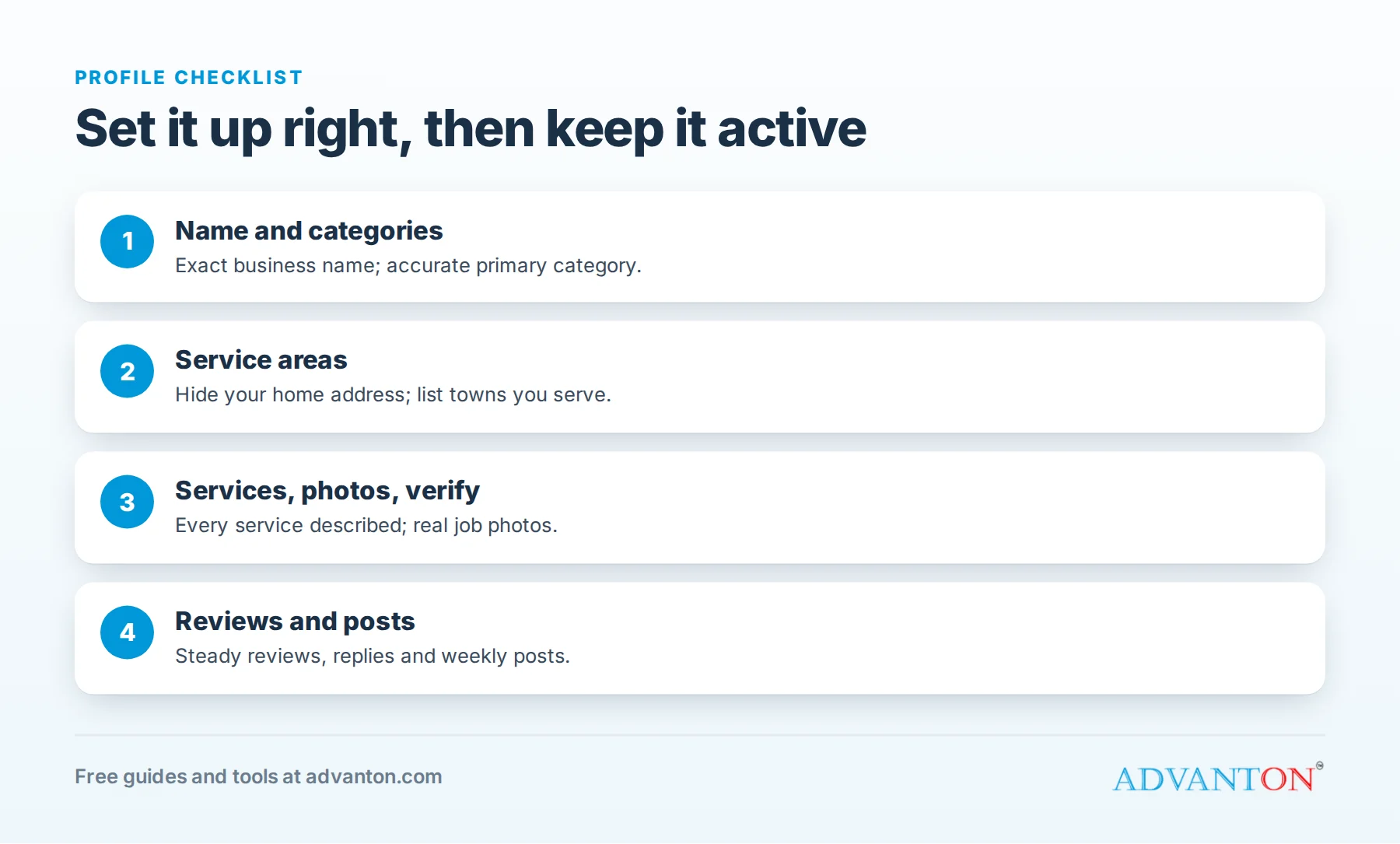
Your profile checklist
- Exact business name, no keywords
- Correct primary and secondary categories
- Service areas set, home address hidden if applicable
- Services listed with descriptions
- Phone, website, hours and description complete
- Verified
- Logo, cover, team, truck and project photos
- Steady reviews with replies
- Weekly posts and quick message replies
- Lead tracking in place
Run our free online presence checkup to see what’s missing.
Frequently asked questions
Is a Google Business Profile free?
Yes. Creating and managing a profile is free.
Can I have a profile without a storefront?
Yes. Set it up as a service-area business and hide your address if customers don’t visit you.
How long until my profile shows in search?
Once verified, it can appear quickly, but ranking well in competitive searches takes steady reviews, photos and a strong website over months.
Should I list every town I work in?
List the areas you genuinely serve; ranking will still be strongest near your location.
Can a marketing company manage my profile?
Yes, with manager access. Keep ownership yourself, so you never lose control of your listing.
What if a customer suggests a wrong edit?
Review suggested changes regularly and correct anything inaccurate through your profile.
Do posts expire?
Older posts move down your profile over time, so posting regularly keeps fresh content visible to customers.
Should I add products to my profile?
Some contractors list popular services or packages, such as a furnace tune-up or roof inspection, with prices and photos. It gives customers clear options and can bring better-qualified calls.
What if I move my shop or change my phone number?
Update your profile first, then your website and other listings, so customers and Google see the same information everywhere. Inconsistent details are a common reason contractors lose calls after a move, so check every listing again a few weeks later and correct anything that still shows the old details.
Keep learning
Sources
Last reviewed October 29, 2026. Startup costs are estimates; check local prices, licensing and tax rules before you commit money.


Leave a Reply