
Between an accepted offer and closing day, a real estate deal involves dozens of deadlines, documents and people: inspectors, appraisers, lenders, title companies, attorneys and the other agent. A transaction coordinator (TC) manages that process so nothing slips, freeing agents to find their next client.
Independent TCs typically charge per closed transaction, and organized, detail-loving people can build a solid home-based business serving several agents. Industry sources put typical fees at about $300 to $700 per closed file, with $400 to $500 most common in 2026.
Transaction coordinator business at a glance
Table of Contents
| What you do | Manage paperwork, deadlines and communication from contract to close |
| Clients | Agents, teams and brokerages |
| Licensing | Varies by state; some tasks may require a real estate license |
| Startup costs | Low: computer, software, insurance, training |
| Typical fees | About $300 to $700 per closed file (2026 industry range) |
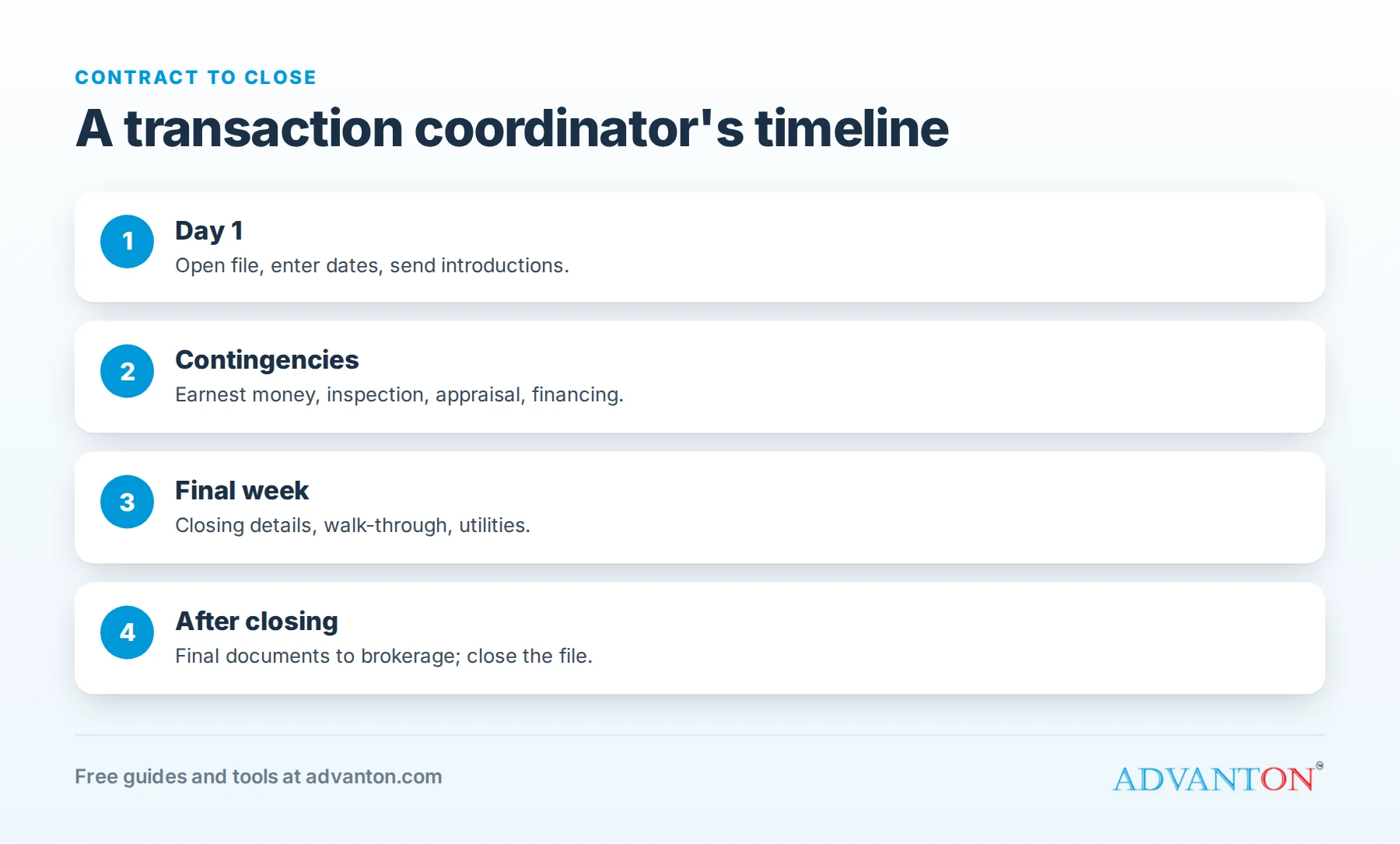
What a transaction coordinator does
- Opens the file: collects the signed contract, enters key dates, and sends introductions to everyone involved.
- Tracks deadlines: earnest money, inspections, appraisal, financing contingencies and closing.
- Coordinates people: schedules inspections and appraisals, and keeps the lender, title company and other agent updated.
- Manages documents: collects signatures, disclosures and addenda, and keeps the file complete for the brokerage’s compliance review.
- Keeps clients informed with scheduled updates (as allowed by the agent and state rules).
- Prepares for closing: confirms the final walk-through, closing details and utility transfers.
- Closes the file: sends final documents to the brokerage and a thank-you to clients.
Do you need a real estate license?
It depends on your state. Some states allow unlicensed TCs to handle administrative tasks; others require a license for certain activities, or limit what unlicensed assistants can do, such as discussing contract terms with clients. Unlicensed TCs generally cannot negotiate, give advice or interpret contracts.
Contact your state real estate commission, ask which TC tasks require a license, and get the answer in writing before taking on files. Some TCs earn a license to offer a wider range of services and charge more.
Business models
- Independent TC: you work for several agents, paid per file. The most common model for new businesses.
- In-house TC: employed by a brokerage or team, salaried or hourly.
- TC team: as you grow, you hire coordinators and manage quality and capacity.
Tools you’ll need
- Transaction management software with checklists, deadline reminders and document storage.
- E-signature software (see our free e-signature tools roundup).
- Email templates for each stage of the transaction.
- A shared calendar for every deadline.
- Secure cloud storage and a password manager.
Choosing transaction software
Look for: checklist templates by transaction type, automatic deadline reminders, document storage with e-signature integration, agent and client portals, and reports showing every open file’s next step. Try free trials with a few real files before committing, and choose tools your agents’ brokerages accept.
A TC’s daily routine
- Morning review: every open file’s deadlines for the next seven days.
- Follow-ups: missing documents, signatures and confirmations.
- Updates: send scheduled status emails to agents and clients.
- New files: open, enter dates and send introductions the same day.
- End of day: log every action, so anyone could pick up the file tomorrow.
Pricing your services
- Per closed file: the most common model, often with a lower fee or none if a deal falls through, plus a small cancellation fee for work already done.
- Listing-to-contract services: a separate fee for launching listings.
- Monthly packages: for high-volume teams, a fixed price for a set number of files.
State your fees, payment timing (often at closing) and cancellation terms in a written agreement. Use our pricing calculator to check your income goals against your capacity.
A worked example: a solo TC’s month
These figures are illustrative.
| Income | Amount |
|---|---|
| 18 closed files × $450 | $8,100 |
| 2 listing-to-contract packages × $200 | $400 |
| Total income | $8,500 |
| Costs | Amount |
|---|---|
| Transaction software | $60 |
| Errors and omissions insurance | $110 |
| Phone, e-signature and storage | $80 |
| Continuing education | $40 |
| Assistant for 8 hours × $25 | $200 |
| Total costs | $490 |
Profit before taxes: $8,010. This is your pay for managing 18 files, so watch your workload: every TC has a capacity limit before quality slips. Real estate is also seasonal, so plan for slower months with a cash flow forecast.
A contract-to-close checklist
| Stage | Key tasks |
|---|---|
| Day 1 | Receive contract, open file, send introductions, enter all dates |
| Earnest money | Confirm deposit was received by the deadline |
| Inspection period | Schedule inspections, track repair requests and responses |
| Appraisal and financing | Confirm appraisal is ordered and completed, and track loan approval |
| Title | Confirm title work and resolve any issues |
| Final week | Confirm closing time and location, final walk-through, utilities |
| After closing | Final documents to the brokerage, thank-you messages, close the file |
Communication templates that save hours
Write templates for each stage, and personalize them for every file:
- Introduction: "Congratulations on your accepted offer. I’m the transaction coordinator for [agent]. Here are your key dates…"
- Deadline reminder: "Your inspection period ends on [date]. Please confirm whether you’ll request repairs by [time]."
- Status update: a weekly summary of completed and upcoming steps.
- Closing prep: time, location, what to bring and walk-through details.
- Post-closing thank-you, with a request for a review for the agent.
Have your agents approve templates once, so you can send them quickly and consistently.
When something goes wrong
- A missed or at-risk deadline: tell the agent immediately, with the facts and options; the agent decides how to handle it with clients.
- A deal that falls apart: close the file cleanly, collect any cancellation fee, and note what happened.
- Missing signatures or documents: chase early and politely, and escalate to the agent before deadlines.
Problems are part of real estate; calm, fast communication is what agents remember.
Keep files audit-ready
Brokerages review transaction files for compliance. Keep every file complete and organized in the same order, with all signatures, disclosures and dates, so the brokerage’s review is quick. Many TCs keep a final checklist for each brokerage’s requirements.
Insurance
Errors and omissions (E&O) insurance protects you if a missed deadline or document error causes a client loss. Also consider general liability and cyber liability, since you’ll handle personal and financial information. See how to get business insurance.
Finding agents
- Start with agents you know, or your brokerage if you work in real estate.
- Offer one free or discounted file to show your process.
- Network at local real estate association events and brokerage meetings.
- Show your system: agents care about checklists, response times and how you communicate.
- Ask for referrals from happy agents.
Growing into a TC team
When demand outgrows your capacity, hire and train coordinators using your checklists and templates, assign files by agent or volume, and review every file before closing until each new coordinator is consistent. A team lets you serve larger brokerages, take time off without losing clients, and focus on quality and sales. Check the true cost of an employee first with our hiring cost calculator.
Set boundaries with agents and clients
TCs can be pulled in many directions. Agree on response times, the hours you’re available, which client questions you handle and which go to the agent, and how urgent issues reach you. Clear boundaries protect your time and keep you within the tasks your state allows unlicensed coordinators to do. Put them in your agreement and onboarding email, so every agent starts with the same expectations.
Common mistakes to avoid
- Doing licensed activities without a license.
- Taking on too many files and missing deadlines.
- No written agreement on fees and cancellations.
- Inconsistent communication with agents and clients.
- Weak data security.
Your first 90 days
- Days 1 to 30: confirm your state’s licensing rules, register your business, buy E&O insurance, and set up software and templates.
- Days 31 to 60: build your checklists, write your contract, launch a website with our website builder, and contact agents.
- Days 61 to 90: manage your first files, ask for testimonials, and refine your process.
Frequently asked questions
How many files can one TC handle?
It varies with experience, systems and file complexity; many independent TCs manage well over a dozen active files at a time with good software and templates.
What if a deal falls through?
Most TCs charge a reduced cancellation fee for work already done. Put it in your agreement.
Can I work remotely for agents in other states?
Often, yes, but rules on unlicensed activities differ by state. Check each state where your clients work.
Do TCs need special training?
No certification is legally required in most states, but training courses and real estate experience help you learn contracts, timelines and software quickly.
Who pays the TC fee?
Usually the agent pays, sometimes passing it on as a client fee where allowed. Agree who pays, and when, before you open the first file.
Is this a good business for a former agent?
Yes. Former agents already know contracts, timelines and local practices, and often have agent relationships, which makes finding first clients much easier.
Keep learning
- How to start a real estate virtual assistant business
- Best free e-signature tools
- Pricing calculator
Sources
- Paperless Pipeline, How to start a real estate transaction coordinator business (2026 fees)
- Paperless Pipeline, How to become a transaction coordinator (licensing by state)
Last reviewed October 28, 2026. Startup costs are estimates; check local prices, licensing and tax rules before you commit money.


Leave a Reply