
Real estate agents juggle listings, showings, marketing, paperwork, follow-ups and social media, and many would happily hand off the work that doesn’t require their license. A real estate virtual assistant (VA) does exactly that, remotely: managing listings and marketing, keeping the CRM organized, following up with leads, and handling the paperwork that keeps deals moving.
It’s one of the most accessible home-based businesses: low startup costs, flexible hours and clients you can serve from anywhere in the country. Success comes from reliability, organization and knowing real estate workflows well.
Real estate VA at a glance
Table of Contents
| Clients | Individual agents, teams, brokerages, property managers, investors |
| Typical services | Listing and marketing support, CRM and lead follow-up, scheduling, transaction paperwork, social media |
| Licensing | Usually none for administrative work; licensed activities are off-limits without a license |
| Startup costs | Low: computer, internet, software, training |
| Pricing models | Hourly, monthly retainer or per task |
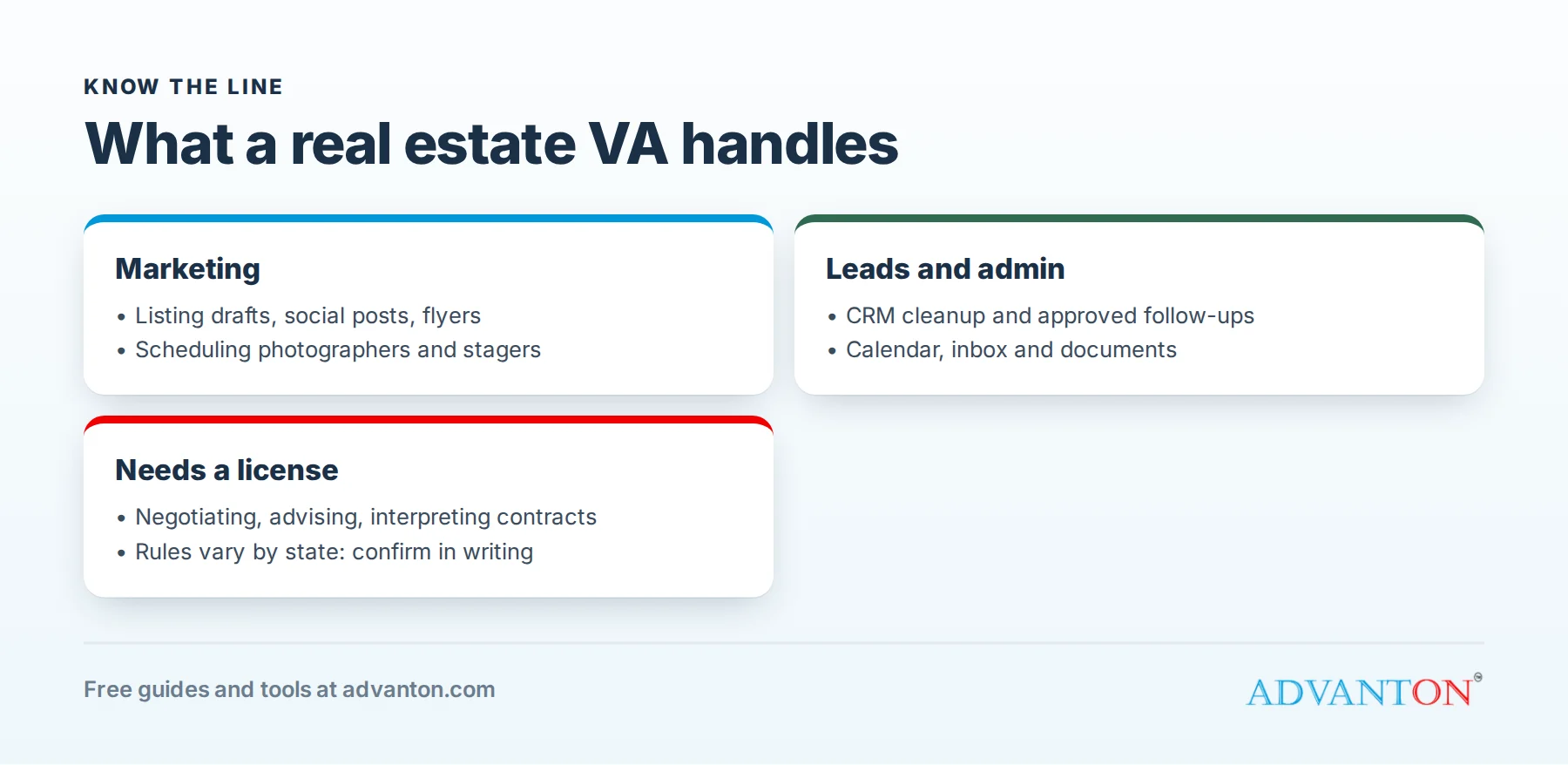
Services agents pay for
Listing and marketing support
- Entering listings into the MLS (where the brokerage allows assistants to do so).
- Writing listing descriptions for the agent’s review.
- Creating social media posts, flyers and email newsletters.
- Scheduling photographers, stagers and open houses.
Lead and client management
- Organizing the CRM, tagging and cleaning contacts.
- Sending scripted follow-up emails and texts approved by the agent.
- Setting appointments for the agent.
- Sending birthday, home anniversary and holiday messages.
Administrative and transaction support
- Managing the agent’s calendar and inbox.
- Gathering documents and tracking deadlines.
- Preparing comparative market data for the agent’s review.
- Updating websites and online profiles.
What you can’t do without a license
This is essential. Real estate activities that require a license are regulated by each state, and unlicensed assistants generally cannot:
- Negotiate terms or prices.
- Give advice about pricing, contracts or the market to buyers or sellers.
- Interpret contracts for clients.
- Show properties or hold open houses independently, in many states.
- Solicit clients for licensed services on their own.
Exact rules vary by state, so ask your state real estate commission what unlicensed assistants may do, and get the answer in writing. When in doubt, the agent handles it. Some VAs earn a real estate license later to offer more services.
Tools you’ll need
- A reliable computer, fast internet and a phone line.
- Common real estate CRMs and transaction tools; learn the ones your clients use.
- Design tools for marketing graphics; see our free graphic design tools roundup.
- A password manager to handle client logins securely.
- Time tracking if you bill hourly.
- Cloud storage with clear client folders.
Choose your pricing model
- Hourly: simple for occasional or varied work. Track time carefully and bill in agreed increments.
- Monthly retainer: a set number of hours or defined tasks each month at a fixed price. Predictable for both sides; unused hours usually don’t roll over.
- Per task: for example, a flat price per listing launch package or per newsletter.
Rates vary widely by experience, specialty and location. Research VAs serving agents in your target market, and use our pricing calculator to set rates that cover taxes, software and unpaid time like admin and marketing.
Sample service packages
| Package | What’s included | Best for |
|---|---|---|
| Listing launch | Listing description draft, social posts, flyer, open house scheduling | Agents with occasional listings |
| Lead nurture | CRM cleanup, scripted follow-ups, appointment setting, monthly newsletter | Agents with many leads |
| Full support retainer | Inbox, calendar, marketing, CRM and transaction paperwork | Busy agents and small teams |
Packages make your services easy to understand and buy, and they help you plan your hours.
A worked example: a solo VA’s month
These figures are illustrative.
| Income | Amount |
|---|---|
| 3 retainer clients × 30 hours × $35 | $3,150 |
| Overflow hourly work, 20 hours × $40 | $800 |
| Total income | $3,950 |
| Costs | Amount |
|---|---|
| Software and CRM seats | $120 |
| Phone and internet | $90 |
| Training and courses | $50 |
| Business insurance | $40 |
| Total costs | $300 |
Profit before taxes: $3,650 for about 110 billable hours. Remember that you’ll pay self-employment tax and should set money aside for taxes from every payment. Adding clients, raising rates as you gain experience, and specializing (for example, listing marketing or transaction support) increase income.
A smooth client onboarding process
- Discovery call: learn the agent’s goals, systems, busiest tasks and communication style.
- Written agreement and first invoice before work begins.
- Access setup: secure logins through a password manager, never by email or text.
- Task list: agree on recurring tasks, deadlines and what needs the agent’s approval.
- Templates: gather the agent’s preferred scripts, branding and listing formats.
- First-week check-in to adjust priorities and fix early problems.
A professional onboarding sets expectations and builds trust from day one.
Send a short weekly report
Every Friday, send each client a brief summary: tasks completed, leads followed up, upcoming deadlines, items waiting on their approval, and hours used against their retainer. Clients who can see your value clearly renew, refer and accept rate increases.
Specialize to stand out
General VAs compete on price; specialists compete on value. Popular real estate specialties include:
- Listing launch and marketing.
- Lead follow-up and CRM management.
- Transaction support (see how to start a transaction coordinator business).
- Property management administration.
- Social media content for agents.
Finding your first clients
- Your network: agents you know, or your own real estate background.
- Brokerages and teams, which often need help across several agents.
- Real estate associations and local meetups.
- Professional social networks: share helpful tips for agents, not just "hire me" posts.
- Referrals: one happy agent often knows several who need help.
- A simple website listing services, packages and testimonials; our website builder is free.
Raising your rates
Review your rates once a year. Give clients at least a month’s notice, explain what’s improved (new skills, faster turnaround, specialist services), and apply new rates to new clients first. As you specialize and collect results, such as appointments set or listings launched, you can charge more for the value you deliver.
Contracts and professionalism
Use a written agreement covering services, hours, rates, payment terms, response times, confidentiality, data security and how either side can end the arrangement. Handle client data carefully: you’ll see personal information about buyers and sellers, so protect logins and follow your clients’ privacy rules.
Managing time across several clients
- Block your calendar by client or task type, rather than switching constantly.
- Set response-time expectations in your agreement, such as within two business hours.
- Use one task system for all clients, with due dates and priorities.
- Track hours as you go, not from memory at the end of the week.
- Protect your capacity: stop taking clients before quality slips.
Competing with low-cost assistants
Agents can hire overseas assistants at low hourly rates, so don’t compete on price alone. Compete on knowing U.S. real estate workflows, working in your clients’ time zone, clear communication, reliability and specialist skills such as listing marketing or transaction support. Many agents gladly pay more for an assistant they never have to double-check.
Protect client data
You’ll see buyers’ and sellers’ personal and financial details. Use a password manager rather than shared spreadsheets of logins, turn on two-step verification everywhere, keep client files in separate, access-controlled folders, avoid public Wi-Fi without a VPN, and delete data you no longer need when a contract ends. Put these practices in writing; agents and brokerages increasingly ask.
Common mistakes to avoid
- Crossing into licensed activities.
- Unclear scope, leading to unpaid extra work.
- Underpricing and burning out.
- Poor communication about availability and turnaround times.
- Weak security with client logins and data.
Your first 90 days
- Days 1 to 30: register your business, choose your niche, learn the main tools, and confirm what unlicensed assistants can do in your clients’ states.
- Days 31 to 60: create service packages, write your contract, launch a website and reach out to agents.
- Days 61 to 90: onboard your first clients, ask for testimonials, and refine your processes.
Frequently asked questions
Do I need a real estate license to be a real estate VA?
Not for administrative work in most states, but you can’t perform licensed activities. Check your state’s rules.
Can I work for agents in other states?
Yes, for administrative work, as long as you follow each state’s rules on unlicensed activities.
Should I be an employee or a contractor?
Most VAs are independent contractors with several clients. If one client controls your schedule and methods like an employer, worker classification rules may apply; see IRS guidance or ask a tax professional.
How many clients can one VA handle?
It depends on hours per client. Many solo VAs work with three to six regular clients; retainers make capacity easier to plan.
Do I need real estate training?
It helps a lot. Learn the stages of a transaction, common CRMs and MLS basics; short courses and working alongside an experienced agent are great ways to start.
What’s the best first niche?
Choose what you already know. Former office managers often excel at CRM and admin support, while designers and social media users start with listing marketing.
Keep learning
Sources
Last reviewed October 28, 2026. Startup costs are estimates; check local prices, licensing and tax rules before you commit money.


Leave a Reply