
Customers search for local businesses in many places, and every accurate listing is another chance to be found. The Advanton Business Directory is a free directory of U.S. small businesses where customers can browse by category, state and name, see your details, and contact you. Adding your business takes about 10 minutes, and there’s no cost and no contract.
This guide walks through every step, with tips to make your listing stand out.
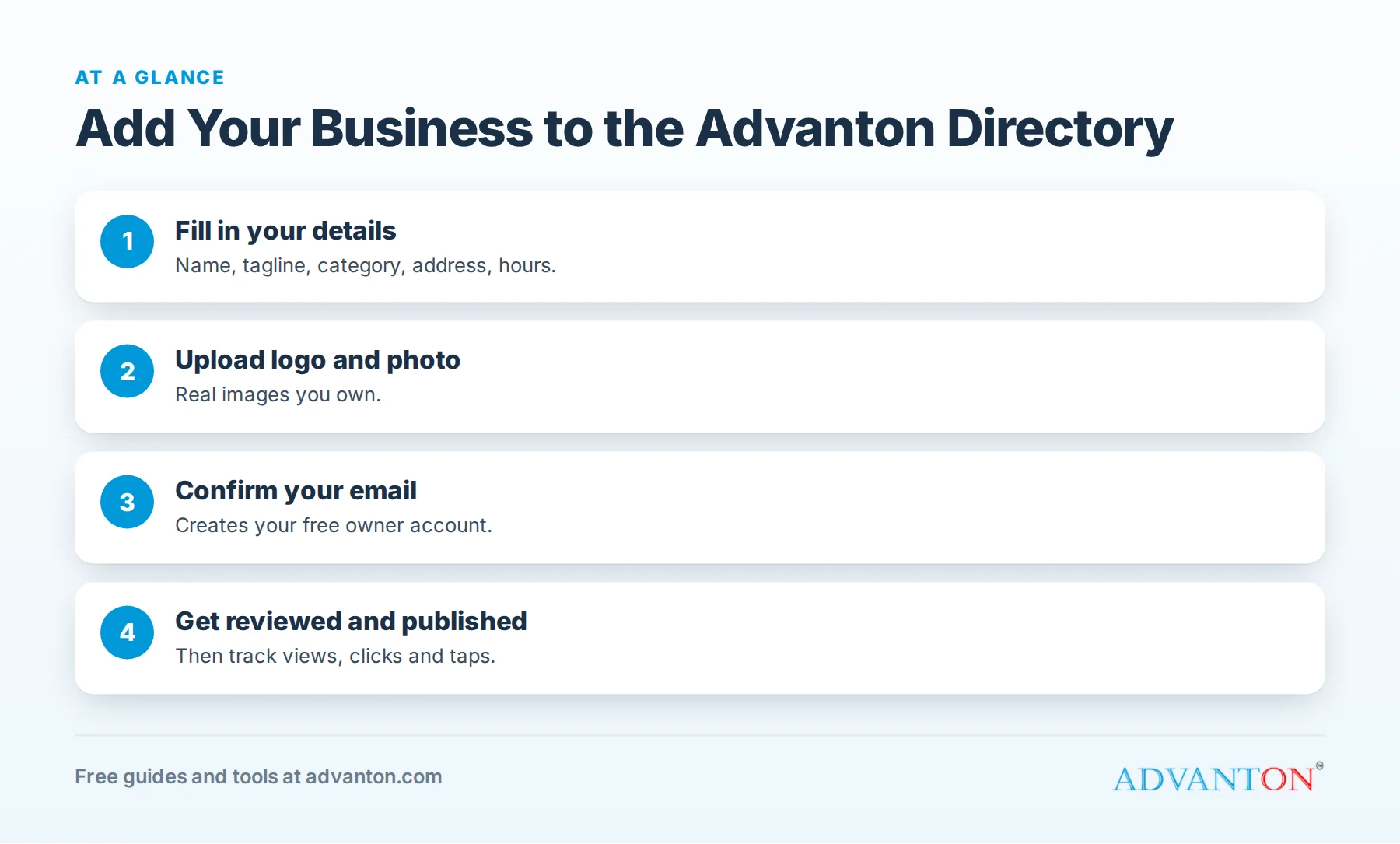
What you’ll need
Table of Contents
| Item | Details |
|---|---|
| Business name and tagline | Your real business name and a short line about what you do |
| Description | A few sentences about your services, area and what makes you different |
| Category | One of the directory’s categories, such as Home services, Construction and trades, Restaurants and food or Professional services |
| Address | Street, city, state and ZIP |
| Contact details | Business phone, website and email |
| Opening hours | For example, "Mon to Fri 8am to 6pm, Sat 9am to 1pm" |
| Social links | Up to three, such as Facebook, Instagram or LinkedIn |
| Logo | JPG, PNG or WebP, up to 2 MB |
| Photo of your business | JPG, PNG or WebP, up to 5 MB and at least 600 pixels wide |
Use images you own or have permission to use.
Step 1: Open the "Add your business" form
Go to Add your business. The form is free and doesn’t require an account to start.
Step 2: Write a listing customers want to read
- Tagline: say what you do and where, for example "Licensed plumber serving Springfield and nearby towns."
- Description: your main services, the areas you serve, how long you’ve been in business, and why customers choose you. Write for customers, not search engines; avoid stuffing keywords.
- Category: choose the category that best matches your main service.
Step 3: Add your contact details and hours
Use the same business name, address and phone number that appear on your Google Business Profile and website. Consistent details help customers and search engines trust your information. Add your opening hours and up to three social profiles.
Step 4: Upload your logo and photo
Your logo helps customers recognize you; your photo shows your storefront, team, vehicle or work. A clear, well-lit photo makes your listing far more inviting than a stock image.
Step 5: Confirm your email
After you submit, you’ll receive a confirmation email. Click the link to confirm. This also creates your free owner account.
Step 6: Review and publishing
Every listing is reviewed by the Advanton team before it’s published, to keep the directory accurate and free of spam. Once approved, your listing appears in the business directory and has its own page.
Step 7: Use your owner dashboard
Your free owner account gives you a "My business" dashboard where you can see how your listing is doing, including listing views, website clicks and phone taps. Where the "Contact this business" form is enabled, customer inquiries are emailed to you and kept in your dashboard.
Tips for a listing that brings customers
- Be specific: name your services and the towns you serve.
- Use a real photo of your business, team or work.
- Keep details current: update hours and contact information when they change.
- Match your other listings exactly: name, address and phone.
- Link your website so customers can learn more.
- Respond quickly to inquiries.
Listing examples by industry
| Business | Tagline example | What to put in the description |
|---|---|---|
| Plumber | "Licensed plumber serving Springfield and nearby towns" | Emergency service, water heaters, drains, service area, license |
| Bakery | "Fresh bread and custom cakes in downtown Oak Park" | Specialties, ordering, hours, parking |
| Accountant | "Small business bookkeeping and tax preparation" | Services, industries served, consultations |
| Hair salon | "Cuts, color and styling in Riverside" | Services, booking, stylists, walk-ins |
| Landscaper | "Weekly lawn care and spring cleanups" | Services, neighborhoods, seasonal offers |
Write the way you’d describe your business to a new neighbor: what you do, where, and why people choose you.
Choose the right category
The directory has categories such as Automotive, Beauty and personal care, Construction and trades, Education and tutoring, Events and entertainment, Fitness, Health and wellness, Home services, Pets, Professional services, Real estate, Restaurants and food, Retail and shopping, Technology, and Travel and tourism. Pick the one that matches your main service, the way customers would look for you.
Photo tips
- Logo: a clean version on a plain background, easy to read at small sizes.
- Business photo: your storefront, team, branded vehicle or a finished project, taken in good daylight.
- Avoid stock photos; customers trust real images.
- Use images you own or have permission to use.
What happens after you’re published
Your listing gets its own page with your logo, photo, description, address, hours, phone, website and social links. Customers can find it by browsing the directory by category, state or name, and through search engines. Your owner dashboard shows listing views, website clicks and phone taps, so you can see how customers interact with it.
Keep your listing current
Customers rely on accurate details. Update your listing when your hours, phone number, address or services change, and refresh your photo when you have a better one. To update details, contact us.
Pair your listing with your other profiles
Your directory listing works best as part of a consistent online presence: the same business name, address and phone on your Google Business Profile, Apple Maps, Bing, Yelp, social pages and website. Run our free online presence checkup to find gaps.
Common mistakes
- Keyword-stuffed names or descriptions that read badly to customers.
- Blurry or stock photos.
- Different phone numbers or addresses than your other listings.
- Missing hours, which make customers unsure whether you’re open.
- Forgetting to confirm your email, which keeps your listing from being reviewed.
Why list in more than one directory
Customers don’t all search the same way. Some use Google Maps, some ask Siri or Apple Maps, some browse local directories, and some follow a friend’s link. Each accurate listing is another path to your phone number or website. Listings also reinforce your business details across the web, which helps customers trust that your information is current. A free Advanton listing adds a dedicated page for your business, with your photo, description, hours and contact options, at no cost.
Respond to customers who find you
A listing only works if customers can reach you easily. Answer calls promptly, reply to messages quickly, and keep your phone number and website current. If the "Contact this business" form is enabled on your listing, check your email and dashboard for inquiries, and reply the same day. Fast replies turn listing views into customers.
Share your listing
Once your listing is published, share its link on your social media, in your email signature and on your website’s "Find us" page. Customers who see your business in a directory alongside other local businesses get a little more confidence that you’re established and easy to reach.
Where else to list your business
The Advanton directory works best alongside your other listings: your Google Business Profile, Apple Maps, Bing Places, Yelp and industry directories. See our guide to free business listing sites.
Frequently asked questions
Is listing my business in the Advanton directory free?
Yes. Listings are free, with no contract.
How long does it take for my listing to appear?
After you confirm your email, the Advanton team reviews your listing before publishing it.
Can I edit my listing later?
Your free owner dashboard shows how your listing is doing. To update your details, contact us and we’ll help.
What kinds of businesses can be listed?
U.S. small businesses across categories such as home services, construction and trades, restaurants and food, beauty, health, professional services, retail and more.
Do I need a website to be listed?
No. A website helps, but you can list your business with your phone and address.
Why was my listing not published yet?
Make sure you clicked the confirmation link in your email; listings are reviewed after confirmation. If it’s been a while, contact us.
Can I list a home-based business?
Yes. Use the address details you’re comfortable sharing and that match your other listings.
Does the directory help my business show up in search?
Each published listing has its own page that search engines can find, and consistent listings across the web help customers and search engines trust your details.
Who reviews listings?
The Advanton team reviews every listing before publishing, to keep the directory accurate and free of spam.
Can I add more than one business?
Yes. Submit a separate listing for each business, with its own details, logo and photo.
What does a listing include?
Your logo, business photo, tagline, description, category, address, hours, phone, website and up to three social links, on a page of its own.
How Advanton helps
Advanton is a free resource that helps small businesses start, get online, find customers and grow. Besides the directory, free tools such as the website builder, review request kit and online presence checkup help customers find and trust you. Advanton earns money when you buy a domain or hosting through our store, which helps keep everything else free.
Ready? Add your business now, free.
Last reviewed October 30, 2026. Startup costs are estimates; check local prices, licensing and tax rules before you commit money.


Leave a Reply