
Google Local Services Ads (LSAs) appear at the very top of many local searches, above regular ads and the map results, with a badge showing Google has checked the business. For contractors, they have one big difference from regular Google Ads: you pay for leads, not clicks. If someone calls or messages you through the ad, that’s a lead; if they just look, you don’t pay.
LSAs changed significantly over the past two years, so many older guides are out of date. This guide covers how they work now, what verification requires, what decides who shows first, and how to get the most booked jobs from your budget.
Local Services Ads at a glance
Table of Contents
| Where they appear | Top of many local service searches, on mobile and desktop |
| How you pay | Per lead: calls, messages or bookings from customers |
| Badge | Google Verified (replaced Google Guaranteed and Google Screened in October 2025) |
| Requirements | Business verification; license, insurance and background checks depending on trade and location |
| Ranking | Reviews, responsiveness, distance, business hours and verification status |
| Invalid leads | Reviewed automatically and credited; rate leads in your dashboard |
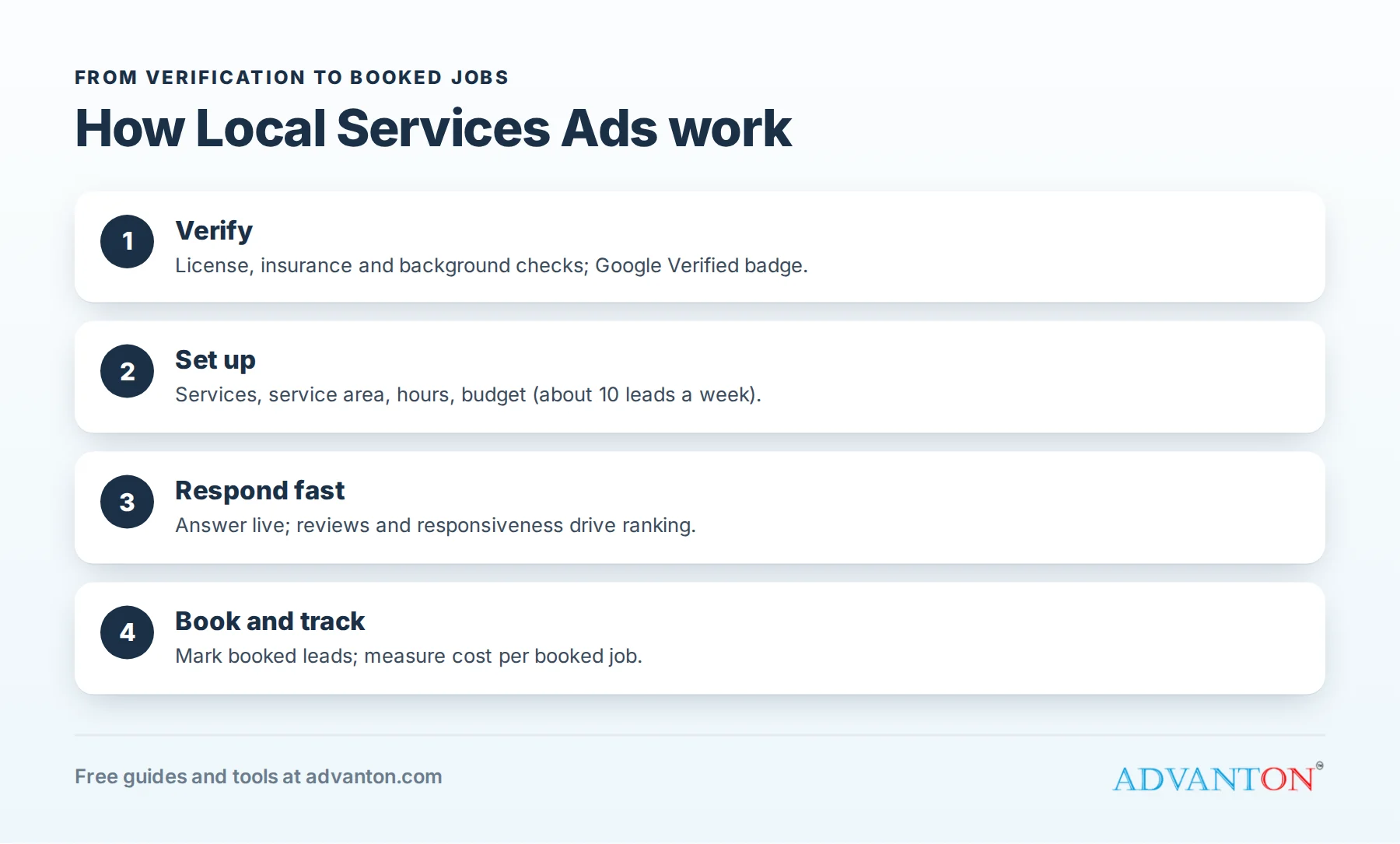
What changed: the Google Verified badge
In October 2025, Google consolidated its previous badges (Google Guaranteed, Google Screened and License Verified) into a single Google Verified badge. It shows customers that Google has checked a business’s license, insurance and background as required for its category. The earlier Google Guaranteed program offered customers a money-back guarantee up to a limit; check Google’s current terms for what customer protections apply now.
Google also changed how bad leads are handled. In 2024, the manual dispute process was replaced with an automated credit system that reviews leads and credits invalid ones, such as spam or wrong numbers. You can still rate leads in your dashboard, which helps Google learn what a good lead looks like for you.
Are Local Services Ads right for you?
LSAs work best when you can say yes to most of these:
- You can answer calls live during your listed hours, or call back within minutes.
- Your license and insurance are current and match your business name.
- You have reviews, ideally a steady flow of recent ones.
- You have capacity for more jobs this month.
- You can track which leads become jobs.
If several are no, fix those first; otherwise you’ll pay for leads you can’t convert.
Step 1: Check whether your trade qualifies
LSAs are available for many home service categories, such as plumbers, electricians, HVAC contractors, roofers, painters, cleaners, pest control and more, but availability varies by location. Check Google’s Local Services Ads site for your trade and area.
Step 2: Complete verification
Verification is the step that stops most contractors, so prepare documents in advance:
- Business information that matches your license exactly: name, address and phone.
- Licenses required for your trade in your state or city.
- Insurance: proof of general liability coverage meeting Google’s requirements for your category.
- Background checks for the business owner and, in many categories, technicians who serve customers.
Common delays include mismatched business names between your license and Google account, expired insurance certificates, and incomplete background checks. Verification often takes several weeks.
Verification notes by trade
| Trade | Common requirements to prepare |
|---|---|
| Plumbing | State or local plumbing license (often journeyman or master), liability insurance |
| Electrical | Electrical contractor or master electrician license, liability insurance |
| HVAC | State or local license where required; EPA Section 608 certification for refrigerant work |
| Roofing | Contractor or roofing license where your state requires one, liability insurance |
| Painting and handyman | Business license and insurance; contractor license where required |
Requirements vary by state, city and category; check Google’s current list for your trade before you start.
Step 3: Build a strong profile
- Choose only the services you want and can deliver profitably.
- Set your service area where you can respond quickly and profitably; leads from far away cost the same but book less often.
- Set accurate business hours. Google may show your ad mainly when you’re available, so hours affect lead volume.
- Add photos of your team, trucks and work.
- Connect your reviews and keep them coming.
Get reviews before you launch
Because reviews strongly affect where your ad appears, build them before spending heavily. Ask your last 20 to 30 customers for reviews, add a review link to every invoice, and use a QR code on your truck and leave-behind cards. A profile with a few recent, detailed reviews competes much better than one with none.
Step 4: Set your budget and bidding
You set a weekly budget and choose a bidding approach: an automated mode that aims to maximize leads within your budget, or a manual mode where you set a maximum price per lead. Google recommends budgeting for around 10 leads per week so the system has enough data to work well. Cost per lead varies widely by trade, market and season; emergency services in competitive cities usually cost more.
What decides who shows first
Ranking in LSAs is driven mainly by:
| Factor | What you can do |
|---|---|
| Reviews (rating and number) | Request reviews after every job |
| Responsiveness | Answer calls and messages quickly; missed leads hurt |
| Distance | Set a realistic service area |
| Business hours | Keep hours accurate and as broad as you can staff |
| Verification and profile quality | Complete verification, photos and services |
| Budget and bidding | Enough budget to compete in your market |
The biggest controllable factors are reviews and how fast you respond. Our free review request kit helps with the first.
Turn more LSA leads into jobs
Paying per lead only makes sense if leads become jobs:
- Answer every call live, or call back within minutes.
- Respond to messages quickly with a clear next step.
- Ask qualifying questions politely: location, problem and timing.
- Book the appointment on the first call whenever possible.
- Mark leads as booked in your dashboard and rate the rest.
- Follow up on quotes that don’t close right away.
A phone script for LSA calls
“Thanks for calling [Business], this is [Name]. How can I help?”
(Listen.) “I’m sorry you’re dealing with that. Can I get your address to confirm we serve your area?”
“We can have a technician there [today between 2 and 4 / tomorrow morning]. Our diagnostic visit is [$X], which goes toward the repair if you go ahead. Does that time work?”
“Great. Can I confirm your name, phone number and the best way to reach you? You’ll get a text when we’re on the way.”
A friendly, confident call that ends with a booked time converts far more leads than “Let me have someone call you back.”
Message reply templates
New message:
“Hi [Name], thanks for reaching out to [Business]. We can help with [problem]. Are you available for a visit [today at 3 or tomorrow at 9]? You can also call us at [number].”
Outside your area:
“Thanks for contacting us. Unfortunately [Town] is outside our service area, but we’d recommend checking for a licensed [trade] closer to you.”
Service you don’t offer:
“Thanks for reaching out. We don’t offer [service], but we’d be glad to help with [related services] anytime.”
Quick, polite replies protect your responsiveness and reputation, even when a lead isn’t a fit.
After-hours leads
If you list hours when nobody can answer, you’ll pay for leads you can’t serve, and slow responses can hurt ranking. Either list only the hours you can staff, or use an answering service or on-call rotation for evenings and weekends. Emergency trades often win the most valuable jobs after hours, if they can respond.
Plan your budget by goal
| Goal | Approach |
|---|---|
| Test the channel | Start with Google’s recommended volume of about 10 leads a week for a month, then review booking rate |
| Fill a slow season | Increase budget temporarily and widen hours if you can staff them |
| Steady growth | Hold budget steady and improve reviews and response times |
| Too busy | Lower budget or pause, rather than missing leads |
Measure cost per booked job
Cost per lead is only half the story. Track how many LSA leads become jobs, and your average job value. Our free lead source tracker compares LSAs with your other channels.
An illustrative example: an HVAC company spends $1,500 in a month and receives 30 leads ($50 per lead). It books 12 jobs, a 40% booking rate, so its cost per booked job is $125. If the average job brings $1,200 in revenue and $500 in gross profit, the channel is clearly worthwhile. If it booked only 4 jobs, the cost per job would be $375, and the owner would need to improve response times or service-area settings.
A weekly LSA routine
- Check new leads daily and respond immediately.
- Mark booked jobs and rate other leads in the dashboard.
- Request reviews from every completed job.
- Review cost per lead and booking rate weekly.
- Adjust hours, services and service area if leads don’t fit.
- Check verification status and renew insurance documents before they expire.
When to pause or adjust
Pause or lower your budget when you’re fully booked, during holidays you can’t staff, or if your booking rate drops sharply. Adjust service areas if many leads come from places you can’t serve profitably, and remove services that bring calls you don’t want. Small, regular adjustments keep cost per booked job under control.
Keep your documents current
Verification isn’t a one-time task. Insurance certificates expire, licenses renew, and new technicians may need background checks before serving customers. Put renewal dates in your calendar a month ahead, and upload updated documents promptly. Lapsed documents can pause your ads, often at the worst possible moment, such as the start of your busy season. A simple checklist covering license numbers, insurance expiry dates and each technician’s check status avoids surprises and keeps your ads running continuously.
LSAs vs regular Google Ads
| Local Services Ads | Google search ads | |
|---|---|---|
| You pay for | Leads (calls, messages, bookings) | Clicks to your website |
| Badge | Google Verified | None |
| Placement | Top of many local service searches | Top and bottom of results |
| Control | Limited messaging and targeting | Full control of ads and landing pages |
| Setup | Verification required | Faster to launch |
Many contractors run both: LSAs for high-intent calls, search ads for specific services and landing pages.
Combine LSAs with your free listings
LSAs sit alongside your Business Profile, website and reviews, not instead of them. Customers who see your ad often check your profile and website before calling, and your reviews feed both. Keep the same business name, phone, hours and photos everywhere, and make sure your website has a clear call button and service pages. See local SEO for contractors.
Seasonal strategy by trade
| Trade | When to push LSA budget |
|---|---|
| HVAC | Early summer and early winter, before peak breakdowns |
| Plumbing | Cold snaps and holidays, when emergencies spike |
| Roofing | Spring and after major storms in your area |
| Electrical | Steady year-round; promote EV chargers and generators seasonally |
| Painting | Spring and early fall for exteriors |
Make your team part of the system
LSA results depend on everyone who touches a lead. Train whoever answers the phone on your script, booking rules and service area; make sure technicians arrive on time and ask happy customers for reviews; and share weekly numbers (leads, bookings and reviews) so the team sees how their work affects results. When technicians change, update background check records promptly so your verification stays current. A team that treats every LSA call as a paid opportunity, because it is, books far more jobs from the same budget.
Common mistakes to avoid
- Missing calls, which wastes leads and lowers your ranking.
- Service areas that are too wide.
- Selecting services you don’t want to perform.
- Ignoring reviews, the strongest ranking factor you control.
- Not marking booked leads, which helps the system learn.
- Judging by cost per lead alone.
Frequently asked questions
How much do Local Services Ads cost?
You pay per lead, and prices vary by trade, location and competition. Set a weekly budget and track cost per booked job.
What is the Google Verified badge?
Since October 2025, it’s the single badge that replaced Google Guaranteed, Google Screened and License Verified, showing Google has checked a business’s license, insurance and background as required.
Can I get refunds for bad leads?
Google now reviews leads automatically and credits invalid ones; you can also rate leads in your dashboard.
Do Local Services Ads help my free map ranking?
They’re a separate product. Strong reviews help both, but you still need a good Business Profile for the free results. See local SEO for contractors.
How long does verification take?
It often takes several weeks, depending on your trade, location and how quickly documents and background checks are completed.
Should I run LSAs if I’m already busy?
Lower your budget or pause rather than missing leads; responsiveness affects ranking.
Can I choose which jobs I get?
Partly. You control services, service areas and hours, which shape the leads you receive, but you can’t pick individual customers in advance.
Do I need a website to run Local Services Ads?
No, but most customers check your website and reviews before calling, so a clear, mobile-friendly site helps more leads become jobs. Our free contractor website builder creates one quickly.
Keep learning
Sources
- PushLeads, Google Local Service Ads in 2026: setup and optimization guide (badge consolidation, October 2025)
- Emprise Digital, Local Services Ads guide (automated lead credits)
- Mediagistic, Google Local Services Ads for contractors (budget guidance)
Last reviewed October 29, 2026. Startup costs are estimates; check local prices, licensing and tax rules before you commit money.


Leave a Reply