
Every healthcare practice has to get paid by insurance companies and patients, and the process is complicated: codes, claims, denials, appeals, patient statements and constant rule changes. Many small practices, therapists and clinics outsource billing so they can focus on care. A medical billing business does that work, often from a home office, for a share of what it collects.
It’s a business built on accuracy, persistence and trust, with low startup costs, recurring monthly revenue and clients who stay for years when you get them paid.
Medical billing at a glance
Table of Contents
| Services | Claims submission, denial management, appeals, payment posting, patient billing, reporting |
| Clients | Small medical practices, therapists, chiropractors, dentists, behavioral health, labs |
| Requirements | Skills and knowledge; certification optional but valued; HIPAA compliance |
| Startup costs | Low: computer, billing software, clearinghouse, insurance |
| Revenue | Percentage of collections, per-claim fees or flat monthly fees |
Skills you need
- Medical coding basics: diagnosis and procedure codes and how they connect.
- Insurance rules: commercial plans, Medicare, Medicaid and their requirements.
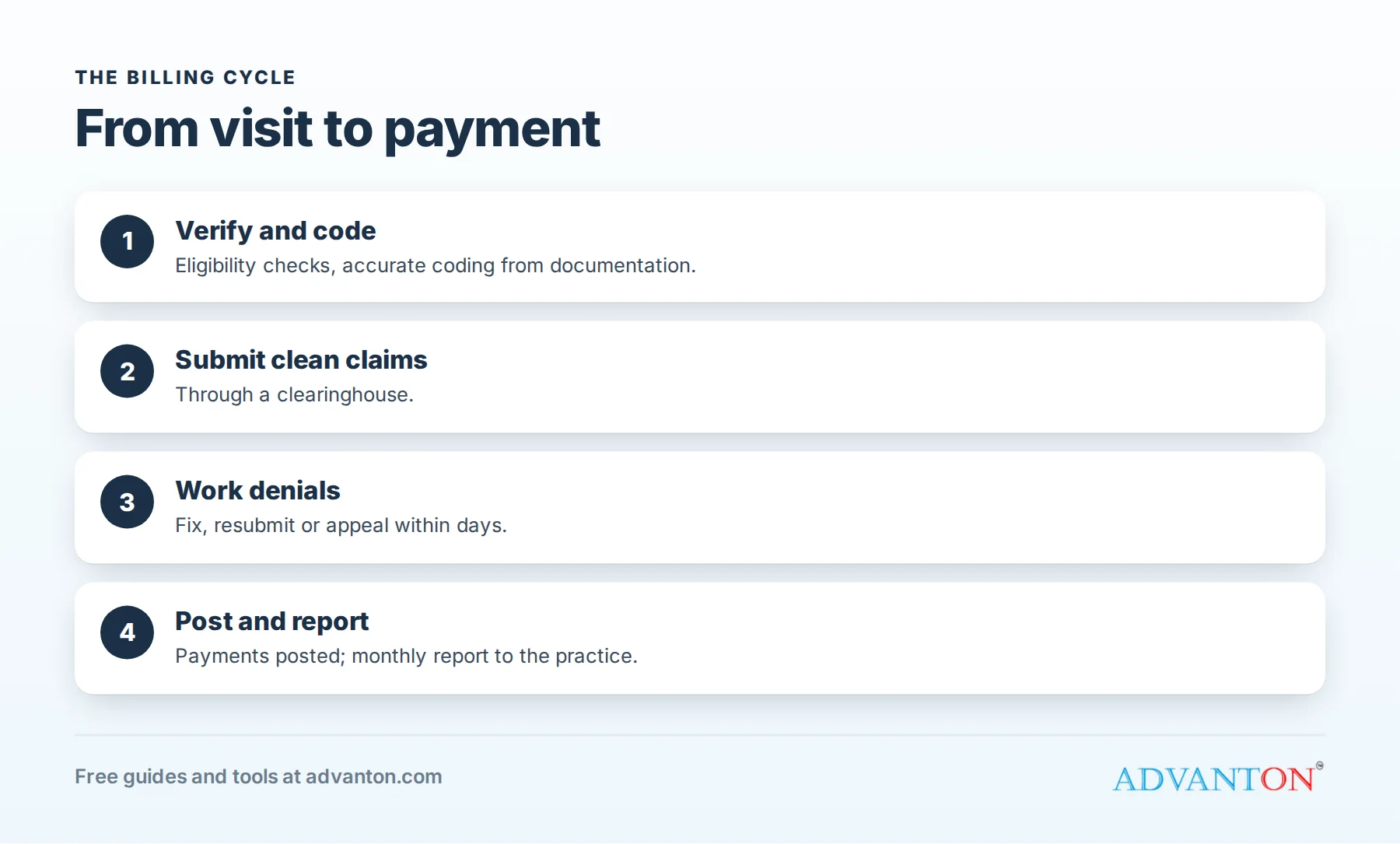
- Claims process: eligibility checks, clean claims, payment posting.
- Denial management and appeals.
- Patient billing and communication.
- Attention to detail and persistence.
Experience in a practice’s billing office is the best preparation. Professional certifications in billing or coding are optional in most places but build credibility with clients.
HIPAA and business associate agreements
As a billing company, you’ll handle protected health information, so you’re a business associate under HIPAA. Before working with a client, sign a business associate agreement (BAA), and protect data with secure software, encrypted devices, strong passwords, access controls, staff training and a breach response plan. Require BAAs from any vendors who handle patient data for you.
Avoiding billing fraud
Billing errors and fraud carry serious consequences, including under federal laws governing Medicare and Medicaid billing. Bill only what’s documented, never "upcode" services, never alter records, and question anything that looks wrong. Your reputation for accurate, honest billing is your most valuable asset.
Software and setup
- Billing software or access to each client’s practice management system.
- A clearinghouse to submit claims electronically to many payers.
- Secure computer, internet and backups.
- Business registration, insurance (errors and omissions, cyber liability) and contracts.
Total your costs with our startup cost calculator.
Pricing
| Model | How it works | Best for |
|---|---|---|
| Percentage of collections | A share of what you collect for the client | Aligns your pay with results |
| Per claim | A fee for each claim processed | High-volume, simple claims |
| Flat monthly fee | A set price for a defined scope | Predictable work |
Many billers charge a percentage of collections, varying with specialty, claim complexity and services included. Define clearly what’s included (claims, denials, patient statements, credentialing) and what costs extra.
A worked example: an owner with a part-time biller
These figures are illustrative.
| Revenue | Amount |
|---|---|
| 6% of $150,000 monthly client collections | $9,000 |
| Costs | Amount |
|---|---|
| Billing software | $400 |
| Clearinghouse fees | $200 |
| Part-time biller | $2,400 |
| Errors and omissions insurance | $150 |
| Security and compliance tools | $100 |
| Marketing | $300 |
| Total costs | $3,550 |
Profit before owner’s pay and taxes: $5,450. Revenue grows as clients collect more, which is why getting clients paid quickly and fully matters for both of you.
A denial management process
- Review every denial within a few days of receiving it.
- Categorize the reason: eligibility, missing information, coding, authorization, timely filing.
- Fix and resubmit correctable claims quickly.
- Appeal with supporting documentation when the denial is wrong.
- Track patterns and fix the root cause with the client, such as front-desk eligibility checks.
Denials left unworked are lost revenue; working them promptly is often where a billing company proves its value.
Key numbers to track
| Metric | What it shows |
|---|---|
| Days in accounts receivable | How quickly the practice gets paid |
| Clean claim rate | Claims accepted on first submission |
| Denial rate and reasons | Where problems start |
| Net collection rate | How much of what’s collectible is collected |
| Aging over 90 days | Money at risk of being lost |
Finding clients
- Small practices and solo providers, including therapists, chiropractors and physical therapists.
- New practices that haven’t set up billing yet.
- Practices struggling with denials or slow payments.
- Referrals from accountants, practice consultants and healthcare attorneys.
- Professional associations for specialties you know well.
- A clear website explaining your process, security and results.
Specializing in one or two specialties makes your marketing clearer and your work more efficient.
Startup checklist
- Business registration and a professional website.
- Errors and omissions and cyber liability insurance.
- Contract and BAA templates reviewed by an attorney.
- Written HIPAA security policies.
- Billing software and clearinghouse accounts.
- Secure, encrypted devices and backups.
- A reporting template for clients.
Choose a specialty
Specialties have their own codes, payer rules and common denial reasons. Focusing on one or two, such as behavioral health, physical therapy, chiropractic, or primary care, makes you faster, more accurate and easier to recommend. Practices prefer billers who already understand their world.
Keep clients for years
Respond quickly, explain problems in plain language, share wins (such as recovered old claims), meet monthly to review reports, and suggest improvements to the practice’s front-desk processes. Long-term clients are the foundation of a billing business.
Onboarding a new client
- Sign the contract and BAA.
- Review current billing: open claims, denials and aging reports.
- Get secure access to systems and payer portals.
- Agree on workflows: charge entry, documentation, patient statements.
- Set reporting: monthly collections, denials, days in accounts receivable.
Reporting that keeps clients
Send clients a clear monthly report: charges, collections, denial rates and reasons, accounts receivable by age, and actions taken. Practices that see their money improving stay with you for years.
Add credentialing services
Many practices also need help enrolling with insurance plans (credentialing) and keeping enrollments current. It’s detailed, deadline-driven work that fits naturally with billing and can be priced as a separate service.
Patient billing with care
Patient statements and calls should be clear, polite and accurate: explain what insurance paid, what the patient owes and how to pay, and offer payment plans where the practice allows. Follow the practice’s policies and applicable debt collection rules, and handle every patient with respect.
Contract essentials
Your client contract should cover services included, fees and how they’re calculated, client responsibilities (accurate documentation, timely charge entry), reporting, data security and the BAA, how either party can end the agreement, and how records are returned at the end.
Growing a team
As clients grow, hire experienced billers and coders, train them on your processes, give each person access only to the systems they need, and review their work regularly. Document workflows for each client so anyone can step in during vacations or illness.
Stay current
Codes, payer rules and government program requirements change regularly, with major code set updates each year. Subscribe to payer and government updates, take continuing education, and review changes with clients before they affect claims.
Security when working remotely
Work in a private space, use encrypted computers with automatic screen locks, never use public Wi-Fi without a VPN, avoid personal email for patient information, and shred any printed documents. A single data breach can end a billing business.
Common mistakes to avoid
- Working without a BAA.
- Weak data security.
- Unclear scope and pricing.
- Taking on too many clients for your capacity.
- Letting denials pile up.
Your first 90 days
- Days 1 to 30: strengthen your skills, register your business, get insured, and choose software and a clearinghouse.
- Days 31 to 60: write your contract, BAA and security policies, and build a website.
- Days 61 to 90: reach out to small practices, onboard your first client and deliver your first monthly report.
Frequently asked questions
Do I need certification to start a medical billing business?
Not legally in most places, but certification and experience build trust with healthcare clients.
Can I run medical billing from home?
Yes, with secure computers, private workspace and strong data protection.
How do medical billers charge?
Commonly a percentage of collections, a per-claim fee or a flat monthly fee.
What’s a business associate agreement?
A HIPAA-required contract between a healthcare provider and a vendor, like a billing company, that handles patients’ health information.
How many clients can one biller handle?
It depends on claim volume and complexity. Track hours per client and keep enough capacity to work denials promptly.
Can I work with practices in other states?
Yes, remotely, as long as you follow each payer’s rules and protect patient data under HIPAA.
What software do I need?
It depends on clients: some billers work inside each client’s practice management system; others use their own billing software and a clearinghouse. Choose secure, HIPAA-compliant tools either way, and confirm each vendor will sign a business associate agreement. Test reporting features too, since clear monthly reports are what clients value most. Ask experienced billers in your chosen specialty which tools they trust most and why, and run a short trial with sample test claims before committing to any annual contract or multi-year agreement.
Keep learning
Last reviewed October 28, 2026. Startup costs are estimates; check local prices, licensing and tax rules before you commit money.


Leave a Reply