
Printing a contract, signing it, scanning it and emailing it back slows deals down and loses customers who were ready to say yes. E-signature tools let customers sign quotes, contracts and forms on their phone in a minute, with a record of who signed and when.
Several e-signature tools have free plans, but most cap how many documents you can send each month. This guide reviews the best free options in 2026, explains their limits, covers whether e-signatures are legally valid, and shows how to send your first document.
Signing vs sending: the key difference
Table of Contents
- Signing documents someone sends you is free with almost every e-signature service, including DocuSign.
- Sending documents for others to sign is what free plans limit, usually to a few documents a month.
Small businesses mostly need the second: sending quotes, contracts and agreements to customers.
Quick picks
| Tool | Free plan in brief | Best for |
|---|---|---|
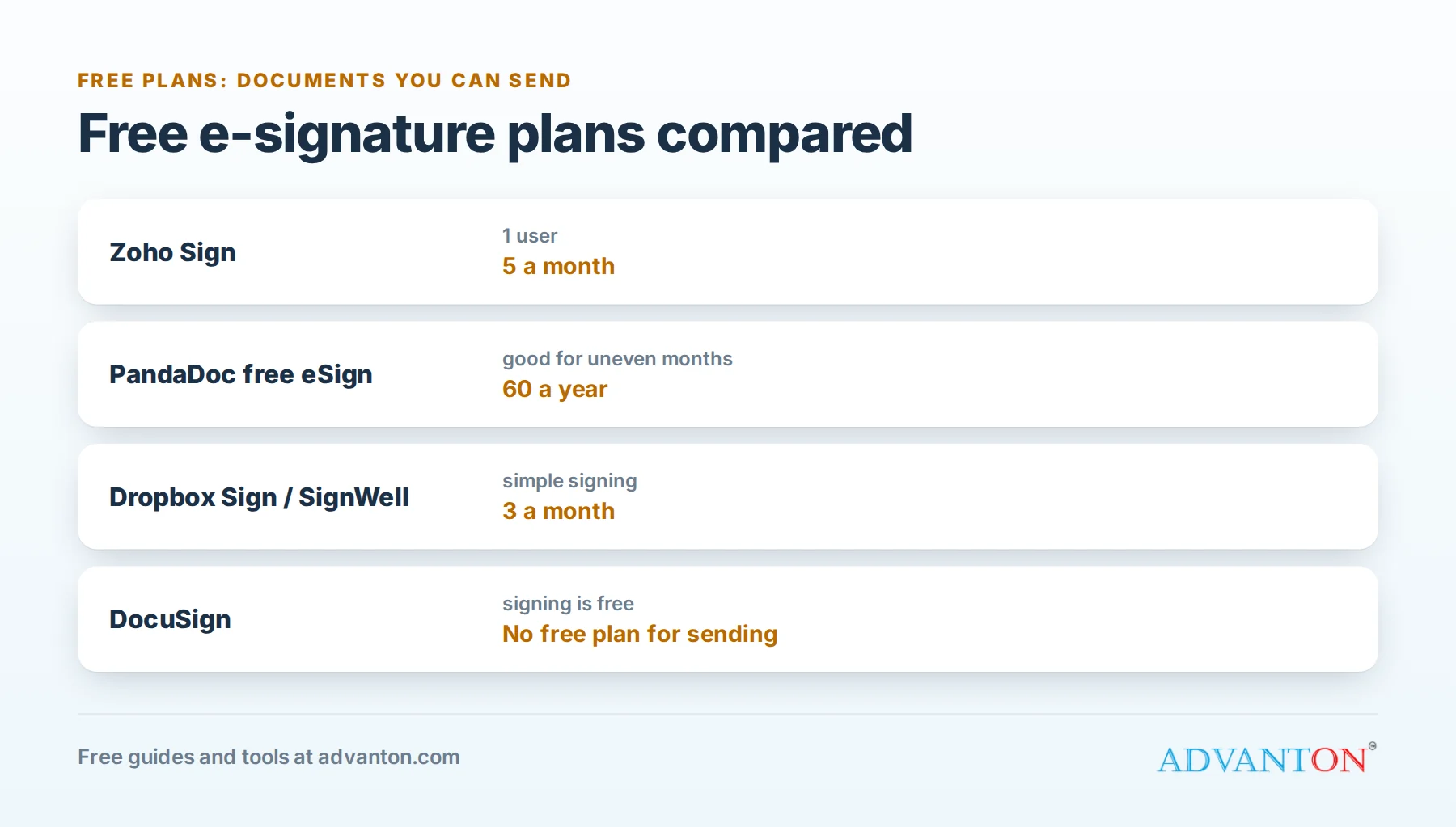
| Zoho Sign | 5 documents a month, 1 user | Most small businesses, especially Zoho users |
| PandaDoc (free eSign) | 60 documents a year | Businesses with uneven monthly volume |
| Dropbox Sign | 3 signature requests a month | Dropbox and Google Workspace users |
| SignWell | 3 documents a month, 1 sender | Simple, clean signing |
| DocuSign | Free to sign; no permanent free plan for sending | Signing documents others send you |
Are e-signatures legally binding?
Yes, for most business documents. In the United States, the federal ESIGN Act and the Uniform Electronic Transactions Act (UETA), adopted by most states, give electronic signatures the same legal effect as handwritten ones for most transactions.
A valid e-signature process generally shows that:
- The signer intended to sign,
- They agreed to do business electronically,
- The signature is linked to the document, and
- A record is kept that both parties can access.
Reputable e-signature tools provide an audit trail: who signed, when, from which email and device.
Exceptions: some documents are excluded from these laws or have extra requirements, such as wills and testamentary trusts, adoption, divorce and other family law matters, court orders and notices, and certain notices such as utility shutoffs and foreclosures. For these, and for anything high-stakes, check with a lawyer.
E-signature vs digital signature
The terms are often used interchangeably, but there’s a difference:
- An electronic signature is any electronic sign of agreement: a typed name, a drawn signature or a click on "I agree", backed by a record of the process. This is what most small business tools provide.
- A digital signature is a specific technology that uses encryption and certificates to prove a document hasn’t been changed since signing. Some industries and countries require it.
For everyday quotes, contracts and forms in the U.S., a reputable electronic signature tool with an audit trail is usually what you need.
How we evaluated
We compared how many documents you can send free, templates, reminders, audit trails, branding, ease of signing on a phone, and the cost of upgrading. Free-plan limits come from current 2026 sources and change often; check each provider’s pricing page.
The best free e-signature tools, reviewed
1. Zoho Sign: most generous monthly free plan
Free plan: 5 documents a month for 1 user.
Zoho Sign is a full e-signature tool with audit trails, reminders and mobile signing. It connects closely with Zoho’s CRM, invoicing and other apps.
The catch: Zoho branding on free documents, and limited templates.
Choose it if: you send up to about five documents a month.
2. PandaDoc free eSign: best for uneven months
Free plan: 60 documents a year, rather than a monthly cap.
PandaDoc’s free eSign plan is separate from its paid document software. A yearly allowance suits seasonal businesses that send many contracts in busy months and few in quiet ones.
The catch: PandaDoc branding on free documents, and its powerful proposal and quote-building features are paid.
Choose it if: your volume varies a lot from month to month.
3. Dropbox Sign: best for Dropbox and Google users
Free plan: 3 signature requests a month.
Dropbox Sign (formerly HelloSign) is simple and reliable, with audit trails and integrations with Dropbox and Google Workspace.
The catch: three requests a month is tight, and templates require a paid plan.
Choose it if: you send a few documents a month and use Dropbox or Google.
4. SignWell: simplest experience
Free plan: 3 documents a month for 1 sender, with SignWell branding.
SignWell is clean and easy for both you and your signers.
The catch: a low monthly limit.
Choose it if: you want the simplest possible tool for occasional use.
5. DocuSign: best known, but not free for sending
DocuSign is the most recognized name. Signing documents others send you is free, but there’s no permanent free plan for sending; its paid plans start with a monthly limit of documents.
Choose it if: a client or partner requires it, or you need its advanced features.
Signing PDFs yourself for free
To sign a document yourself (not collect someone else’s signature), you often don’t need an e-signature service at all: Adobe Acrobat Reader’s free "Fill and Sign", the Preview app on Mac and the Markup tool on iPhone all let you add your signature to a PDF.
Comparison at a glance
| Zoho Sign | PandaDoc | Dropbox Sign | SignWell | DocuSign | |
|---|---|---|---|---|---|
| Free documents to send | 5 a month | 60 a year | 3 a month | 3 a month | None (signing only) |
| Audit trail | Yes | Yes | Yes | Yes | Yes |
| Free templates | Limited | Yes | No | 1 | Not applicable |
| Branding on free plan | Zoho | PandaDoc | Dropbox Sign | SignWell | Not applicable |
What small businesses send for signature
- Quotes and estimates ("I accept this quote").
- Service agreements and contracts.
- Work orders and change orders for contractors.
- Client intake and consent forms.
- Rental agreements for equipment or space.
- Independent contractor agreements and offer letters.
- Non-disclosure agreements.
What to include in a service agreement
Whatever tool you use, a clear agreement prevents disputes. Most service agreements cover:
- The parties: your business’s legal name and the customer’s name.
- The work: what’s included, and what isn’t.
- Price and payment terms: deposit, payment schedule, due dates and late fees.
- Timeline: start date, estimated completion and what happens with delays.
- Changes: how change orders are priced and approved.
- Warranties or guarantees, if any.
- Cancellation terms.
- Signatures and dates.
Have a lawyer review your standard agreement once, then reuse it as a template.
Collect deposits when the customer signs
Some tools let customers pay a deposit right after signing. If yours doesn’t, include a payment link in the email or the document. Collecting the deposit at the moment of commitment reduces cancellations and helps your cash flow.
Use templates for documents you send often
Save your common documents, such as service agreements, change orders and contractor agreements, as templates with signature fields already placed. Free plans often limit templates, which is one of the most useful features to pay for if you send the same documents repeatedly.
Send your first document in 10 minutes
- Create the document as a PDF or Word file, such as a quote from our free quote and invoice generator.
- Upload it to your e-signature tool.
- Add signers by name and email, and set the signing order if more than one person signs.
- Place fields: signature, initials, date and any text fields, such as a printed name.
- Add a short message: what it is, and any deadline.
- Send, and turn on automatic reminders.
- Download the signed copy and certificate when complete, and save both in your customer’s folder.
A worked example: winning more quotes
A painting contractor sends 20 quotes a month. Previously, customers had to print, sign and return them, and only some got around to it.
After switching to e-signature quotes, customers sign on their phone right after the walkthrough. If even 2 more quotes a month are accepted because signing became easy, at an average job of $3,500, that’s $7,000 a month in extra work. Twenty quotes is above free-plan limits, so this contractor would pay for a plan, and it would pay for itself many times over.
Multiple signers and signing order
When more than one person signs, such as two business partners or a customer and your own business, set the signing order. Sequential signing sends the document to the next person only after the previous one signs; parallel signing sends it to everyone at once. Countersign your own copy promptly so the customer receives the fully signed agreement quickly.
E-signatures by industry
| Business | Common documents |
|---|---|
| Contractors and trades | Estimates, contracts, change orders, lien waivers where permitted |
| Cleaning and home services | Service agreements, recurring service terms |
| Salons, spas and studios | Intake and consent forms, policies |
| Consultants and agencies | Proposals, statements of work, NDAs |
| Rental businesses | Rental agreements, damage waivers |
| Employers | Offer letters, policies, contractor agreements |
Tips for faster signatures
- Send while the customer is engaged, ideally during or right after the conversation.
- Keep documents short and clear, with prices and terms easy to find.
- Use reminders after one and three days.
- Make it mobile-friendly: most customers sign on phones.
- Combine signature and payment where possible, such as a deposit on acceptance.
Security and record-keeping
- Store signed documents and audit certificates together in your cloud storage.
- Protect accounts with two-step verification.
- Verify signers for sensitive documents, for example with an access code sent separately.
- Keep templates up to date so old terms don’t slip into new contracts.
Does free-plan branding matter?
Free plans add the provider’s name or logo to signing emails and pages. For occasional use, customers rarely mind; they recognize these tools and trust them. For businesses sending many contracts, removing the provider’s branding and adding your own logo and colors makes the signing experience feel more professional and consistent with your quotes and invoices, and it’s one of the main reasons owners upgrade.
Common mistakes
- Choosing a tool by brand when a free plan covers your volume.
- Using e-signatures for excluded documents without legal advice.
- Not saving the audit trail.
- Sending long, confusing documents that customers put off signing.
- Forgetting reminders.
Questions to ask before choosing
- How many documents will I send each month, in busy and quiet months?
- Can signers sign easily on a phone without an account?
- Does it provide a full audit trail and signing certificate?
- Can I use templates and automatic reminders on my plan?
- Does it connect with my CRM, cloud storage or accounting software?
- What does it cost when I outgrow the free plan?
When to upgrade
Pay when you regularly exceed free limits, want your own branding, need reusable templates, bulk sending, team accounts or integrations with your CRM or accounting software. If faster signatures win even one extra job a month, the upgrade usually pays for itself.
Frequently asked questions
Is a typed name a legal signature?
Generally, a typed name or click-to-sign can be valid under the ESIGN Act and UETA when the signer intends to sign and the process is recorded. Reputable tools capture that intent and keep an audit trail.
Do my customers need an account to sign?
No. With most tools, signers open a link in their email and sign without creating an account.
Can I use e-signatures for real estate or loans?
Many real estate and lending documents are signed electronically, but some steps, such as notarization or recording, may have extra rules. Ask the professionals involved.
What happens if someone disputes their signature?
The audit trail is your evidence: the signer’s email, the time, IP address and the steps they took. Keep the signing certificate with the document.
Can I edit a document after it’s signed?
No. Signed documents are locked to show they haven’t changed. Make changes with a new version or an amendment signed by both parties.
Do I need a paid plan to use e-signatures legally?
No. Free plans from reputable providers include the same core legal protections, including consent to sign electronically and an audit trail, as paid plans. Paid plans add volume, templates, branding and integrations.
Keep learning
- Quote and invoice generator
- Best free cloud storage for small businesses
- Best free form and survey builders
Sources
- Toolradar, Best free e-signature software in 2026
- BoloForms, Best free electronic signature software tools for 2026
- Verdocs, eSignature pricing guides (Dropbox Sign, Zoho Sign, PandaDoc)
Last reviewed October 28, 2026. Startup costs are estimates; check local prices, licensing and tax rules before you commit money.


Leave a Reply