
A mobile app business builds and publishes its own apps and earns from subscriptions, in-app purchases, paid downloads or advertising. Successful app businesses range from single-founder utilities to companies with millions of users.
App stores give instant global distribution but take a share of digital sales, review every app and change their rules over time. Discovery is the hardest part: millions of apps compete for attention, so marketing and retention decide success. The Bureau of Labor Statistics reports a median pay of $133,080 for software developers, quality assurance analysts and testers (May 2024), across about 1.9 million jobs, with employment projected to grow about 15% over the decade. This guide covers ideas, building, store accounts and rules, monetization, privacy, marketing, a worked example and a 90-day plan.
A mobile app business at a glance
Table of Contents
| Topic | What to expect |
|---|---|
| Startup cost | Low to moderate: development time or contractors, devices, developer accounts and marketing |
| Developer accounts | Apple Developer Program $99 a year; Google Play $25 one-time registration |
| Store fees | Commissions on digital sales, with reduced 15% rates for smaller developers under Apple’s and Google’s programs |
| Key rules | App review guidelines, privacy disclosures, and COPPA for apps directed at children under 13 |
| Best for | Builders who can ship, measure and market, not just code |
Who an app business suits
It suits builders who enjoy product design, measuring results and marketing as much as development. Many solo founders build apps for problems they personally experience.
Choosing an app idea
- Utilities and productivity: tools that save time on a frequent task.
- Health and fitness: tracking, coaching and habits (with care around health claims).
- Niche communities: apps for hobbies, professions or groups.
- Education: learning apps for specific skills.
- Companion apps for an existing business or product.
Look for problems people have often, and check competitors’ reviews for complaints you can solve better.
Building the app
Choose native development (Swift for iOS, Kotlin for Android) for the best platform experience, or cross-platform frameworks such as React Native or Flutter to reach both stores with one codebase. Build an MVP focused on one core experience, use managed backend services where possible and test on real devices.
Developer accounts and fees
Publishing requires an Apple Developer Program membership ($99 a year) and a Google Play developer account ($25 one-time). Both stores charge a commission on digital goods and subscriptions; Apple’s App Store Small Business Program and Google Play’s reduced service fees offer a 15% rate for developers below their revenue thresholds. Physical goods and services generally use other payment methods.
App review and guidelines
Every app is reviewed against store guidelines covering safety, performance, business practices (such as how digital purchases are sold), design and legal requirements. Read Apple’s App Store Review Guidelines and Google Play’s policies before building, and plan time for review and possible rejection.
Privacy, children and accessibility
Apps must disclose data collection (Apple’s privacy labels and Google Play’s data safety section) and publish a privacy policy. Apps directed at children under 13 must comply with COPPA, including verifiable parental consent before collecting personal information. Use platform accessibility features so more people can use your app.
Monetization models
- Subscriptions: recurring revenue for ongoing value; the most common model for successful apps.
- In-app purchases: one-time unlocks, credits or content.
- Paid downloads: simple but harder to sell.
- Advertising: works with large audiences; affects user experience.
- Freemium: free core app with paid upgrades.
Offer free trials carefully and make subscription terms and cancellation clear, following store rules and state automatic renewal laws.
Startup costs to plan for
| Item | What to budget for |
|---|---|
| Development | Your time or contractors |
| Devices | Test phones and tablets, a Mac for iOS |
| Developer accounts | $99 a year (Apple), $25 one-time (Google Play) |
| Backend services | Hosting, authentication, analytics |
| Design | App icon, screenshots, interface design |
| Marketing | Store ads, website, creators, content |
Use our startup cost calculator for your total.
App store optimization
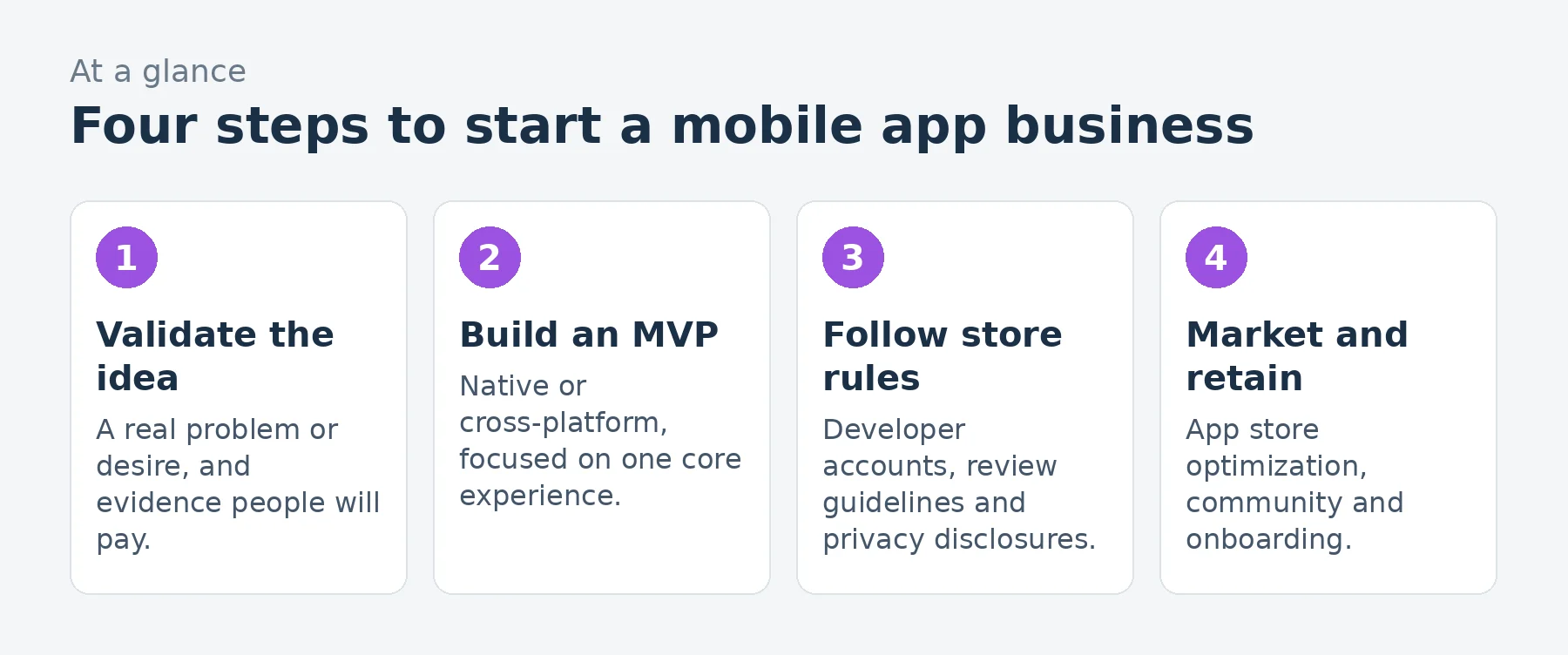
App store optimization (ASO) helps people find your app in store search: a clear name and subtitle, relevant keywords, strong screenshots and preview videos, ratings and reviews and regular updates. Ask for ratings at moments when users are happy, using the platforms’ built-in review prompts.
A worked example: a solo subscription app
These are illustrative assumptions for a solo-founder subscription app after about a year, not predictions.
| Assumption | Monthly | |
|---|---|---|
| Subscriptions | 1,600 subscribers paying about $4 a month on average (after annual discounts) | $6,400 |
| Revenue | $6,400 | |
| App store commission | Reduced 15% small business rate | $(960) |
| Backend and services | Hosting, analytics, crash reporting | $(300) |
| Marketing | App store ads, content, creators | $(1,500) |
| Contract design and development help | $(900) | |
| Developer accounts, tools and legal | Averaged monthly | $(120) |
| Profit before owner pay and taxes | $2,620 |
That leaves about $2,620 a month before the founder’s pay and taxes, on about $6,400 of revenue. Subscriber retention drives everything: if most users cancel after a month, marketing costs quickly exceed revenue.
Loading the calculator…
Marketing your app
- Content and social media showing the app solving real problems.
- Creators and communities in your niche.
- App store search ads for high-intent keywords.
- A website for search traffic and press.
- Referral programs and sharing features.
Retention and onboarding
Most users decide quickly whether an app is worth keeping. Design onboarding that delivers value in the first session, use thoughtful notifications (not spam), track retention by cohort and improve the parts of the app where users drop off.
Analytics and iteration
Measure installs, activation, retention, conversion to paid and churn. Release regular updates that improve the core experience, and read every review for ideas and problems.
Free trials and paywalls
Where and how you ask users to pay affects conversion. Many subscription apps show the value first, then offer a free trial with clear pricing and renewal terms. Test paywall timing and design, and make sure every claim and price matches what users are charged.
Push notifications
Notifications can bring users back or drive them away. Ask for permission at a moment when the benefit is clear, send only useful messages and let users control what they receive. Respect platform rules on notification content.
Handling reviews
Reviews affect downloads and rankings. Respond to reviews professionally, fix problems people mention and highlight improvements in update notes. Never buy or fake reviews; stores remove them, and fake reviews are illegal under FTC rules.
Updates and operating system changes
Apple and Google release major operating system updates every year, sometimes changing features, permissions and requirements. Test your app with beta versions, update for new requirements and keep dependencies current so the app keeps working and remains listed.
Pricing subscriptions
Offer monthly and annual plans, with a meaningful annual discount, and test prices with real users. Regional pricing tools in the stores help price fairly in different countries. Make sure the value clearly exceeds the price before scaling marketing.
Common mistakes to avoid
- Building without validating demand.
- Ignoring store guidelines until review.
- Hiding subscription terms or making cancellation hard.
- Collecting children’s data without COPPA compliance.
- Spending on ads before retention is strong.
Your first 90 days
- Days 1-30: validate the idea with potential users and design the core experience.
- Days 31-60: build the MVP, set up developer accounts, analytics and privacy disclosures and beta test.
- Days 61-90: launch, optimize the store listing and focus on retention before scaling marketing.
Frequently asked questions
How much does it cost to publish an app?
Apple’s Developer Program costs $99 a year and Google Play charges $25 once, plus development and marketing costs.
What commission do app stores take?
Both charge commissions on digital sales, with reduced 15% rates for smaller developers under their programs.
Do apps need privacy policies?
Yes. Both stores require privacy disclosures, and apps collecting personal data need a privacy policy.
What is COPPA?
A federal law requiring parental consent before apps directed at children under 13 collect personal information.
What is the best way to make money from an app?
Subscriptions are the most common model for successful apps, alongside in-app purchases and ads.
How do people find new apps?
Through app store search and features, social media, creators, communities, ads and word of mouth.
Should I build for iOS or Android first?
It depends on your audience; many founders start with one platform or use cross-platform tools to launch both.
How long does app review take?
Review times vary; plan for possible rejections and resubmissions before your launch date.
Can I make an app without coding?
Some simple apps can be built with no-code tools, but most commercial apps need development skills or contractors.
Do I need a company to publish apps?
Individuals can publish, but publishing as a business shows your company name in the store and separates business liability; it also requires business verification.
Can I sell physical products through in-app purchases?
Generally no. App store in-app purchase systems cover digital goods and subscriptions; physical goods and services use other payment methods.
Keep learning
- Software and SaaS industry data
- How to start an app development business
- How to start a micro-SaaS business
- Business Idea Reality Check
Sources
- Apple Developer Program (membership and fees)
- Apple, App Store Small Business Program
- Apple, App Store Review Guidelines
- Google Play Console, Developer registration
- Google Play Console Help, Service fees
- FTC, Children's Online Privacy Protection Rule (COPPA)
- US Bureau of Labor Statistics, Software developers, quality assurance analysts and testers
Last reviewed November 3, 2026. Startup costs are estimates; check local prices, licensing and tax rules before you commit money.

