
Reviews are the closest thing contractors have to word of mouth at scale. They influence where you appear in Google’s local results, and they’re often what makes a homeowner choose you over the contractor listed right above you. Google says review count and rating factor into local ranking, and customers read reviews closely before letting a stranger into their home.
The good news: most satisfied customers are happy to leave a review. They just need to be asked at the right time, in the right way, with a link that takes ten seconds to use. This guide gives you the system, scripts and rules.
Why reviews matter so much for contractors
Table of Contents
- Ranking: steady, recent reviews help you appear in the map pack.
- Trust: homeowners compare ratings and read recent reviews before calling.
- Conversion: strong reviews let you win jobs without being the cheapest.
- Feedback: reviews tell you what customers value and what to fix.
The rules: what you can and can’t do
| Allowed | Not allowed |
|---|---|
| Asking every customer for an honest review | Paying or rewarding customers for reviews |
| Sending a direct review link | Asking only happy customers ("review gating") |
| Reminding customers once or twice | Writing reviews yourself or for competitors |
| Replying to every review | Buying reviews or using review sellers |
Google’s policies prohibit incentives for reviews and selectively asking only satisfied customers. The Federal Trade Commission’s rule on consumer reviews, which took effect in October 2024, bans fake reviews and buying reviews, with significant penalties. Ask everyone, honestly, and let the reviews reflect your work.
When to ask
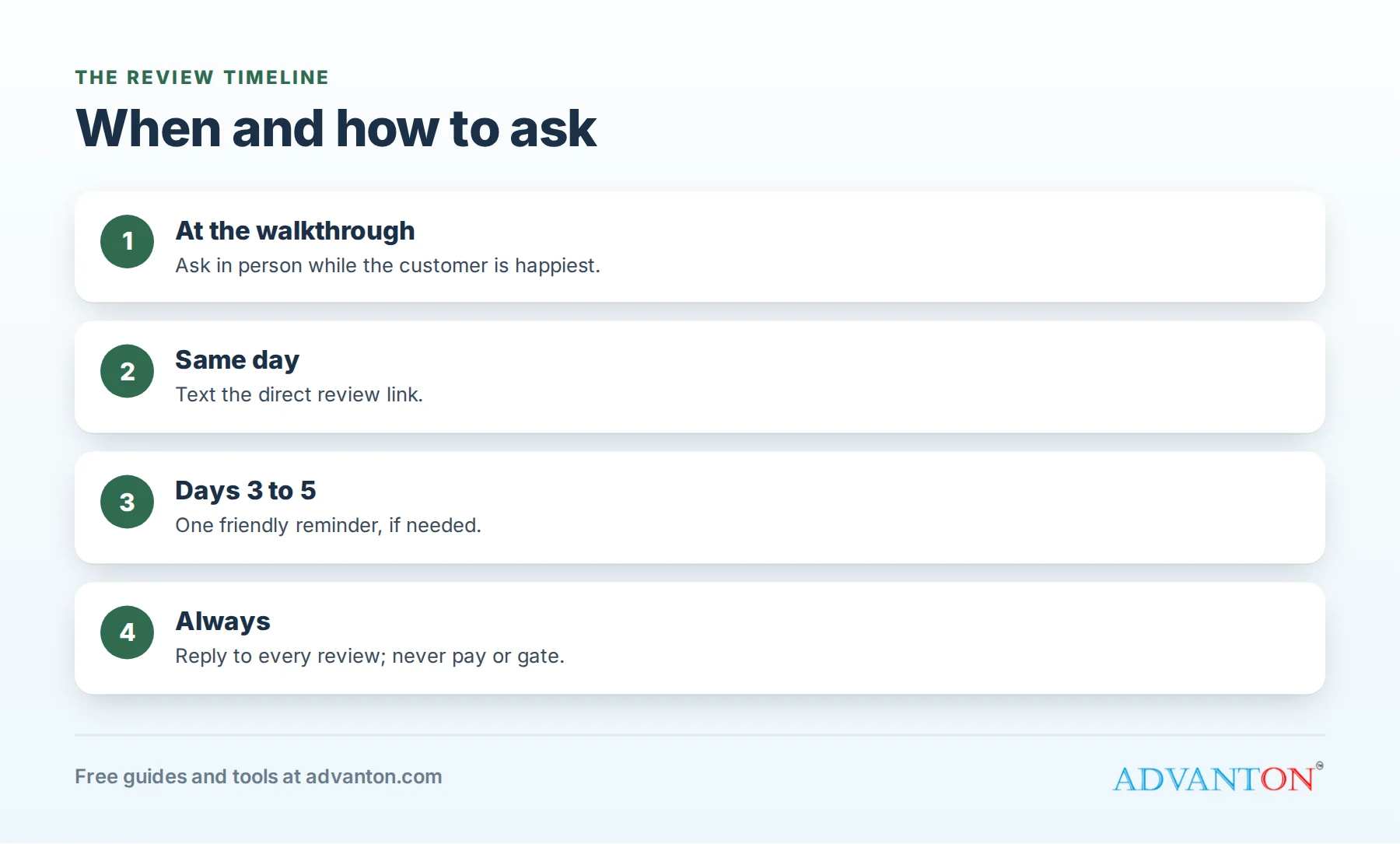
The best moment is right after the job is finished and the customer is happy: when you walk them through the completed work, after the system is running, or when they thank you. Their satisfaction is highest and the experience is fresh. If you can’t ask in person, send a text within a few hours.
Make it easy
- Get your direct review link from your Business Profile.
- Shorten it and save it in your phone for quick texting.
- Add a QR code to invoices, leave-behind cards and your truck. Our free review request kit and QR code generator create both.
- Ask for one review site first, usually Google, rather than offering several choices.
Scripts and templates
In person, at the end of the job:
"I’m glad you’re happy with how it turned out. We’re a local business, and reviews really help people find us. Would you be willing to leave a quick Google review? I can text you the link right now."
Text message:
"Hi [Name], it’s [Your name] from [Business]. Thanks for having us out today for your [service]. If you have a minute, an honest review would really help us: [link]. Thank you!"
Email:
Subject: Thanks from [Business]
"Hi [Name], thank you for choosing us for your [service]. We’d really appreciate an honest review about your experience. It takes about a minute: [link]. If anything wasn’t right, please reply and let us know so we can fix it."
Reminder (three to five days later, once):
"Hi [Name], just a quick reminder in case you have a moment to share your experience with [Business]: [link]. Thanks again!"
Train your technicians to ask
Technicians are with customers at the moment of greatest satisfaction, so they’re your best review askers. Teach them a short, natural script, explain why reviews matter to the business (and their jobs), and make it easy: a card with a QR code, or a button in your field service app that texts the link. Recognize technicians whose customers mention them by name in reviews, since it motivates the whole team.
Build a simple review system
- Technicians ask in person at the end of every job.
- The office sends a text the same day with the link.
- One reminder goes out a few days later if no review appears.
- Every review gets a reply within a day or two.
- Track review counts weekly and celebrate milestones with your team.
Consistency matters more than bursts. Ten reviews a month, every month, beats fifty in one week and then nothing.
Replying to positive reviews
Thank the customer by name, mention the job and town naturally, and keep it short:
"Thanks, Maria! We’re glad the new water heater in Oak Park is working well. We appreciate you trusting us with it."
Replying to middling reviews
Three-star reviews often contain the most useful feedback. Thank the customer, acknowledge what could have been better, and say what you’re doing about it:
"Thanks for the feedback, Lisa. We’re glad the repair solved the problem, and you’re right that we should have called ahead when we were running late. We’ve changed our scheduling process so customers get a text when we’re on the way."
Replying to negative reviews
- Stay calm and reply within a day or two.
- Thank them for the feedback and apologize for their experience, without arguing.
- State the facts briefly if needed, without sharing private details.
- Offer to resolve it offline with a direct contact.
- Follow through, and if resolved, the customer may update the review.
"Hi John, I’m sorry the cleanup didn’t meet your expectations. That’s not our standard. I’d like to make it right; please call me directly at [number]. — [Name], Owner"
Future customers read your replies to see how you handle problems. A calm, helpful reply can win more trust than a perfect record.
What about reviews you believe are fake or unfair?
If a review violates Google’s policies, such as spam, conflicts of interest or offensive content, you can report it through your profile. Otherwise, reply professionally and focus on earning more genuine reviews; one unfair review matters much less among dozens of good ones.
Encourage detailed reviews
Detailed reviews help customers and relevance. You can’t tell customers what to write, but you can make it easier to be specific: "If you mention what we did for you, it helps other homeowners know what to expect." Never script their words or ask for specific ratings.
Use reviews in your marketing
With permission, share great reviews on your website, in social media posts, on printed flyers and in estimate packets. A review mentioning a specific service and town is especially persuasive on the matching service page. Keep shared reviews current; outdated ones look stale.
What about Yelp, Angi and other sites?
Each platform has its own rules. Yelp, for example, discourages businesses from asking customers for reviews, so focus your requests on Google and let other platforms grow naturally. Claim your profiles everywhere customers look, keep your information consistent, and reply to reviews on each site.
How many reviews do you need?
There’s no magic number. Look at the businesses already appearing in the map pack for your main searches, note their review counts and how recent their reviews are, and aim to match or exceed them over time. Recency matters, so keep reviews coming every month.
Set review milestones
| Milestone | Why it matters |
|---|---|
| First 10 reviews | Customers start to trust a new business |
| Matching top competitors’ count | You compete on equal footing in local results |
| Reviews every week | Recency keeps your profile strong |
| Detailed reviews for each main service | Customers see proof for the work they need |
Video testimonials
A 30-second video of a happy customer standing in their new kitchen or next to their new system can be more persuasive than dozens of written reviews. Ask only customers who are comfortable on camera, get written permission, keep it short and natural, and share it on your website and social media.
Warranty visits and callbacks
When you return to fix a problem, you have a chance to turn an unhappy moment into a great review. Fix the issue quickly, explain what happened and thank the customer for their patience. Customers who see a business stand behind its work often become its strongest advocates.
Reward your team for asking, never for writing
It’s fine to recognize technicians who consistently ask for reviews. It’s not fine for employees, family or friends to write reviews for your business without disclosing their connection, or to offer customers rewards for reviews.
The best time to ask, by trade
| Trade | Best moment to ask |
|---|---|
| Plumbing and HVAC | Right after the system is working again and you’ve cleaned up |
| Electrical | After demonstrating the new panel, charger or lighting |
| Roofing | At the final walkthrough, after cleanup and magnet sweep |
| Painting | At the final walkthrough, when the customer sees the finished rooms |
| Remodeling | At the final walkthrough, and again after the first week of use |
Why reviews might be slow
If few customers leave reviews, check the basics: Are technicians actually asking? Is the link working and easy to open on a phone? Are you sending the text the same day? Are you asking for too many sites at once? Fixing one weak step often doubles review volume.
Reviews for a new business
If you’re just starting, ask every customer from your very first job, including small repairs, and follow up the same day. Past customers from previous employers can’t review your new business, but genuine customers from side jobs and early work can. Ten honest reviews in your first few months make a noticeable difference to how customers see your profile.
Common mistakes to avoid
- Waiting days or weeks to ask.
- Asking only happy customers.
- Offering discounts or gifts in exchange for reviews.
- Ignoring negative reviews or arguing in public.
- Sending customers to several sites at once.
- Giving up after a slow month.
Frequently asked questions
Can I offer a discount for a review?
No. Google’s policies prohibit incentives for reviews, and the FTC’s rule targets fake and paid reviews.
Can I ask only my happiest customers?
No. Google prohibits selectively soliciting positive reviews. Ask every customer.
Should I respond to every review?
Yes. Replies show you care and help future customers trust you.
What’s the fastest way to get more reviews?
Ask every customer in person at the end of the job, then text the link the same day.
How long should I wait before reminding a customer?
Three to five days is a good gap, and one reminder is enough.
Should I ask for reviews on Facebook and Yelp too?
Focus requests on Google first, follow each platform’s own rules, and let other sites grow naturally.
Can I reply to old reviews I never answered?
Yes. Replying to older reviews shows you value every customer, and future customers notice the effort. Start with the most recent reviews and work backward over a few weeks, replying to a handful each day so it doesn’t become a chore. Personal, specific replies are worth the extra minute each.
Keep learning
Sources
Last reviewed October 29, 2026. Startup costs are estimates; check local prices, licensing and tax rules before you commit money.
This article is general information, not financial, legal or tax advice. Check the rules that apply to you or talk to a qualified professional before making decisions. See our disclaimer.
Leave a Reply