
A computer repair business fixes, upgrades and sets up computers for households and small businesses: hardware repairs, slow computer cleanups, virus and malware removal, data recovery, upgrades, new computer setups, networking and home office support. Many shops also sell refurbished computers and accessories.
Customers trust you with devices full of personal and business information, so data privacy is central. Repair work also involves batteries and electronics that need proper disposal. Growing right-to-repair laws are improving access to parts and manuals for independent shops. The Bureau of Labor Statistics reports a median pay of $61,550 for computer support specialists and $73,340 for computer network support specialists (May 2024). Business owners earn the profit after staff, tools and overhead. This guide covers services, models, pricing, privacy, disposal, insurance, a worked example and a 90-day plan.
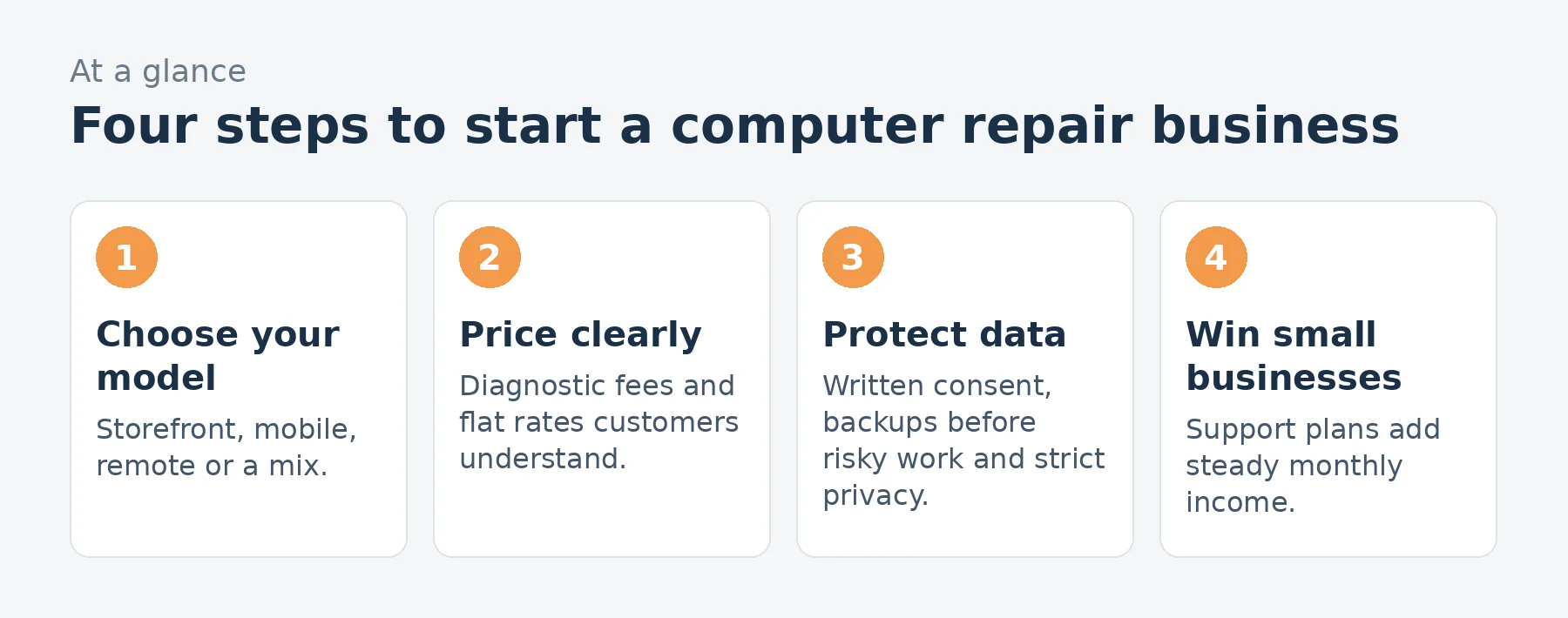
A computer repair business at a glance
Table of Contents
| Topic | What to expect |
|---|---|
| Startup cost | Low to moderate: tools, diagnostic and recovery software, spare parts, a workspace or storefront and insurance |
| Key responsibilities | Protecting customer data, getting consent before accessing files and disposing of batteries and e-waste properly |
| How you charge | Diagnostic fees, flat-rate services, hourly labor and parts, plus small business support plans |
| Models | Storefront, mobile and on-site service, remote support and mail-in repairs |
| Best for | Patient troubleshooters who explain technology kindly and work carefully |
Who computer repair suits
It suits patient problem-solvers who enjoy hardware and software and can explain issues in plain language to people who may be frustrated or worried about their data. Many technicians build skills through CompTIA A+ training or prior IT jobs.
Services to offer
- Diagnostics and hardware repair: screens, keyboards, batteries, storage and ports.
- Performance tune-ups and operating system repair.
- Virus and malware removal.
- Data recovery and backup setup.
- Upgrades: storage, memory and new computer setup with data transfer.
- Home and small office networking and printers.
- Small business support plans.
Choosing a model
- Storefront: walk-in visibility and space for repairs, at higher rent.
- Mobile and on-site: convenient for customers and businesses, with travel time to price in.
- Remote support: fast software fixes without travel, with careful identity verification.
- Mail-in: reach beyond your area for specialized repairs.
Protecting customer data
Get written consent before accessing customer files, explain what you will and will not access, and back up data before risky repairs when possible. Keep devices secure, wipe your own tools and temporary copies after jobs, and never browse personal files. Clear policies build trust and protect you. The FTC expects businesses to protect personal information they handle.
Right-to-repair laws
Several states have passed right-to-repair laws that require manufacturers to make parts, tools and documentation available to independent repair shops for certain electronics, and the FTC has studied repair restrictions. These laws vary by state and product, so check what applies where you work. Some manufacturers also run programs giving independent shops access to genuine parts.
Batteries and e-waste
Lithium-ion batteries can catch fire if damaged, so handle swollen or punctured batteries carefully and store them safely. Recycle batteries and electronics through certified recyclers, following EPA guidance and your state’s e-waste rules; many states ban electronics from regular trash. Offer recycling as a service.
Pricing
Charge a diagnostic fee (often credited toward the repair), then flat rates for common services and hourly labor for complex work, plus parts. Publish common prices so customers know what to expect, and give written estimates before starting. Use our pricing calculator.
Startup costs to plan for
| Item | What to budget for |
|---|---|
| Tools | Precision tool kits, anti-static gear, soldering equipment |
| Software | Diagnostics, malware removal, data recovery, remote support |
| Parts | Common drives, memory, chargers, batteries |
| Space | Storefront or secure workspace |
| Insurance | General liability, coverage for customer property |
| Point-of-sale and ticketing | Repair tracking and invoices |
Use our startup cost calculator for your total.
A repair workflow
- Check in the device with a ticket, condition notes and customer consent.
- Diagnose and give a written estimate.
- Back up data when needed and perform the repair.
- Test thoroughly and document the work.
- Return the device with an explanation and warranty terms.
A worked example: a small shop
These are illustrative assumptions for a small shop with mobile service, not predictions.
| Assumption | Monthly | |
|---|---|---|
| Repairs and services | 120 jobs at $110 average | $13,200 |
| Parts and upgrades | Sold with repairs | $3,200 |
| Small business support plans | 8 clients at $250 | $2,000 |
| Refurbished computer sales | $1,500 | |
| Revenue | $19,900 | |
| Parts and refurbished stock cost | $(3,400) | |
| Technician wages | Part-time technician | $(3,200) |
| Rent and utilities | Small storefront | $(2,200) |
| Software and tools | Diagnostics, recovery, remote support | $(250) |
| Vehicle, insurance and marketing | $(1,100) | |
| Profit before owner pay and taxes | $9,750 |
That leaves about $9,750 a month before the owner’s pay and taxes, on about $19,900 of revenue. Small business support plans and parts margins steady the income that walk-in repairs make uneven.
Loading the calculator…
Small business support
Small offices need regular help: new computers, printers, networks, backups and security basics. Monthly support plans with a set number of hours or devices turn occasional customers into steady income, and can grow into a full managed services business.
Insurance and liability
Customer devices are in your care, so carry general liability and coverage for customer property (bailee coverage), plus professional liability for advice and data-related risks. Workers’ compensation applies once you have employees.
Selling refurbished computers
Refurbished laptops and desktops sell well to budget-conscious customers and students. Wipe drives securely, test thoroughly, install legitimate licenses and offer a short warranty.
Finding customers
- Google Business Profile and reviews for local searches.
- Seniors and families who value patient, in-person help.
- Small businesses without IT staff.
- Schools and students at semester start.
- Referrals from satisfied customers.
Check how you appear locally with our Local SEO Check.
Data recovery limits
Some data recovery can be done in-house with software, but physically damaged drives often need clean-room specialists. Know your limits, avoid steps that could make recovery harder and partner with a professional recovery lab for serious cases.
Helping seniors and home users
Many households need patient help with new devices, email, printers, scams and backups. Clear explanations, written instructions and in-home visits build loyal customers who refer friends and family. Warn customers about tech support scams, which often target older adults.
Remote support safety
Remote support is convenient, but scammers impersonate technicians. Verify customers’ identities, only connect when they request help, explain what you are doing and make sure remote access is ended after each session.
Warranties on repairs
Offer a clear warranty on parts and labor for a set period, and explain what is not covered, such as new damage or unrelated issues. Warranties build confidence in your work.
Business accounts
Offices, schools, nonprofits and medical practices need dependable help with computers, printers and networks. Business accounts with priority service, monthly plans or prepaid hours bring steadier income than walk-in repairs.
Common mistakes to avoid
- Accessing customer files without consent.
- Starting work without a written estimate.
- Throwing batteries and electronics in the trash.
- No backup before risky repairs.
- Underpricing diagnostic time.
Your first 90 days
- Days 1-30: choose your model, buy tools and software and write data privacy and consent policies.
- Days 31-60: set prices, set up ticketing and arrange battery and e-waste recycling.
- Days 61-90: launch your Google Business Profile, contact local businesses and collect reviews.
Frequently asked questions
Do I need certification to repair computers?
Not legally in most places, but CompTIA A+ and vendor training build skills and trust.
How do computer repair shops charge?
Diagnostic fees, flat rates for common services, hourly labor for complex work and parts.
Can I look at files on a customer’s computer?
Only what the repair requires, with the customer’s consent. Never browse personal files.
How do I dispose of old batteries and computers?
Through certified recyclers following EPA guidance and state e-waste rules; damaged lithium batteries need careful handling.
What are right-to-repair laws?
State laws in some places requiring manufacturers to provide parts, tools and documentation to independent repair shops for certain products.
Is computer repair still a good business?
Yes, especially when combined with small business support, data recovery and refurbished sales.
Can I offer remote computer support?
Yes, with secure remote tools, identity checks and clear consent from the customer for each session.
Should I sell refurbished computers?
Refurbished sales add income, as long as drives are wiped securely, licenses are legitimate and you offer a warranty.
What is the most common computer repair?
Performance problems, malware removal, storage failures, screen damage and battery issues are among the most common.
How much should I charge for diagnostics?
Many shops charge a modest diagnostic fee and credit it toward the repair if the customer proceeds.
Can I run a computer repair business from home?
Many start from home or as mobile technicians where zoning allows, with secure storage for customer devices.
Do I need insurance for customer computers?
Yes. Coverage for customer property in your care protects you if a device is damaged or stolen while at your shop.
Keep learning
- IT services industry data
- How to start a managed IT services business
- How to start a phone repair shop
- Local SEO Check
Sources
- US Bureau of Labor Statistics, Computer support specialists
- FTC, Nixing the Fix: report to Congress on repair restrictions
- EPA, Electronics donation and recycling
- EPA, Used lithium-ion batteries
- FTC, Protecting personal information: a guide for business
Last reviewed November 3, 2026. Startup costs are estimates; check local prices, licensing and tax rules before you commit money.

