
A managed IT services provider (MSP) runs technology for small and midsize businesses for a monthly fee: help desk support, device and network management, security, backups, Microsoft 365 or Google Workspace administration and planning. Instead of calling for help only when something breaks, clients pay a predictable monthly price for proactive care.
Recurring contracts make MSPs attractive businesses, but they come with responsibility: you hold the keys to clients’ systems and data, so security, documentation and insurance are essential. Clients in healthcare, finance and tax preparation also have compliance rules you can help them meet. The Bureau of Labor Statistics reports a median pay of $61,550 for computer support specialists and $73,340 for computer network support specialists (May 2024). Business owners earn the profit after staff, tools and overhead. This guide covers services, pricing, tools, contracts, security, compliance, a worked example and a 90-day plan.
A managed IT services business at a glance
Table of Contents
| Topic | What to expect |
|---|---|
| Startup cost | Moderate: RMM and PSA software, security and backup tools, certifications, insurance and a small team over time |
| Key responsibilities | Securing client systems, documenting everything, signing HIPAA business associate agreements for healthcare clients |
| How you charge | Monthly per-user or per-device agreements, plus projects and hourly work outside the agreement |
| Best clients | Small businesses with 10 to 100 employees, especially regulated industries such as healthcare, accounting and legal |
| Best for | Experienced IT professionals who can also sell, manage clients and build processes |
Who an MSP suits
It suits experienced IT professionals who enjoy solving problems, can explain technology in plain language and want to build a business with recurring revenue. Owners must also sell, write contracts, manage technicians and keep processes consistent.
Managed services vs break-fix
Break-fix means charging hourly when something breaks, which makes income unpredictable and rewards problems. Managed services charge a monthly fee for ongoing management and support, which rewards preventing problems. Many MSPs start with some break-fix clients and convert them to agreements.
Services to include
- Help desk support, remote and on-site.
- Remote monitoring, patching and device management.
- Email and productivity suite administration.
- Backups and disaster recovery, tested regularly.
- Security: endpoint protection, email filtering, multi-factor authentication and security awareness training.
- Network and firewall management.
- IT planning and vendor management.
Tools
MSPs run on two core systems: RMM (remote monitoring and management) for monitoring, patching and scripts, and PSA (professional services automation) for tickets, contracts, time and billing. Add documentation, backup, security and password management tools. Choose an integrated stack you can support well rather than many overlapping tools.
Securing your own business
Attackers target MSPs because one compromise can reach many clients. Protect your tools with multi-factor authentication, use least-privilege access and separate admin accounts, log and monitor access, keep your own systems patched and train your team. CISA’s guidance for small businesses and the NIST Cybersecurity Framework provide useful baselines.
Compliance-heavy clients
Healthcare clients are covered by HIPAA, and when you handle their protected health information you are generally a business associate who must sign a business associate agreement and safeguard that data. Financial businesses, including tax preparers, must follow the FTC’s Safeguards Rule, which requires a written information security program, multi-factor authentication and other controls. Helping these clients meet their rules is a valuable specialty.
Contracts and service levels
Managed service agreements should define what is covered (users, devices, locations, services), response time targets, after-hours support, what costs extra (projects, hardware, new offices), client responsibilities, security requirements, data ownership, term, notice and limits of liability. Clear scope prevents disputes over what the monthly fee includes.
Insurance
Carry professional liability (errors and omissions) and cyber liability insurance, general liability for site visits and workers’ compensation for employees. Some clients require proof of specific coverage levels.
Startup costs to plan for
| Item | What to budget for |
|---|---|
| RMM and PSA | Monitoring, ticketing, billing |
| Security and backup tools | Endpoint, email, backup licensing |
| Certifications and training | Vendor and industry certifications |
| Insurance | Cyber, professional liability, general liability |
| Contracts | Master services agreement and service schedules |
| Vehicle and equipment | On-site support kit, spare devices |
Use our startup cost calculator for your total.
Pricing
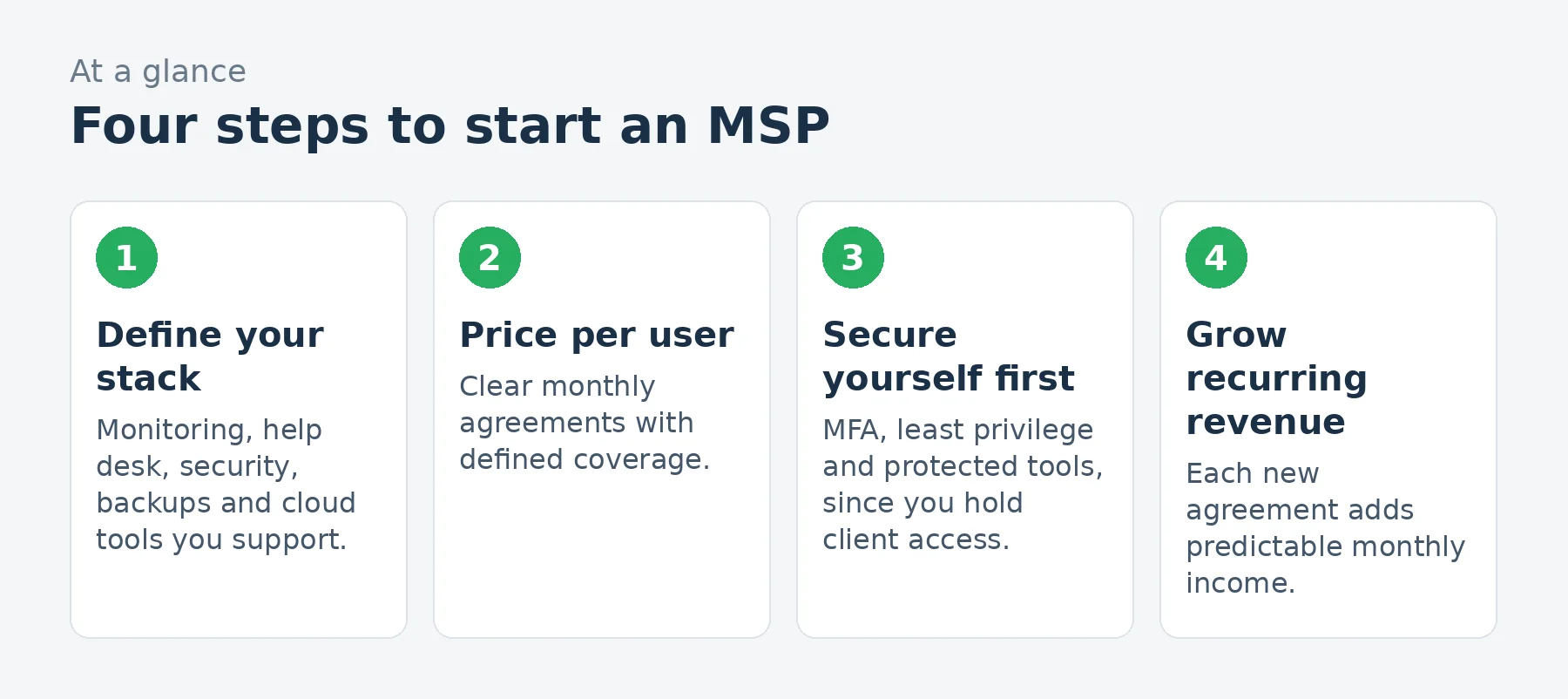
Most MSPs price per user per month, sometimes with per-device or per-server pricing. Build your price from your per-user tool costs, expected support time per user, overhead and margin, then package tiers (for example, essentials, standard and security-focused). Charge projects separately. Use our pricing calculator.
A worked example: a small MSP
These are illustrative assumptions for a small MSP with two technicians, not predictions.
| Assumption | Monthly | |
|---|---|---|
| Managed service agreements | 200 users at $120 per user per month | $24,000 |
| Projects and hourly work | Setups, migrations, new offices | $4,500 |
| Hardware and license resale margin | $1,200 | |
| Revenue | $29,700 | |
| Technician wages | Two technicians, with payroll costs | $(13,000) |
| RMM, PSA, security and backup tools | Per-device and per-user costs | $(4,200) |
| Insurance | Cyber and professional liability | $(600) |
| Office, vehicle and phones | $(1,500) | |
| Marketing and sales | $(800) | |
| Accounting, legal and training | $(700) | |
| Profit before owner pay and taxes | $8,900 |
That leaves about $8,900 a month before the owner’s pay and taxes, on about $29,700 of revenue. Tool costs rise with every device you manage, so pricing must cover your full per-user stack plus labor.
Loading the calculator…
Onboarding new clients
- Assess current systems, risks and documentation.
- Install monitoring and security tools on every device.
- Fix critical issues: backups, updates, MFA and admin accounts.
- Document networks, accounts, vendors and passwords securely.
- Set up ticketing and introduce the help desk to staff.
Many MSPs charge an onboarding fee, because the first month takes much more work than the rest.
Hiring technicians
Grow with technicians who combine technical skill and customer service. Use documented procedures, a knowledge base and ticket standards so service stays consistent as the team grows. Certifications such as CompTIA’s support, networking and security credentials, and vendor certifications, help structure training.
Finding clients
- Local small businesses frustrated with unreliable IT.
- Regulated industries: medical and dental offices, accountants and law firms.
- Referral partners: accountants, attorneys, copier and phone vendors.
- Business associations and chambers of commerce.
- Security assessments as a low-cost entry offer.
Quarterly business reviews
Meet clients quarterly to review tickets, security status, aging hardware and upcoming projects. Reviews show the value of the monthly fee and identify project work.
Testing backups
A backup that has never been tested may not work when it is needed. Schedule restore tests, keep at least one copy offline or immutable to protect against ransomware and document how long a full recovery would take. Share results with clients in quarterly reviews.
Cloud productivity administration
Most small businesses run on Microsoft 365 or Google Workspace. Managing accounts, licenses, security settings, email protection, file sharing and multi-factor authentication is a core MSP service, and misconfigurations there are a common cause of breaches.
Hardware lifecycle planning
Track the age and warranty status of every computer, server and network device, and plan replacements before failures. Lifecycle planning prevents emergencies and creates predictable project work.
Growing the MSP
Growth usually comes from referrals, specialization in an industry and adding services such as security, compliance and cloud. Hire before technicians are overloaded, and measure ticket volume, response times and client satisfaction to protect service quality as you grow.
Common mistakes to avoid
- Weak security on your own tools.
- Vague agreements about what is covered.
- Pricing that ignores per-user tool costs.
- No documentation of client systems.
- Taking clients outside your capacity or skills.
Your first 90 days
- Days 1-30: choose your tool stack, write your agreement and pricing tiers and buy insurance.
- Days 31-60: secure your own systems, onboard two or three pilot clients and document processes.
- Days 61-90: build referral partnerships and offer security assessments to local businesses.
Frequently asked questions
What is an MSP?
A managed service provider that runs a business’s IT for a monthly fee, including support, monitoring, security and backups.
How do MSPs price their services?
Usually per user or per device per month, with projects billed separately.
Do MSPs need special insurance?
Cyber liability and professional liability insurance are essential, plus general liability and workers’ compensation.
What is a business associate agreement?
A HIPAA contract required when a vendor handles protected health information for a healthcare provider.
What tools do MSPs use?
Remote monitoring and management (RMM), professional services automation (PSA), security, backup and documentation tools.
Do I need certifications?
Not legally, but vendor and industry certifications build skills and credibility.
Should an MSP resell hardware and licenses?
Many do for convenience and margin, but price transparently and make sure clients own their licenses.
How many clients can one technician support?
It depends on users, complexity and automation; good tools and documentation let technicians support more users.
Can I start an MSP alone?
Yes. Many MSPs start with the owner as the only technician, then hire as agreements grow.
What is an onboarding fee?
A one-time charge covering the extra work of assessing, securing and documenting a new client’s systems in the first month.
Keep learning
- IT services industry data
- How to start a cybersecurity consulting business
- How to start a computer repair business
- Pricing calculator
Sources
- US Bureau of Labor Statistics, Computer support specialists
- US Bureau of Labor Statistics, Network and computer systems administrators
- HHS, Business associate contracts under HIPAA
- FTC, FTC Safeguards Rule: what your business needs to know
- CISA, Cyber guidance for small businesses
- NIST, Cybersecurity Framework 2.0
Last reviewed November 3, 2026. Startup costs are estimates; check local prices, licensing and tax rules before you commit money.

