
Categories tell platforms and customers what your business is. On Google Business Profile, your categories help decide which searches your business can appear for. In directories, they decide where customers find you when they browse. Choose too broadly and you blend in; choose categories you don’t truly serve and you attract the wrong customers or break platform guidelines.
This guide explains how to choose categories on the major platforms, with examples by business type and the categories used in the free Advanton Business Directory.
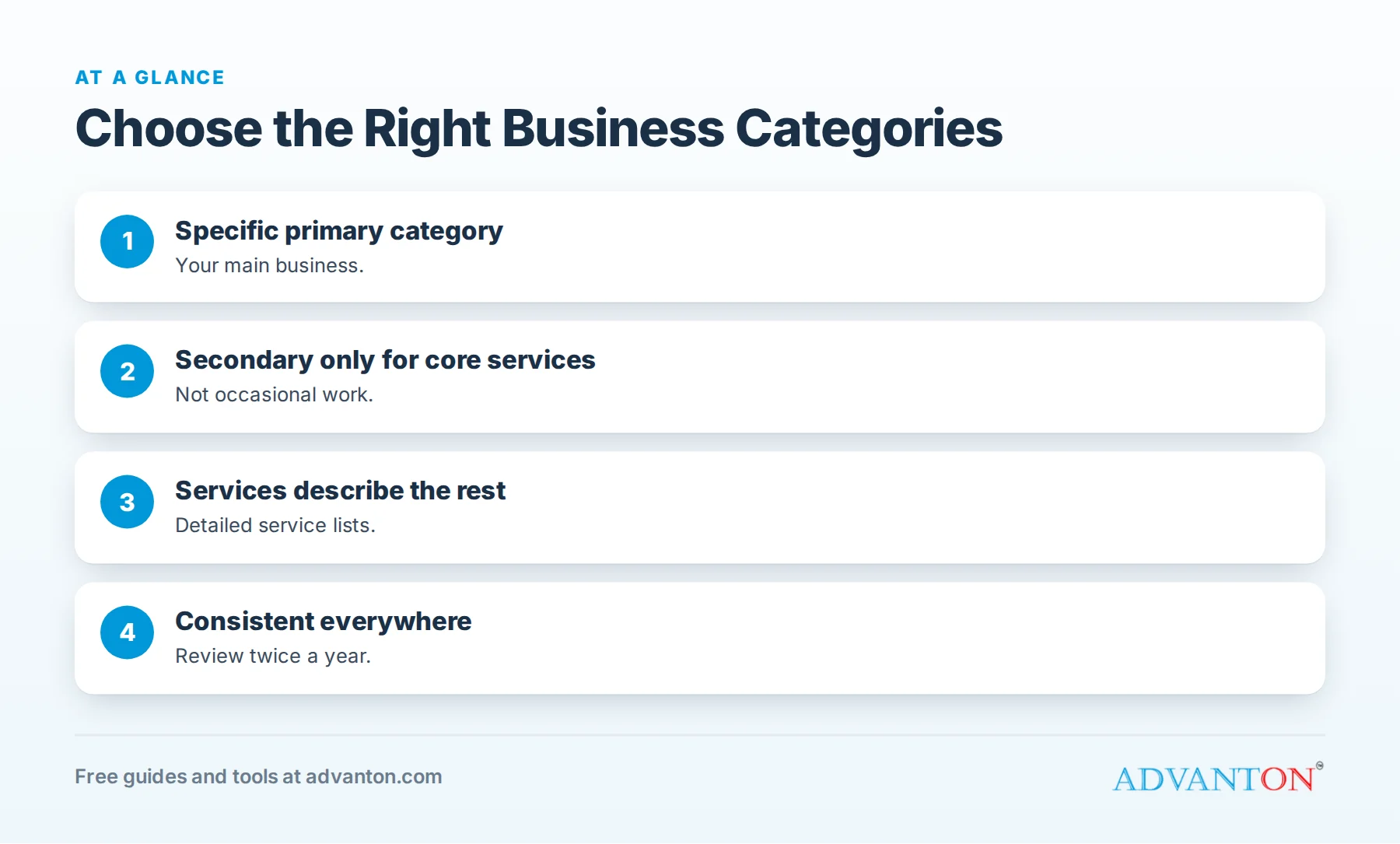
Why categories matter
Table of Contents
Google says local results depend mainly on relevance, distance and prominence, and relevance is about how well your profile matches what someone is searching for. Categories are one of the clearest signals of relevance. Google advises businesses to choose categories that describe the business accurately, and to use as few as needed to describe the core business.
Primary vs secondary categories
| Type | What it does | How to choose |
|---|---|---|
| Primary category | Describes your main business | The single category that best matches what most customers hire you for |
| Secondary categories | Describe additional core services | Only services you truly and regularly provide |
Choose the most specific primary category that fits. "Roofing contractor" is better than "Contractor" if roofing is your main work; "Italian restaurant" is better than "Restaurant" for an Italian restaurant.
How to find the right category
- Write down what customers hire you for most, in their words.
- Search for your main service in your area and note the categories of businesses that appear.
- Choose the most specific category that fits your main business.
- Add secondary categories only for core services, not occasional ones.
- List individual services in the services section of your profile, rather than adding many categories.
Examples by business type
| Business | Primary category | Possible secondary categories |
|---|---|---|
| Plumbing company | Plumber | Water heater installation service (if core) |
| Roofing contractor | Roofing contractor | Gutter service (if core) |
| HVAC company | HVAC contractor | Air conditioning repair service, furnace repair service |
| Hair salon | Hair salon | Nail salon (only if it’s a real part of the business) |
| Italian restaurant | Italian restaurant | Pizza restaurant (if pizza is a core offering) |
| Accounting firm | Accountant | Tax preparation service |
Category names vary by platform and change over time; choose from the options each platform offers.
Categories on other platforms
| Platform | Notes |
|---|---|
| Apple Business Connect | Choose the categories that best match your business for Apple Maps |
| Bing Places | Similar to Google; you can import from your Google profile, then review |
| Yelp | Choose categories that reflect what customers would search for on Yelp |
| Choose a page category that describes your business | |
| Industry directories | Use their specialty options precisely |
Categories in the Advanton directory
The Advanton Business Directory uses broad categories so customers can browse easily:
| Advanton category | Examples |
|---|---|
| Automotive | Repair shops, detailing, tires |
| Beauty and personal care | Salons, barbers, spas |
| Construction and trades | Roofers, electricians, remodelers |
| Education and tutoring | Tutors, schools, lessons |
| Events and entertainment | Event planners, DJs, venues |
| Fitness | Gyms, trainers, studios |
| Health and wellness | Clinics, therapists, wellness practitioners |
| Home services | Cleaners, landscapers, pest control, handymen |
| Pets | Groomers, sitters, trainers |
| Professional services | Accountants, lawyers, consultants |
| Real estate | Agents, brokers, property managers |
| Restaurants and food | Restaurants, cafes, bakeries, caterers |
| Retail and shopping | Shops and boutiques |
| Technology | IT services, web design |
| Travel and tourism | Tours, lodging, travel services |
| Other | Businesses that don’t fit above |
Choose the category where customers would most naturally look for you, then use your tagline and description to name your specific services. See how to add your business to the Advanton directory.
Categories and services work together
Categories say what you are; services say what you do. A plumber with the primary category "Plumber" can list drain cleaning, water heater repair, leak detection and repiping as services, without adding categories for each. Detailed services help customers and give platforms more information about your offerings.
When to change categories
- Your main business changes, for example a handyman becoming a remodeler.
- You add a genuinely core service that brings a large share of customers.
- A more specific category becomes available that matches you better.
- You notice you’re appearing for the wrong searches.
Change categories deliberately and watch results for several weeks; avoid frequent changes.
Good and poor choices, side by side
| Business | Poor choice | Better choice | Why |
|---|---|---|---|
| Fence installer | "Contractor" | "Fence contractor" | Specific matches what customers search |
| Bakery that sells coffee | "Coffee shop" as primary | "Bakery" primary, "Coffee shop" secondary if core | Primary should reflect the main business |
| Handyman who occasionally paints | "Painter" as secondary | "Handyman" only, list painting as a service | Secondary categories are for core services |
| Tax preparer open in season | "Accountant" | "Tax preparation service" | Matches the actual service |
Categories for new businesses
New businesses sometimes choose broad categories hoping to appear for everything. Instead, start with the specific category that fits your main service. As your business grows and adds genuinely core services, add secondary categories then.
Match categories to your website
Each main category and service should have a page on your website that explains it, with photos and details. When your listing categories, services and website pages tell the same story, customers and search engines understand your business clearly. See how to build a strong online presence.
Seasonal services
If you offer seasonal services, such as snow removal for a landscaper or holiday lighting for a handyman, list them as services during the season rather than changing your primary category. Your core identity should stay stable year-round.
A quick category audit
Search your main service in your area and see whether your business appears. Then compare your categories, services and description with businesses that rank well, and adjust only where your choices are inaccurate or too broad.
Categories and your business name
Your category, not your business name, should tell platforms what you do. Adding service keywords to your business name ("Smith Plumbing Best Plumber Springfield") breaks Google’s guidelines and many other platforms’ rules, and can lead to suspensions. Keep your real name, choose an accurate category and describe your services in the fields meant for them.
When you can’t find the perfect category
Platforms don’t always offer an exact match. Choose the closest category that customers would understand, then use your services list, description and website to explain exactly what you do. If a better category appears later, update it.
Common mistakes
- Choosing a broad primary category when a specific one fits.
- Adding categories for services you rarely provide.
- Using categories as keywords rather than accurate descriptions.
- Different categories on different platforms without reason.
- Changing categories constantly.
Check your competitors, but don’t copy blindly
Looking at the categories of top local businesses in your field shows which categories exist and what customers see. But choose based on your actual business; copying a competitor’s categories for services you don’t offer brings the wrong calls.
Categories for multi-service businesses
If you offer several services, choose the primary category that represents most of your revenue or the service you most want to grow, and add secondary categories only for other core services. Use services lists, website pages and descriptions to cover the rest.
Categories for service-area businesses
Service-area businesses choose categories the same way as storefront businesses. Accurate categories plus a clear service area help you appear for the right searches in the places you serve.
A category checklist
- Primary category: specific and accurate.
- Secondary categories: core services only.
- Services list completed with descriptions.
- Consistent categories across major platforms.
- Directory category chosen where customers would look.
- Review twice a year.
Frequently asked questions
What’s the most important category choice?
Your primary category on Google Business Profile; choose the most specific one that matches your main business.
How many categories should I choose?
As few as needed to describe your core business accurately; list individual services separately.
Can I change my category?
Yes, but do it deliberately and watch results; avoid frequent changes.
Which Advanton category should I choose?
The one where customers would most naturally look for you, such as Construction and trades for contractors or Home services for cleaners and landscapers.
Do categories affect where I appear in search?
They’re an important signal of relevance, one of the main factors Google uses for local results.
Should my categories be the same everywhere?
Keep them consistent in meaning across platforms, choosing the closest options each platform offers.
Do customers see my categories?
Often, yes. Categories appear on many listings and help customers confirm they’ve found the right kind of business.
Can the wrong category hurt my business?
Yes. It can bring irrelevant calls, hide you from the right searches and, if misleading, break platform guidelines.
How Advanton helps
Advanton is a free resource that helps small businesses start, get online, find customers and grow. Add your business to the Advanton directory in the right category for free, and use our business listing checklist to complete every listing. Advanton earns money when you buy a domain or hosting through our store, which helps keep everything else free.
Keep learning
- Business listing checklist
- How to write a listing that gets calls
- Google Business Profile for contractors
Sources
Last reviewed October 30, 2026. Startup costs are estimates; check local prices, licensing and tax rules before you commit money.


Leave a Reply