
Good bookkeeping is one of the few things every business needs from day one. It tells you whether you’re actually making money, keeps you ready for tax time, and gives you the numbers a bank or investor will ask for. The good news: when you’re starting out, you don’t need to pay for it. Several accounting tools are genuinely free, not just free for a 30-day trial.
The catch is that “free” means different things. Some free plans limit your revenue, some leave out bank connections, and some are free because you install and look after the software yourself. This guide reviews the best free options in 2026, explains exactly what each free plan includes and where the catches are, and helps you choose the right one for your situation.
Quick picks
Table of Contents
| If you want | Choose |
|---|---|
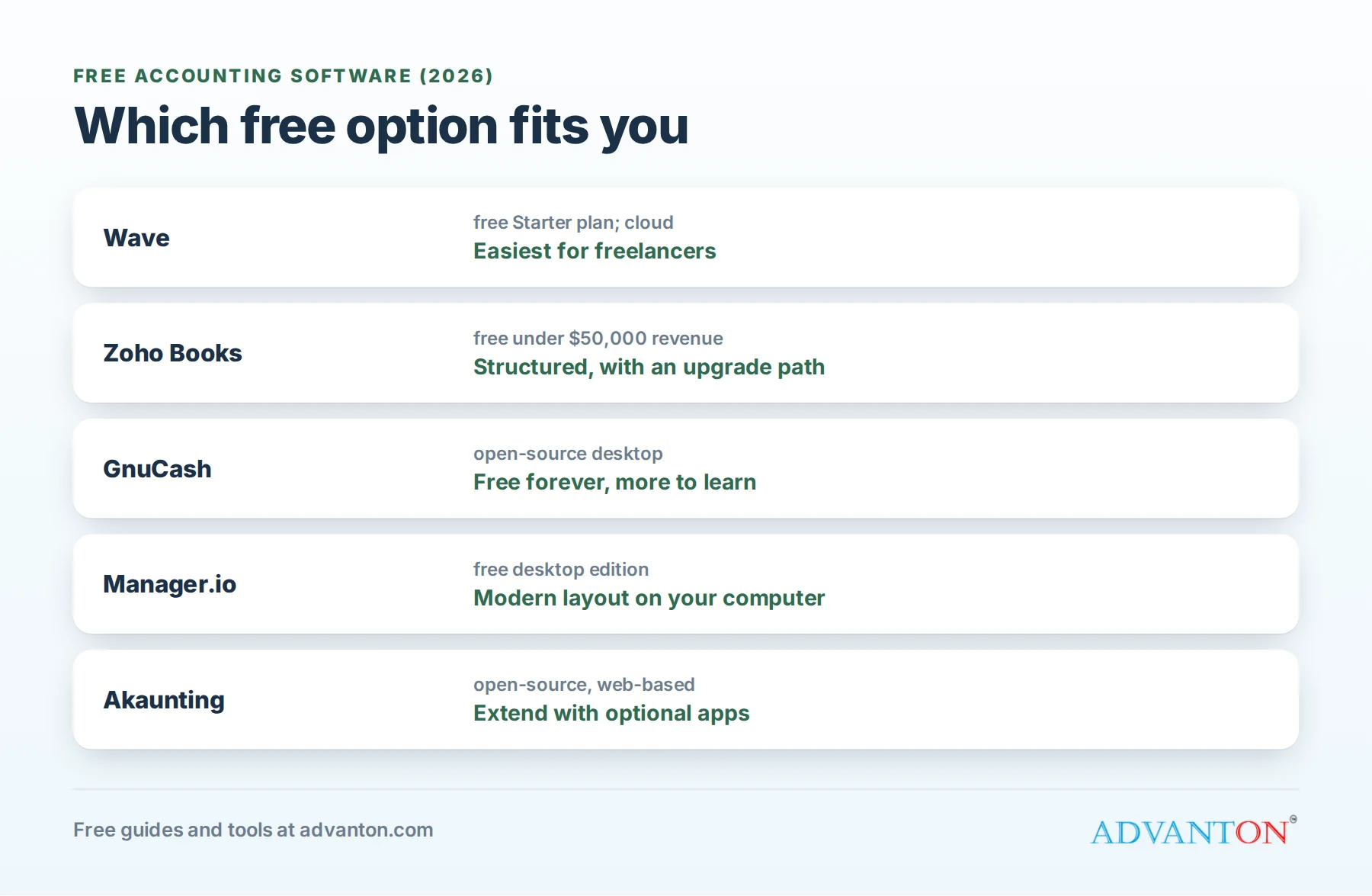
| The easiest free cloud accounting for a freelancer or very small business | Wave |
| Structured, double-entry accounting with a clear upgrade path, and revenue under $50,000 | Zoho Books |
| Powerful, free desktop accounting with no subscription, ever | GnuCash |
| A free desktop app with a modern business layout | Manager.io |
| Open-source, web-based accounting you can extend with apps | Akaunting |
What free accounting software should do
Before comparing tools, it helps to know what you actually need. At minimum, your accounting software should:
- Record income and expenses in categories that match your tax return.
- Import bank transactions, automatically or from statement files, so you’re not typing everything.
- Send invoices and record payments against them.
- Produce the three core reports: profit and loss, balance sheet and cash flow.
- Track sales tax if you sell taxable goods or services.
- Export your data, so you can switch tools or share everything with your accountant.
The IRS requires businesses to keep records that support the income, deductions and credits on their tax returns. Good software makes that automatic.
Bookkeeping basics for non-accountants
You don’t need an accounting degree, but three ideas make any software easier to use:
- Cash or accrual? With cash accounting, you record income when money arrives and expenses when you pay them. With accrual accounting, you record income when you earn it (for example, when you send an invoice) and expenses when you incur them. Most very small businesses use cash accounting because it’s simpler; your accountant can confirm what’s right for you.
- Double-entry bookkeeping records every transaction in two places, such as money leaving your bank account and an expense being added. It catches errors and produces a balance sheet. All the tools in this guide handle it behind the scenes.
- Your chart of accounts is simply the list of categories you use. A typical small business starts with something like this:
| Type | Example accounts |
|---|---|
| Income | Sales, Service income, Shipping charged |
| Cost of sales | Materials, Products bought for resale, Subcontractors |
| Expenses | Advertising, Software, Rent, Insurance, Vehicle, Phone and internet, Bank and card fees |
| Assets | Business checking, Savings, Equipment, Money owed by customers |
| Liabilities | Credit card, Loans, Sales tax collected |
| Equity | Owner contributions, Owner draws |
How we evaluated
We looked at five things: whether the free plan is free indefinitely (not a trial), how complete it is for a small business, how easy it is for a non-accountant, how easily your accountant can work with it, and the upgrade path when you outgrow it.
The best free accounting software, reviewed
Wave: easiest free cloud accounting
What’s free: Wave’s free Starter plan covers invoicing, expense tracking and core double-entry bookkeeping, with reports such as profit and loss and balance sheet.
Best for: freelancers, consultants and very small service businesses who want something simple, online and free.
Catches: some features, including automatic bank connections on some accounts and other conveniences, now sit in Wave’s paid plan, so check what’s included when you sign up. Card and bank payments through Wave carry processing fees, and payroll is a paid add-on.
Upgrade path: Wave’s paid plan adds the automation that saves the most time.
Zoho Books: best structured free plan
What’s free: Zoho Books offers a free plan for businesses with annual revenue under $50,000, including invoicing, expenses, bank reconciliation and standard reports.
Best for: micro businesses that want “proper” accounting with clear workflows, and those already using Zoho apps such as Zoho CRM.
Catches: you must move to a paid plan once revenue passes the threshold, and the free plan limits users and some features.
Upgrade path: paid Zoho Books plans scale well, with more users, automation and inventory features.
GnuCash: free forever, on your desktop
What’s free: everything. GnuCash is free, open-source accounting software for Windows, Mac and Linux, with true double-entry bookkeeping, invoicing, accounts receivable and payable, and detailed reports.
Best for: hands-on owners comfortable with accounting concepts, who want no subscriptions ever.
Catches: it runs on one computer rather than in the cloud, the interface feels traditional, and there’s a learning curve. Few accountants use it day to day, so you may need to export reports for them.
Upgrade path: none needed in cost terms; owners usually move to cloud software when they want automation or collaboration.
Manager.io: free desktop with a modern layout
What’s free: Manager.io’s desktop edition is free, with modules for sales, purchases, bank accounts, inventory and reports.
Best for: owners who prefer software on their own computer but want a more modern, business-friendly layout than GnuCash.
Catches: the cloud and server editions, which add multi-user access from anywhere, are paid.
Akaunting: open-source and extendable
What’s free: Akaunting’s open-source core is free, covering invoicing, expenses, banking and reports through a web browser.
Best for: owners who like open-source software and want to add features through optional apps.
Catches: many useful extensions are paid apps, and self-hosting requires some technical comfort.
Comparison at a glance
| Wave | Zoho Books | GnuCash | Manager.io | Akaunting | |
|---|---|---|---|---|---|
| Runs in | Cloud | Cloud | Desktop | Desktop (free) | Web (self-hosted or cloud) |
| Free limit | Starter plan features | Revenue under $50,000 | None | Desktop edition | Core features |
| Double-entry | Yes | Yes | Yes | Yes | Yes |
| Invoicing | Yes | Yes | Yes | Yes | Yes |
| Ease for beginners | High | High | Low to medium | Medium | Medium |
| Accountant friendliness | Good | Good | Limited | Medium | Medium |
Free plans change often, so check each provider’s current terms before you commit.
Which should you choose?
- Freelancer or consultant just starting out: Wave, or Zoho Books if you expect to grow past simple invoicing.
- A small retail or product business with inventory: Zoho Books’ free plan while revenue is under $50,000, or Manager.io on the desktop.
- You want zero subscriptions forever and don’t mind learning: GnuCash.
- Your accountant uses a specific system (often QuickBooks Online or Xero): ask whether a free tool will work for them. Sometimes paying for the software your accountant uses saves more in accounting fees than it costs.
Set up your books in an afternoon
- Open a separate business bank account if you haven’t. See how to open a business bank account.
- Choose your software and enter your business details and tax settings.
- Set up your chart of accounts, using the default categories and adjusting names to match your business.
- Connect or import your bank and card transactions.
- Create an invoice template with your logo. You can also use our free quote and invoice generator.
- Categorize your first month of transactions, and reconcile it against your bank statement.
- Book a weekly 30-minute bookkeeping slot in your calendar.
Your yearly bookkeeping calendar
| When | What to do |
|---|---|
| Weekly | Categorize new transactions, send invoices, follow up on unpaid ones |
| Monthly | Reconcile bank and card accounts; review profit and loss; move money to your tax savings account |
| Quarterly | Pay federal estimated taxes if you owe them, usually due April 15, June 15, September 15 and January 15; file sales tax returns if required |
| January | Send W-2s to employees, and 1099-NEC forms to contractors you paid above the threshold: $600 for payments made in 2025, rising to $2,000 for payments made in 2026 and later under the One Big Beautiful Bill Act |
| Before your tax deadline | Run year-end reports, and send them with your records to your accountant |
Tips for different types of business
- Service businesses: focus on invoicing and payment tracking; track unpaid invoices weekly.
- Retail and product businesses: track inventory and cost of goods sold carefully, and collect sales tax correctly.
- Contractors: use projects or classes to see profit per job, so you know which work really pays.
- Online sellers: record marketplace and payment processing fees separately from sales, and check whether marketplaces collect sales tax for you.
Records to keep
Software stores your transactions, but you also need the paperwork behind them:
- Receipts and bills for every business expense: photos are fine if they’re legible.
- Invoices and payment records for every sale.
- Bank, card and loan statements.
- Mileage logs if you deduct vehicle use: the 2026 IRS standard mileage rate for business is 72.5 cents a mile.
- Payroll records and contractor forms (W-9s) if you pay people.
- Asset records for equipment, vehicles and property, including purchase dates and costs.
Most accounting tools let you attach a receipt photo to each transaction, which is the easiest habit to build.
Switching software later
Free software is a great start, and moving later is manageable:
- Pick a clean switch date, ideally the start of a month, quarter or year.
- Export reports from your old system: trial balance, open invoices, open bills and your chart of accounts.
- Enter opening balances in the new system as of the switch date.
- Keep read-only access or exported copies of your old books for at least as long as the IRS recommends keeping records, generally three years and longer in some situations.
Common bookkeeping mistakes
- Mixing personal and business money, which makes records unreliable and can weaken an LLC’s liability protection.
- Waiting until tax time to categorize a year of transactions.
- Never reconciling your books against bank statements.
- Not saving receipts: snap a photo when you pay.
- Forgetting to set aside tax money from every payment.
When to upgrade to paid accounting software
Consider paying when:
- Your free plan’s limit is close, such as Zoho Books’ revenue threshold.
- Manual imports eat hours each month that automation would save.
- You hire employees and want payroll connected to your books.
- Several people need access, such as a partner, bookkeeper and accountant.
- Your accountant charges extra to work around your free tool.
Frequently asked questions
Is free accounting software safe?
Reputable cloud providers use encryption and secure data centers. Turn on two-factor login, use a strong password, and export a backup of your data regularly. For desktop software, back up your files to a second location.
Can I just use a spreadsheet?
For a very small side business, a well-organized spreadsheet can work at first. But accounting software makes bank imports, invoicing and reports much faster, and reduces mistakes as you grow.
Will my accountant accept reports from free software?
Usually, if you can export a profit and loss statement, balance sheet and general ledger. Ask your accountant early.
What about QuickBooks?
QuickBooks Online is one of the most widely used paid accounting systems, and many accountants prefer it. It doesn’t offer a permanent free plan like the tools above, but it’s a common upgrade choice.
Do I still need an accountant if I use accounting software?
Software keeps your records; an accountant helps you file correctly, plan taxes and spot savings. Many small businesses do their own bookkeeping and pay an accountant for year-end returns and advice, which is usually cheaper than full bookkeeping services.
How much time does bookkeeping take each week?
For most very small businesses, about 30 minutes a week once your bank transactions import automatically and your categories are set up. The first month takes longer while you set rules for recurring transactions, such as software subscriptions and rent.
Which free option do accountants find easiest to work with?
Cloud tools such as Wave and Zoho Books are usually easiest, because you can invite your accountant to log in and review your books directly instead of emailing files back and forth.
Keep learning
- Small business taxes and bookkeeping
- Best invoicing software
- Best payroll software for small business
- Best small business software
Sources
Last reviewed October 26, 2026. Startup costs are estimates; check local prices, licensing and tax rules before you commit money.


Leave a Reply