
Most small business owners underestimate how long their work takes, and underprice it as a result. A job you quoted as a 10-hour project quietly takes 16, and your real hourly rate falls by more than a third without you noticing. Time tracking shows where your hours actually go, helps you bill accurately, and reveals which clients and services are genuinely profitable. Below, we compare the best free time tracking apps for small businesses and explain how to choose.
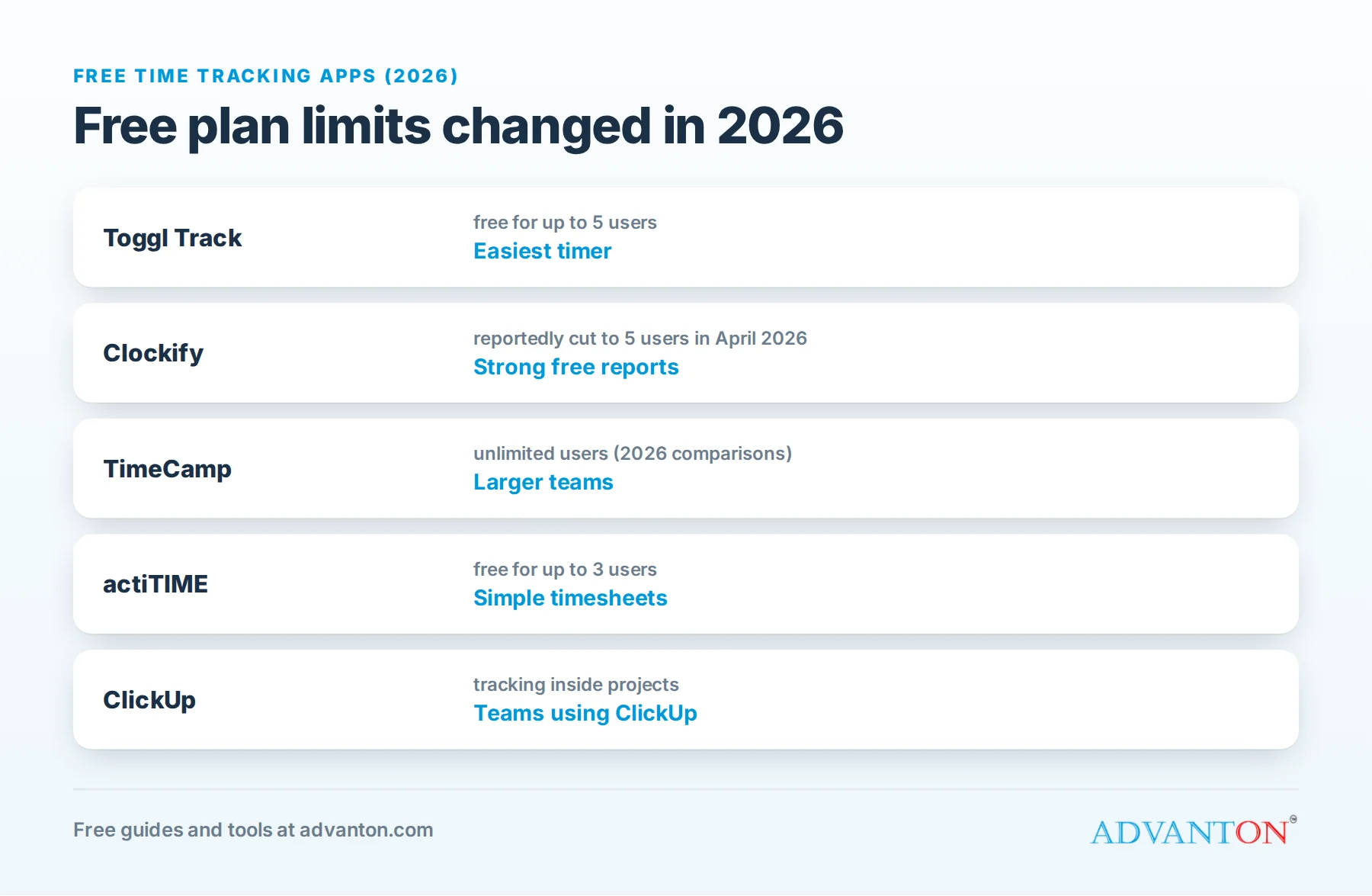
Several good time trackers are free, but free plans changed in 2026, most notably Clockify’s, which several comparisons report was cut from unlimited users to five. This guide reviews the best free options, explains their limits honestly, shows a worked pricing example, and covers the recordkeeping rules if you have hourly employees.
Why track time?
Table of Contents
- Bill accurately for hourly work, with reports clients trust.
- Price fixed-fee work from real data instead of guesses.
- Find unprofitable clients and services, and fix or drop them.
- Protect your focus by seeing how much time goes to email, admin and interruptions.
- Keep required records for hourly employees (see below).
Quick picks
| If you want | Choose |
|---|---|
| The friendliest timer for a freelancer or team of up to five | Toggl Track |
| Strong free reports for up to five people | Clockify |
| Free tracking for a larger team | TimeCamp |
| Simple timesheets for up to three people | actiTIME |
| Time tracking inside your project management tool | ClickUp |
| Time tracking tied closely to invoicing (paid) | Harvest |
How we evaluated
We compared free plan limits (users, projects, reports), ease of tracking (timers, manual entries, mobile apps), reporting and exports, billable rates and integrations with project management and invoicing tools.
The best free time tracking apps, reviewed
Toggl Track: easiest to use
What’s free: for up to five users, unlimited time tracking, projects and clients, with one-click timers, browser extensions, mobile and desktop apps, idle detection and basic reports.
Best for: freelancers and small teams who want tracking to be effortless.
Catches: billable rates, rounding and advanced reports are paid features, and you’ll need a paid plan beyond five people.
Clockify: generous free features
What’s free: unlimited time entries, projects and clients, timers and manual entry, timesheets and basic reports with exports. Clockify was long famous for unlimited free users, but several 2026 comparisons, including one checked against Clockify’s own pricing page in June 2026, report that the free plan was cut to five users in April 2026. Confirm the current limit when you sign up.
Best for: small teams that want solid free reporting.
Catches: billable rates and some features moved to low-cost paid tiers.
TimeCamp: best free option for larger teams
What’s free: according to 2026 comparisons, TimeCamp’s free plan supports unlimited users, with automatic desktop tracking that records time spent in apps and websites in the background.
Best for: teams of more than five who need free tracking.
Catches: automatic tracking of apps and websites needs clear communication with employees (see the monitoring note below).
actiTIME: simple timesheets for tiny teams
What’s free: a free plan for up to three users, with timesheets, projects and basic reports.
Best for: very small teams that prefer filling in timesheets over running timers.
ClickUp: tracking inside your projects
What’s free: ClickUp’s free plan includes basic time tracking on tasks, alongside its project management features.
Best for: teams already managing work in ClickUp. See our guide to free project management tools.
Catches: reporting is basic compared with dedicated time trackers.
Harvest: built around invoicing
Harvest is a long-established tool that connects time tracking directly to invoices and payments, popular with agencies and consultants. It’s mainly a paid product; sources disagree on whether a free tier is currently offered, so check before you plan around one.
Questions to ask before you choose
- How many people will track time this year, and next?
- Timers or timesheets? Some people prefer starting a timer; others prefer filling in their day at the end.
- Do you need billable rates and invoicing, or just hours?
- Which tools must it connect to: your project management, accounting or payroll software?
- Will people track on phones, on job sites or on the road?
- Do you need approvals for employee timesheets?
Comparison at a glance
| Toggl Track | Clockify | TimeCamp | actiTIME | ClickUp | |
|---|---|---|---|---|---|
| Free users | Up to 5 | Reportedly up to 5 since April 2026 | Unlimited (per 2026 comparisons) | Up to 3 | Unlimited (project tool) |
| Timer and manual entry | Yes | Yes | Yes, plus automatic | Timesheets | Yes |
| Free reports | Basic | Good | Basic | Basic | Basic |
| Billable rates free | No | Limited | Limited | Limited | Limited |
| Best for | Ease of use | Free reports | Larger teams | Tiny teams | Teams using ClickUp |
Free plans change often, so check each app’s current terms.
A worked example: finding your real hourly rate
These are illustrative numbers. A freelance designer quotes $1,200 for a brand package, expecting 15 hours, a target rate of $80 an hour. After tracking time on three similar projects:
| Planned | Actual (average) | |
|---|---|---|
| Design work | 12 hours | 14 hours |
| Client calls and emails | 2 hours | 5 hours |
| Revisions | 1 hour | 5 hours |
| Total | 15 hours | 24 hours |
| Effective hourly rate | $80 | $50 |
The data shows two fixes: price the package at $1,920 (24 hours at $80) to keep the target rate, and limit revision rounds in the contract, with extra rounds billed. Without tracking, the designer would never have seen the gap. Our pricing calculator helps you turn tracked hours into profitable prices.
What to track: categories that work
| Category | Billable? | Examples |
|---|---|---|
| Client work | Yes | Design, consulting, repairs, cleaning, by client and project |
| Client communication | Often | Calls, emails and meetings about a specific job |
| Sales | No | Quotes, proposals, networking, discovery calls |
| Marketing | No | Social media, website updates, content |
| Admin | No | Bookkeeping, invoicing, scheduling, email |
| Travel | Sometimes | Driving between jobs or to client sites |
| Learning | No | Training, courses and certifications |
Keep it to about this many categories. The goal is insight, not paperwork. If a category never changes a decision after a couple of months, merge it into another one, and if you keep writing the same note in descriptions, it probably deserves its own category.
Three reports to review every month
- Profit by client or project: revenue divided by hours tracked. Which clients pay well for the time they take, and which don’t?
- Billable utilization: the share of your working hours that’s billable. For example, if you work 160 hours a month and bill 96, your utilization is 60%, which tells you how many hours your prices must cover.
- Time on admin and sales: if admin is growing, it may be time for better tools, automation or an assistant.
Setups for different businesses
- Agencies and freelancers: projects per client, with tasks for each deliverable, and billable rates by person or service.
- Contractors and trades: track hours per job (job costing) to see which kinds of work are most profitable, and use mobile apps so crews can clock time on site.
- Consultants on retainers: track time against each retainer to see whether clients use more hours than they pay for, and adjust retainers at renewal.
- Cleaning and field services: use mobile clock-in and clock-out at each site, and compare actual time with the time you priced.
If you have hourly employees: recordkeeping rules
Under the Fair Labor Standards Act, employers must keep accurate records for non-exempt employees, including hours worked each workday and total hours each workweek, plus wages and overtime. Non-exempt employees must generally be paid overtime at one and a half times their regular rate for hours over 40 in a workweek. Many states have additional rules. A time tracking app with clear timesheets and approvals makes these records far easier to keep. Ask your accountant or payroll provider how to connect timesheets to payroll.
Monitoring employees: be transparent
Some time trackers can record which apps and websites people use, or take screenshots. If you use these features, tell employees clearly and in writing. Some states require it: New York, for example, requires employers to give written notice of electronic monitoring and to post that notice. Even where it isn’t required, transparency builds trust; most small businesses only need hours by project, not monitoring.
How time records help you in business
- Billing disputes: detailed time entries, with dates and descriptions, show clients exactly what they paid for, and resolve most "why so many hours?" questions quickly.
- Raising prices: real data on how long work takes makes price increases easier to justify, to yourself and to clients.
- Quoting new work: past projects become your estimating database, so quotes get more accurate every month.
- Hiring decisions: tracked hours show when you’re consistently overloaded, and which tasks someone else could take on.
Set it up in an afternoon
- Create your clients and projects, matching how you invoice.
- Set up a few categories for non-billable time: admin, sales, travel, learning.
- Install the apps: desktop, browser extension and phone, so tracking is always one click away.
- Agree simple rules with your team: start a timer when you start work, add a short description, submit timesheets weekly.
- Connect integrations with your project management or invoicing tools if available.
- Review a weekly report for the first month, and adjust categories that don’t fit.
Make tracking a habit
- Track as you go, not from memory at the end of the week.
- Use the browser extension to start timers directly from your task or email.
- Set reminders if you forget to start a timer.
- Keep descriptions short but specific: "Logo revisions, round 2".
- Review weekly and act on what you learn.
Common mistakes
- Tracking only billable time, so admin and sales time stay invisible.
- Rounding generously from memory, which makes the data useless for pricing.
- Too many categories, which makes tracking a chore.
- Collecting data and never looking at it.
When to upgrade
Consider a paid plan when you need billable rates and invoicing, more users than the free plan allows, approvals for employee timesheets, payroll integrations, or advanced reports such as profitability by client.
Frequently asked questions about free time tracking apps
Is Clockify still free for unlimited users?
Several 2026 comparisons report that Clockify cut its free plan to five users in April 2026. Check Clockify’s pricing page for the current limit. TimeCamp is an alternative for larger teams on a free plan.
Should freelancers track time on fixed-price projects?
Yes. Tracking fixed-price work is how you learn whether your prices are right, as the worked example shows.
Can time tracking connect to invoicing?
Many tools export hours, and some (such as Harvest, or paid tiers of others) create invoices directly. You can also copy tracked hours into our free quote and invoice generator.
Do I have to track time for salaried employees?
For exempt salaried employees, the FLSA doesn’t require hours records in the same way, though many businesses still track project time for planning and billing. Non-exempt employees, including some salaried ones, require hours records.
What’s the best free time tracker for a solo freelancer?
Toggl Track and Clockify both suit solo freelancers well. Toggl Track is often considered easier to use; Clockify’s free reports are strong. Try both for a week and keep the one you actually use.
How accurate does time tracking need to be?
For pricing and profitability, tracking to the nearest few minutes is plenty. For hourly employees, records must accurately reflect hours worked, so use clock-in and clock-out times rather than estimates.
Does time tracking improve productivity?
Often, yes, mainly through awareness. Seeing how much time goes to email, meetings and interruptions helps people batch admin, protect focused time and say no to low-value work. The data is most useful when it’s used to make decisions, not to watch people. Share what you learn with your team.
Can I track time offline?
Most desktop and mobile apps keep tracking without an internet connection and sync when you’re back online, which is useful on job sites and while traveling. Check this during a short trial if you often work somewhere without a reliable signal.
Keep learning
- Product line pricing strategy
- Best free project management tools
- Hiring your first employee
- Best small business software
Sources
- Toggl Track, Pricing
- Clockify, Pricing
- actiTIME, Clockify alternatives (pricing verified June 2026)
- Open Time Clock, Clockify vs Toggl vs Harvest (2026)
- US Department of Labor, Recordkeeping requirements under the FLSA
Last reviewed October 26, 2026. Startup costs are estimates; check local prices, licensing and tax rules before you commit money.
This article is general information, not financial, legal or tax advice. Check the rules that apply to you or talk to a qualified professional before making decisions. See our disclaimer.
Leave a Reply