
Coding class businesses teach children to build games, apps, websites, animations and robots, starting with block-based coding for young children and moving to text languages such as Python and JavaScript for older students. Parents value coding as a skill for the future, and children stay engaged when they build projects they can show off.
Classes run after school, on weekends, in summer and holiday camps, at schools and community centers, in a studio or online. The key questions are how to keep children safe, when longer programs need a child care license and how to protect children’s information when they code online.
A coding classes for kids business at a glance
Table of Contents
| Topic | What to expect |
|---|---|
| Startup cost | Low to moderate: laptops or tablets, robotics kits, software, curriculum, insurance, background checks and marketing |
| Key rules | Child safety and background checks, possible child care licensing for long drop-off programs, COPPA for online classes |
| Revenue model | Session tuition, camps, school contracts, private lessons and online classes |
| How you earn | Weekly classes, camps, birthday parties, school partnerships and competitions |
| Best for | Tech-savvy teachers who love making coding fun for children |
Who a coding class business suits
It suits programmers, teachers and tech enthusiasts who enjoy children and can explain ideas simply. You don’t need to be an expert software engineer to teach beginners, but you do need patience, organization and the ability to keep a room of excited children focused on building something.
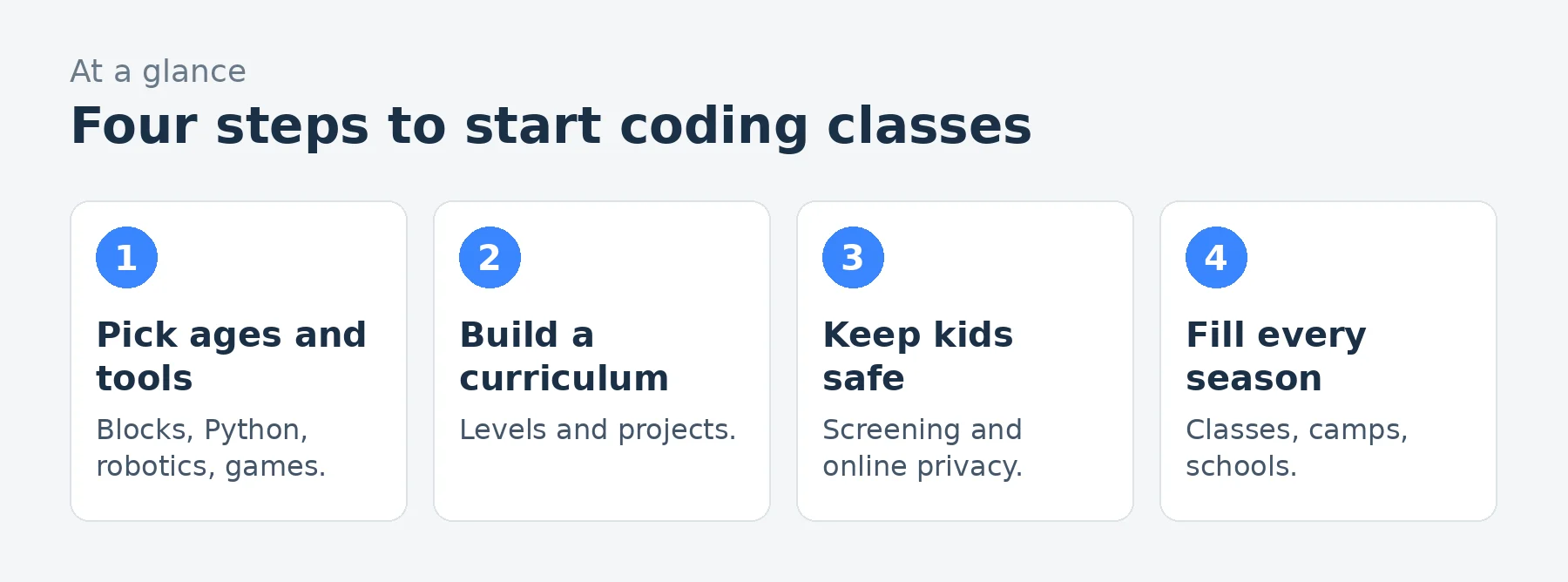
Choosing ages and tools
- Ages 5 to 7: screen-free coding toys, simple robots and block coding apps.
- Ages 7 to 11: block-based platforms for games and animations, plus beginner robotics.
- Ages 11 to 14: Python, web basics, game engines and more advanced robotics.
- Teens: JavaScript, app development, data and AI literacy, and competition prep.
Use free or education-licensed tools where possible, and check each platform’s terms for use with children.
Curriculum and levels
Build a curriculum in levels, with each session (often eight to twelve weeks) ending in a project showcase parents can attend. Teach concepts such as loops, conditions, variables and debugging through projects children care about: games, stories, art and robots. Clear levels make it easy for families to keep enrolling.
Child safety
Anyone who works with children needs careful screening: run background checks that meet your state’s rules (and the Fair Credit Reporting Act when you use a screening company), check references, train staff to recognize and report abuse under your state’s mandated reporter law, and never leave one adult alone with a child where a second adult could be present. Get signed parent permission and emergency contacts, know each child’s allergies and medical needs, and carry insurance that includes abuse and molestation coverage, which standard policies often exclude.
Plan sign-in and sign-out with authorized adults, keep allergy and medical information handy and keep group sizes manageable, often 8 to 12 children per instructor.
When you need a child care license
Short, skill-based classes are often exempt from child care licensing. Longer drop-off programs, such as full-day camps or after-school programs that run every afternoon, may need a license in some states, depending on hours, ages and whether they serve as child care. Check with your state licensing agency before launching camps.
Online classes and children’s privacy
If you run online classes or use platforms where children under 13 create accounts or share personal information, the FTC’s Children’s Online Privacy Protection Rule (COPPA) requires notice to parents and verifiable parental consent before collecting personal information, plus reasonable security and limits on keeping data. Register through parents, use platforms with education privacy commitments, turn off public sharing of student projects by default and never post children’s work or photos without permission.
Devices and setup
Decide whether students bring devices or you provide them. Providing laptops or tablets gives you control over software and safety settings but costs more. Use managed accounts, content filters and a reliable internet connection, and keep spare devices and chargers for every class.
Hiring instructors
Recruit computer science students, teachers and developers who enjoy working with children. Screen and train them in your curriculum, classroom management and safety rules. Instructors who follow your schedule and curriculum are usually employees, so set up payroll.
School and community partnerships
Many schools welcome after-school coding programs, which bring students to you without a studio. Schools may require insurance certificates, background checks and a share of fees. Libraries, community centers, scouting groups and homeschool co-ops also host classes.
Camps
Summer and holiday camps often bring the most revenue. Theme each week (game design, robotics, Minecraft-style building, AI and art) so children return for several weeks, and check camp licensing rules for full-day programs.
Pricing
Price weekly classes by session, with sibling and early registration discounts. Camps are priced by week, private lessons by the hour and school programs per student or per class. If you sell monthly memberships that renew automatically, follow federal and state auto-renewal rules. Use our pricing calculator.
Startup costs to plan for
| Item | What to budget for |
|---|---|
| Devices | Laptops or tablets, chargers, headphones |
| Kits and software | Robotics kits and education licenses |
| Curriculum | Lesson plans, projects and assessments |
| Space | Studio rent, or school and library venues |
| Insurance | General liability with abuse coverage |
| Screening | Background checks and training |
Use our startup cost calculator for your total.
A worked example: a coding class business
These are illustrative assumptions for a coding class business with a small studio, school programs and online classes, not predictions.
| Assumption | Monthly | |
|---|---|---|
| Weekly class enrollments | 130 students at $129 | $16,770 |
| School after-school programs | $4,200 | |
| Camps and workshops | $3,800 | |
| Online classes | $1,900 | |
| Revenue | $26,670 | |
| Instructor pay | With payroll costs | $(9,800) |
| Studio rent and utilities | $(2,800) | |
| Software licenses and robotics kits | $(1,100) | |
| Laptop and device replacement | $(500) | |
| Registration software and card fees | $(800) | |
| Insurance and background checks | $(380) | |
| Marketing | $(1,200) | |
| Profit before owner pay and taxes | $10,090 |
That leaves about $10,090 a month before the owner’s pay and taxes, on about $26,670 of revenue. Re-enrollment from one level to the next is the most important number to watch.
Loading the calculator…
Showcases and competitions
End every session with a showcase where children present their projects to parents, and consider robotics and coding competitions for older students. Showcases are your best marketing: parents see progress and re-enroll, and they tell other parents.
Including every child
Under the Americans with Disabilities Act, businesses open to the public must make reasonable changes so children with disabilities can take part. Ask parents what helps, adapt pacing and materials, and train instructors to support different learners. Encourage girls and children from all backgrounds, who are still underrepresented in coding.
Teaching AI responsibly
Many parents now ask about AI. Teach older students how AI tools work, their limits and how to use them responsibly, and set clear rules on when students may use AI to help with code. Check that any AI tool you use with children meets its own age limits and privacy terms.
Marketing
- Free trial classes and open houses.
- School flyers and newsletters, where allowed.
- Showcase videos with parents’ permission.
- Birthday party packages with coding activities.
- Reviews on your Google Business Profile.
Common mistakes to avoid
- Collecting children’s information online without parental consent.
- Hiring instructors without background checks.
- Running full-day camps without checking licensing.
- Projects that are too hard and frustrate beginners.
- No clear path from one level to the next.
Your first 90 days
- Days 1-30: choose ages and tools, design your first two levels and check licensing rules.
- Days 31-60: set up devices and registration, hire instructors and contact schools.
- Days 61-90: run trial classes, fill your first sessions and plan your first camp.
Frequently asked questions
What age can kids start coding?
Around 5 with screen-free toys and simple robots; block coding works well from about 7.
Do I need to be a programmer to teach kids coding?
Not an expert, but you need solid basics and a good curriculum.
Do coding classes need a child care license?
Short skill-based classes usually don’t; long drop-off programs and full-day camps may.
What is COPPA?
The federal rule requiring parental consent before collecting personal information online from children under 13.
How much do kids coding classes cost?
Prices vary by area and session length; camps and private lessons cost more.
Should I provide laptops?
Providing them gives you control over software and safety but adds cost.
How many children per instructor?
Often 8 to 12 for hands-on classes, fewer for young children.
Can I run classes at schools?
Yes; after-school programs at schools are a common way to start.
Should kids learn Python or block coding first?
Most children under about 10 do best with block coding, then move to Python once they understand the basic ideas.
Do I need a studio?
No; many coding businesses start in schools, libraries and online, and add a studio later.
What should children build first?
Simple games and animations they can share with family, which keep them excited to learn more.
Keep learning
- Tutoring and education industry data
- How to start a kids enrichment classes business
- How to start a tutoring business
- Pricing calculator
Sources
- FTC, Children's Online Privacy Protection Rule (COPPA)
- FTC, Using consumer reports: what employers need to know (background checks)
- ChildCare.gov, State child care licensing and regulated care
- FTC, Restore Online Shoppers' Confidence Act (ROSCA)
- ADA.gov, Title III regulations for public accommodations
- US Small Business Administration, Apply for licenses and permits
Last reviewed November 4, 2026. Startup costs are estimates; check local prices, licensing and tax rules before you commit money.

