
Updated October 2026
You can build a working business website for free in an afternoon. Free plans are a good way to get online quickly, test an idea or replace a missing website. This guide walks you through each step, explains what free plans include, and shows when it’s worth moving to your own domain.
Before you start: what’s your website for?
Table of Contents
Decide what you want visitors to do: call you, book an appointment, request a quote, visit your shop or buy online. Every decision that follows, from your platform to your pages, should make that one action easy.
A good business homepage answers four questions within seconds: what you do, who you do it for, where you work, and how to get in touch. For inspiration, see HubSpot’s examples of brilliant homepage design and Crazy Egg’s tips for website navigation. Keep your menu short and simple.
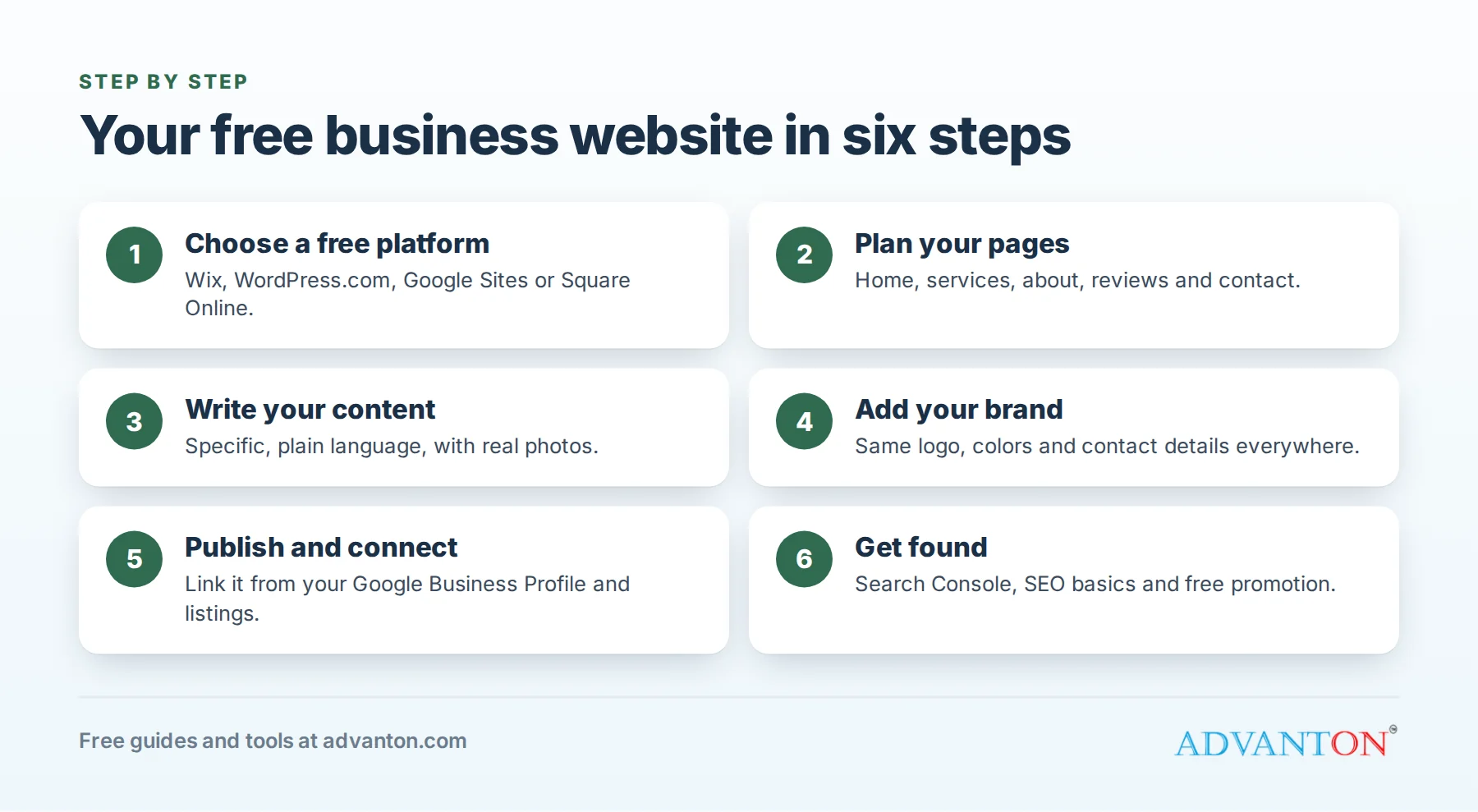
Step 1: Choose a free platform
| Platform | Free plan includes | Good for |
|---|---|---|
| Wix | Drag-and-drop editor and many templates, with Wix branding and a Wix web address | Owners who want design freedom without code |
| WordPress.com | Hosted WordPress with a wordpress.com address and limited features | Owners who may want a blog or more features later |
| Google Sites | A simple, ad-free site with a Google account | A basic information page, quickly |
| Square Online (formerly Weebly) | A simple site and store with a Square web address | Businesses already using Square for payments |
Free plans change, so check each platform’s current terms. Squarespace and Shopify offer free trials rather than free plans.
If you’re comfortable with more technical setup, open-source systems such as WordPress.org, Joomla and Drupal are free to use, though you’ll need web hosting from companies such as Bluehost or HostGator. Compare options in our guide to website builder alternatives.
Step 2: Plan your pages
Keep it simple. Most small businesses need:
- Home: what you do, your area, a few real photos and a clear button to call or book.
- Services or products: a short section or page for each main service, in plain language.
- About: who you are, your experience and what makes you different.
- Reviews: a few genuine customer comments, with permission.
- Contact: phone (as a tap-to-call link), email, a short form, your hours and your area or address, ideally with a map.
A blog or news page is optional. Add one only if you’ll keep it up; helpful articles that answer customer questions are a good way to be found over time.
Step 3: Write your content
Content matters more than design, both for customers and for your Google ranking. Tips:
- Write the way you’d explain your business to a customer standing in front of you.
- Be specific: "Water heater repair and installation in Plano and Frisco" beats "Quality plumbing services."
- Use real photos of your work, team and premises.
- Answer common questions: costs or how quotes work, timelines, guarantees and what to expect.
- Make the next step obvious on every page.
Step 4: Add your brand
Use the same logo, colors and contact details everywhere. Set them up once in our free Brand Kit. If you need a logo, see our list of logo makers for small businesses.
Step 5: Publish and connect
- Publish your site and test it on your phone.
- Add your website link to your Google Business Profile, social media pages and directory listings, including the free Advanton business directory.
- Set up Google Search Console (free) so Google can find your pages, and check your site appears when you search your business name.
Step 6: Get found
Free sites can rank in search when they’re clear and useful. Follow Google’s SEO Starter Guide and our 22 basics of SEO, then promote your site with our guide to promoting your website for free and our advertising ideas for small businesses.
When to move beyond free
Free plans have trade-offs: the platform’s name in your web address, its branding or ads on your site, limited features and no business email. Consider upgrading when:
- You’re handing out business cards or running ads. A web address like yourbusiness.com looks established and is easy to remember.
- You want business email such as you@yourbusiness.com.
- You need bookings, payments or a store.
Whatever you choose, register your domain in your own name, so it stays yours if you switch platforms. Registrars such as GoDaddy and Domain.com suggest available names, and our list of domain name generators helps you brainstorm. You can check who owns a domain with a WHOIS lookup.
If you take payments online, use a reputable payment provider such as PayPal, Stripe or Square rather than collecting card details yourself.
Common mistakes
- Hiding your phone number or making visitors hunt for contact details.
- Stock photos only, with no real pictures of your business.
- Too many pages, too little substance.
- Never updating hours, services or photos after launch.
- Letting a builder or designer own your domain.
More guides
- Small business website guide
- What website design involves
- Small business website design services
- Website builders and content management systems
- Building your online presence
- Free marketing tools for home businesses
- Yodle reviews
- How much small business owners make
- Conferences for small business owners
- Small business opportunities in the USA
- Industry data and business ideas
- Start a Business A–Z guide
Sources
Last reviewed October 22, 2026. Startup costs are estimates; check local prices, licensing and tax rules before you commit money.


Hey there this is kind of of off topic but I was wanting to know if blogs use WYSIWYG editors
or if you have to manually code with HTML. I’m
starting a blog soon but have no coding expertise so I wanted to get advice from someone
with experience. Any help would be enormously appreciated!
Wonderful information here about creating a free website. Thanks, I learned a lot from it.