
Running out of a best-seller loses sales. Sitting on stock that doesn’t move ties up cash you need for everything else. Inventory management software solves both problems: it tracks what you have, where it is, what’s selling, and when to reorder, so you stop guessing and stop counting shelves by hand. Below, we compare the best free inventory management software for small businesses and explain how to choose.
The good news is that several solid inventory tools have free plans, not just free trials. The catch is that each free plan is limited in a different way: by orders, by items, by users or by locations. This guide reviews the best options in 2026, explains exactly where each free plan stops, and helps you choose the right one for your business.
Do you need inventory software yet?
Table of Contents
A spreadsheet can work while you have a handful of products and sell in one place. It’s time for software when:
- You sell in more than one place, such as a shop and a website, or several online marketplaces, and stock levels drift out of sync.
- You’ve oversold an item you didn’t have, or run out of a best-seller without noticing.
- Counting stock takes hours every week or month.
- You can’t easily tell which products make money and which just sit on shelves.
- You reorder from suppliers regularly and want purchase orders and reorder reminders.
Inventory terms in plain language
- SKU (stock-keeping unit): a unique code for each product and variant, such as a medium blue T-shirt.
- Reorder point: the stock level that should trigger a new order.
- Purchase order: a formal order you send to a supplier.
- Composite item or kit: a product made from other items, such as a gift box.
- Cycle count: counting part of your stock regularly instead of everything at once.
Quick picks
| Tool | Best for | Free plan in brief |
|---|---|---|
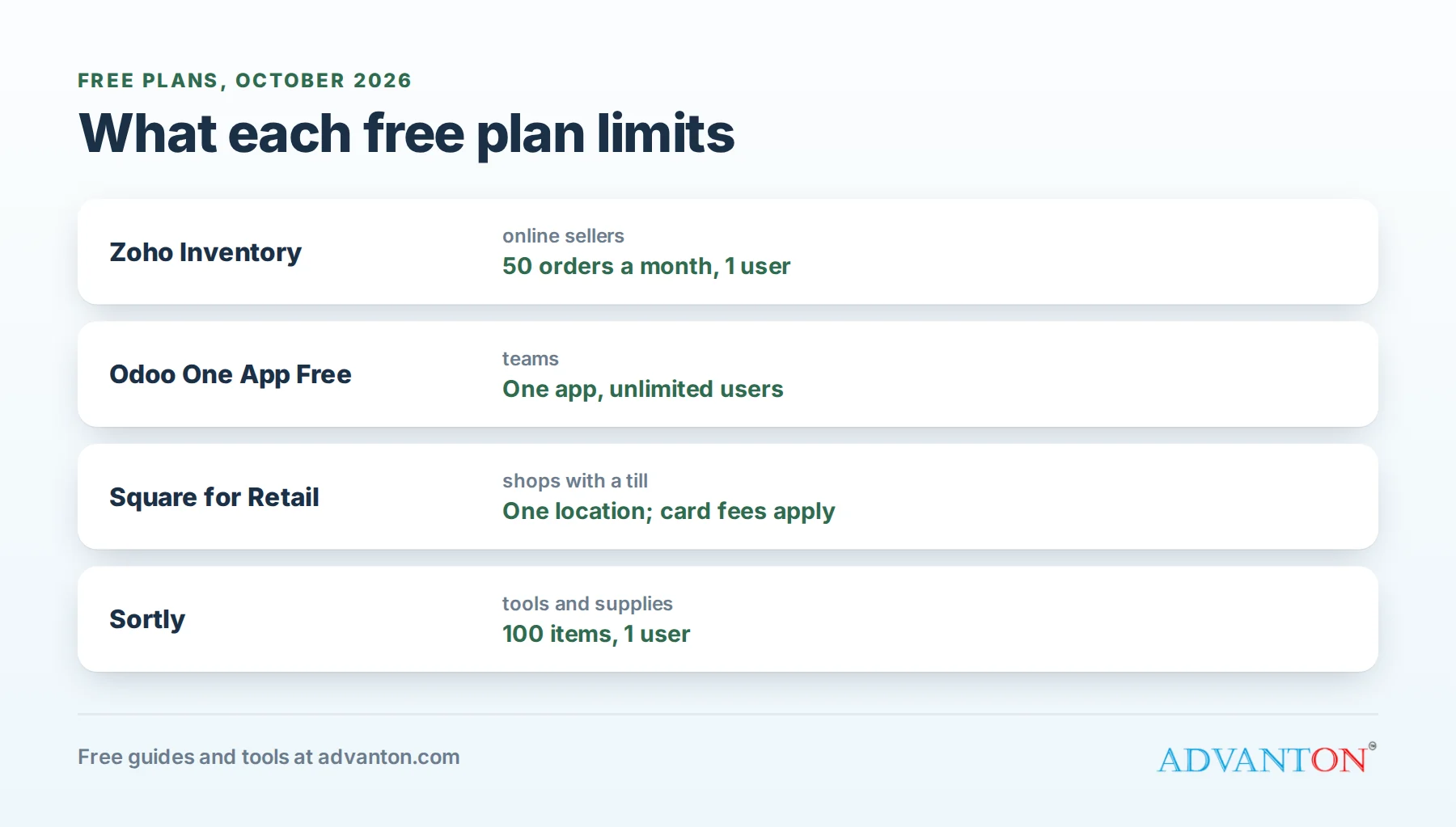
| Zoho Inventory | Small online sellers who want a full system | 50 orders a month, 1 user, 2 locations |
| Odoo Inventory (One App Free) | Teams that need several users, free | One app with unlimited users |
| Square for Retail (Free) | Shops that also need a point of sale | Unlimited products at one location; you pay card fees |
| Sortly | Visual tracking of tools, equipment and supplies | 100 unique items, 1 user |
| Loyverse | Small shops, cafes and salons on a budget | Free point of sale with basic inventory |
How we evaluated
We looked at what each free plan genuinely includes (users, orders, items, locations), how easy it is to set up without help, whether it connects to the places small businesses sell (online stores, marketplaces and point of sale), and how expensive the next step up is. Free-plan limits are checked against current 2026 sources, but they change often, so confirm on each vendor’s pricing page before you commit.
The best free inventory software, reviewed
1. Zoho Inventory: best overall for online sellers
Free plan: up to 50 orders a month, 1 user and 2 locations.
Zoho Inventory is a complete inventory and order system: sales orders, purchase orders, backorders, stock across warehouses, and sync with popular online stores and marketplaces, so a sale in one place updates stock everywhere. It also connects to Zoho’s accounting and CRM apps if you use them.
The catch: 50 orders a month is enough for a small or new shop, but a growing business outgrows it quickly. There’s a learning curve, because it does a lot.
Choose it if: you sell online in one or two channels, ship fewer than about 50 orders a month for now, and want a system that can grow with you.
2. Odoo Inventory: best free option for teams
Free plan: Odoo’s "One App Free" plan gives you one app, such as Inventory, with unlimited users.
Odoo is a large suite of business apps, and Inventory is one of its strongest. The free plan includes serious features such as reordering rules, barcode workflows and purchasing tools.
The catch: the free plan covers one app only. If you later want Odoo’s sales, accounting or point of sale apps, you move to a paid plan. Setup takes longer than simpler tools.
Choose it if: several people need to update stock, and you’re comfortable spending time on setup.
3. Square for Retail (Free): best for shops with a till
Free plan: Square’s free point of sale includes inventory tracking with unlimited products at one location.
If you sell in person, Square’s free plan combines your till, card payments and stock counts, so every sale updates inventory automatically.
The catch: software is free because Square earns from card processing fees on each sale. Advanced inventory features, such as purchase orders and multiple locations, need paid plans.
Choose it if: you run a single shop or market stall and want your till and stock in one place. See our free point of sale roundup.
4. Sortly: best for tools, equipment and supplies
Free plan: up to 100 unique items and 1 user.
Sortly is a visual, mobile-first inventory app. You add items with photos, organize them into folders, and scan barcodes or QR codes with your phone. It’s popular with contractors, cleaning companies and offices tracking equipment and supplies rather than products for sale.
The catch: 100 items and one user fill up fast, and paid plans are relatively expensive.
Choose it if: you need to know where tools and supplies are, rather than run a store.
5. Loyverse: best budget point of sale with stock basics
Free plan: Loyverse’s core point of sale apps are free, with basic stock tracking.
Loyverse suits small cafes, shops and salons. It’s free to use, with optional paid add-ons, including advanced inventory (purchase orders, suppliers and stock transfers) and employee management.
The catch: the most useful inventory features are in the paid add-on. You’ll also need a card processor.
Choose it if: you want a free till with simple stock counts, and might add advanced inventory later.
Inventory needs by type of business
| Business | What to track | Good fit |
|---|---|---|
| Online store | Stock across channels, orders, returns | Zoho Inventory |
| Retail shop | Stock by variant, sales at the till | Square for Retail, Loyverse |
| Cafe or restaurant | Ingredients and supplies, waste | POS with ingredient tracking |
| Contractor or cleaning business | Tools, equipment and supplies by van or job | Sortly |
| Maker or manufacturer | Raw materials and finished goods, kits | Zoho Inventory, Odoo |
Comparison at a glance
| Zoho Inventory | Odoo | Square Free | Sortly | Loyverse | |
|---|---|---|---|---|---|
| Free limit | 50 orders a month | One app | One location | 100 items | Basic stock |
| Users | 1 | Unlimited | Staff accounts available | 1 | Basic |
| Point of sale | Via integrations | Paid apps | Built in | No | Built in |
| Online selling | Strong | Paid apps | Square Online | No | Limited |
| Barcode scanning | Yes | Yes | Yes | Yes (phone) | Yes |
| Ease of setup | Moderate | Harder | Easy | Easy | Easy |
Which free inventory management software should you choose?
- Selling online on one or two channels: Zoho Inventory.
- Several people managing stock, on a zero budget: Odoo.
- One shop with a till: Square for Retail Free, or Loyverse.
- Tracking tools and supplies, not products for sale: Sortly.
A worked example: setting reorder points
Reorder points stop you running out. Use this simple formula:
Reorder point = (average daily sales × days it takes to restock) + safety stock
A candle shop sells an average of 4 jars a day of its best-selling scent. Its supplier takes 10 days to deliver, and the owner keeps 12 jars as safety stock.
Reorder point = (4 × 10) + 12 = 52 jars.
When stock falls to 52, it’s time to order. Most inventory tools let you set a reorder point per item and alert you automatically.
Inventory is cash on a shelf
Every product on your shelf is money you’ve already spent. A shop holding $6,000 of stock that sells through every two months has $6,000 tied up at all times. If slow movers push that to $9,000, the extra $3,000 isn’t available for rent, payroll or marketing. Good inventory software shows which items sell quickly and which don’t, so you can reorder winners and stop buying slow movers. Map your stock purchases in a cash flow forecast to see the effect on your cash.
Getting started with barcodes and QR labels
- Use manufacturers’ barcodes on products that already have them.
- Print your own labels for items without barcodes; most tools generate them.
- Use a phone camera to scan at first; buy a dedicated scanner only if scanning becomes constant.
- Label shelves and bins as well as products, so counts and picking are faster.
Inventory costing basics
When the price you pay suppliers changes, how you value your stock matters for profit and taxes:
- First in, first out (FIFO) assumes you sell your oldest stock first. It’s the most common method for small businesses and matches how most products physically move.
- Average cost values every unit at the average price you paid, smoothing out supplier price changes.
Choose a method with your accountant and use it consistently; many inventory tools calculate it for you.
Set up your inventory software in an afternoon
- List every product and variant with a clear SKU, name, cost and price.
- Do one full stock count, so your starting numbers are right.
- Import your list from a spreadsheet; most tools accept CSV files.
- Connect your sales channels: online store, marketplaces and point of sale.
- Set reorder points for your top sellers first.
- Label shelves and products with barcodes or QR codes if your tool supports scanning.
- Decide who updates stock, and when, especially for deliveries and returns.
A simple monthly inventory routine
- Weekly: check low-stock alerts and place orders.
- Monthly: do a cycle count of your top sellers and fix any differences.
- Quarterly: review slow movers, and plan promotions or stop reordering them.
How overselling happens, and how to stop it
A shop has 3 of a popular mug left. It sells one at the counter, one on its website and one on a marketplace within the same hour. Without synced inventory, the website still shows 3 in stock, and a fourth customer orders a mug that doesn’t exist. Connecting every sales channel to one inventory system updates stock everywhere after each sale, and keeping a small buffer (showing 1 fewer online than you have) protects you during busy periods.
Common mistakes
- Skipping the starting count, so the software is wrong from day one.
- Not recording returns, damage and samples, which makes counts drift.
- Tracking too much detail too soon. Start with products, then add bins and lots if you need them.
- Ignoring slow movers, which tie up cash.
- Choosing a tool that doesn’t connect to where you sell.
Questions to ask before you commit
- Does it connect to every place I sell: online store, marketplaces and point of sale?
- What happens when I pass the free limit: does it stop working, or just ask me to upgrade?
- Can I import my products from a spreadsheet, and export my data if I leave?
- Does it work well on a phone for counting and scanning?
- What does the first paid plan cost, and what does it add?
When to upgrade
Move to a paid plan when you consistently hit your free limit, need more users or locations, want purchase orders and supplier management, or spend more time working around limits than the upgrade would cost. Compare the monthly price with the hours it saves.
Frequently asked questions about free inventory management software
Is free inventory software good enough for a real business?
For small and new businesses, often yes. The limits matter as you grow, so choose a tool with a sensible upgrade path.
Can I use a spreadsheet instead?
At first, yes. Once you sell in more than one place or stock gets complicated, software saves time and prevents overselling.
Does inventory software help with taxes?
Accurate inventory records help you calculate the cost of goods sold, which matters for your taxes. Ask your accountant how to use the reports.
Which free inventory app works best on a phone?
Sortly and Square are built around mobile use, with phone-camera scanning. Zoho Inventory and Odoo also have mobile apps, but setup is easier on a computer.
Keep learning
- Best free point of sale software
- Cash flow forecast: see how stock purchases affect your cash
- Pricing calculator
Sources
- Softr, Zoho Inventory vs Sortly (free plan limits, 2026)
- Software Advice, Zoho Inventory overview (free plan)
- Ringly, Inventory management software for ecommerce (Odoo One App Free, 2026)
- Jet Admin, Best free inventory management software in 2026
Last reviewed October 28, 2026. Startup costs are estimates; check local prices, licensing and tax rules before you commit money.
This article is general information, not financial, legal or tax advice. Check the rules that apply to you or talk to a qualified professional before making decisions. See our disclaimer.
Leave a Reply