
A bookkeeping business records and reconciles financial transactions for other businesses: categorizing income and expenses, reconciling bank and credit card accounts, managing bills and invoices, supporting payroll and producing monthly financial reports. Owners need accurate books for taxes, loans and decisions, but rarely enjoy doing them.
Cloud accounting software lets bookkeepers work remotely for clients anywhere, with predictable monthly fees. Bookkeepers need no license in most cases, but there are limits on titles and services reserved for CPAs. The Bureau of Labor Statistics reports a median pay of $49,210 for bookkeeping, accounting and auditing clerks (May 2024); business owners who serve many clients can earn more, though BLS projects employment in the occupation to decline as automation grows, so skilled, advisory-minded bookkeepers stand out. This guide covers services, software, rules, pricing, a worked example and a 90-day plan.
A bookkeeping business at a glance
Table of Contents
| Topic | What to expect |
|---|---|
| Startup cost | Low: a computer, accounting software, a secure client portal, insurance and a website |
| Licenses | Usually only a business license; you may not use the CPA title or perform audits without a CPA license |
| Key duties | Data security for financial records; FTC Safeguards Rule if you also prepare tax returns |
| How you charge | Fixed monthly fees by transaction volume and services, plus catch-up and cleanup projects |
| Best for | Organized, detail-oriented people who enjoy numbers and helping owners understand them |
Who bookkeeping suits
It suits organized, detail-oriented people who are comfortable with accounting basics, software and deadlines, and who can explain numbers in plain language. Many bookkeepers come from office management, accounting departments or their own businesses.
Services to offer
- Monthly transaction categorization and reconciliations.
- Accounts payable (bills) and accounts receivable (invoices and collections).
- Monthly financial statements and simple reports.
- Payroll support with a payroll provider.
- Sales tax tracking and filing support.
- Catch-up and cleanup of neglected books.
- Year-end packages for the client’s tax preparer.
Skills and certifications
Learn double-entry accounting, reconciliations, accruals and financial statements. Software providers offer advisor certification programs for their cloud accounting platforms, and organizations such as the American Institute of Professional Bookkeepers offer bookkeeper certifications. Certifications build credibility with clients and referral partners.
What bookkeepers can and cannot do
Only licensed certified public accountants may call themselves CPAs or provide certain services, such as audits and reviews of financial statements; state boards of accountancy enforce these rules. Bookkeepers, tax preparers and fractional CFOs without a CPA license must avoid the title and services reserved for CPAs.
If you also prepare tax returns, you need a PTIN from the IRS and must follow tax preparer rules; see our tax preparation guide.
Data security
Financial records are sensitive and attractive to criminals. Use encrypted storage and secure client portals instead of email attachments, enforce multi-factor authentication, limit access and train anyone who works with you. Businesses that prepare tax returns must follow the FTC’s Safeguards Rule, including a written information security plan, and the IRS publishes guidance for tax professionals in Publication 4557.
Engagement letters
Every client should sign an engagement letter covering services, what the client must provide and when, fees and payment terms, responsibilities (the client remains responsible for its tax filings and decisions), data access and security, and termination. Clear terms prevent scope creep, such as extra cleanup work outside the monthly fee.
Startup costs to plan for
| Item | What to budget for |
|---|---|
| Software | Accounting platform, receipt capture, practice management |
| Secure portal | Encrypted file sharing and signatures |
| Certifications | Software advisor and bookkeeper certifications |
| Insurance | Professional liability and cyber coverage |
| Website | Services, pricing approach and testimonials |
| Business setup | Entity, bank account and contracts |
Use our startup cost calculator for your total.
Pricing
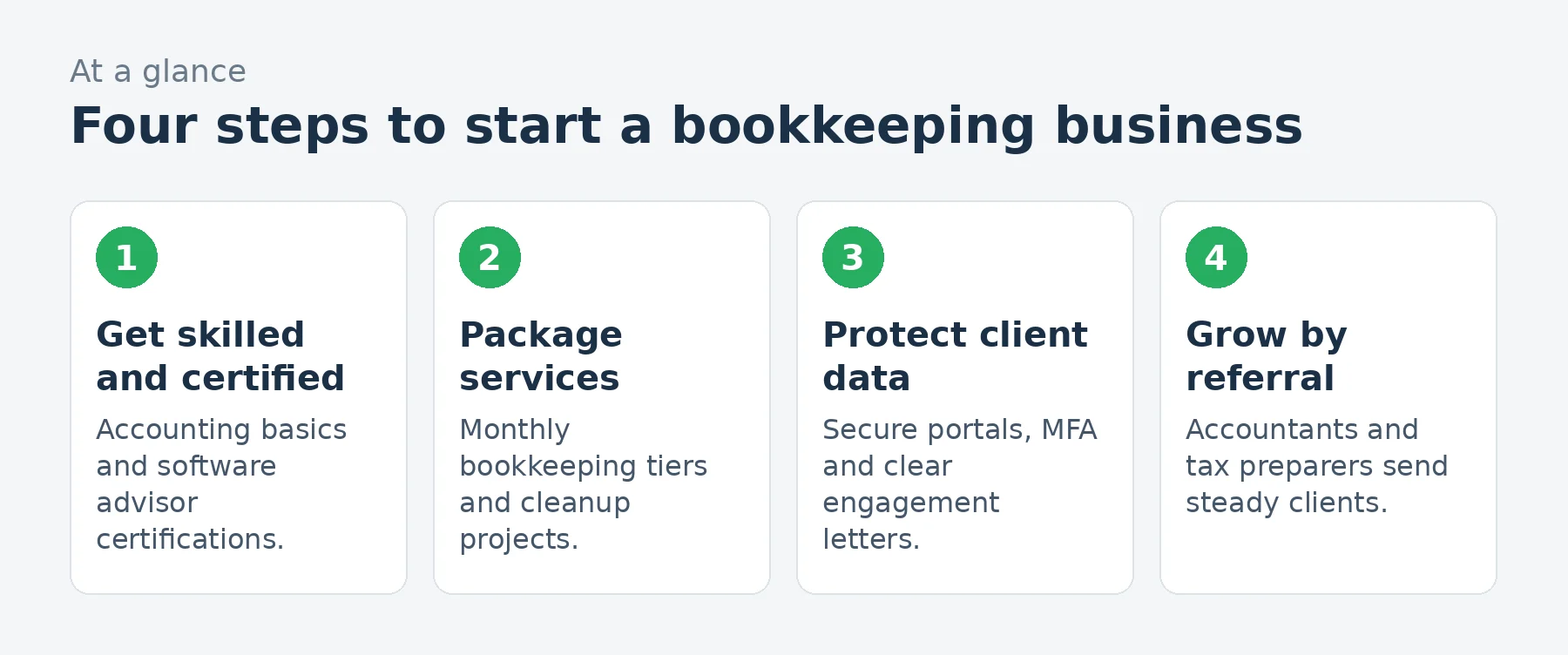
Most bookkeepers now charge fixed monthly fees based on transaction volume, number of accounts, payroll, invoicing and reporting needs, rather than hourly rates. Price catch-up work as separate projects, often by the month of records. Review fees when a client’s volume grows. Use our pricing calculator.
A worked example: a home-based bookkeeper
These are illustrative assumptions for an established home-based bookkeeper, not predictions.
| Assumption | Monthly | |
|---|---|---|
| Monthly bookkeeping clients | 20 clients averaging $450 | $9,000 |
| Catch-up and cleanup projects | $1,800 | |
| Revenue | $10,800 | |
| Accounting software and apps | Including client subscriptions you manage | $(400) |
| Secure portal and practice tools | $(120) | |
| Part-time assistant | Data entry and reconciliations | $(1,400) |
| Insurance | Professional liability and cyber | $(150) |
| Continuing education and memberships | $(80) | |
| Marketing | $(250) | |
| Profit before owner pay and taxes | $8,400 |
That leaves about $8,400 a month before the bookkeeper’s pay and taxes, on about $10,800 of revenue. Fixed monthly fees reward efficiency: automating bank feeds and rules lets you serve more clients without longer hours.
Loading the calculator…
A monthly close process
- Confirm bank feeds and collect missing documents.
- Categorize transactions and apply rules.
- Reconcile bank, credit card and loan accounts.
- Review payables and receivables.
- Prepare financial statements and review for errors.
- Send reports with a short summary of what changed.
A consistent monthly checklist keeps quality high and makes training an assistant easier.
Choosing a niche
Specializing in an industry (construction, restaurants, medical practices, real estate investors, e-commerce or nonprofits) lets you learn its accounts, software and seasonality, and makes referrals easier. Niche bookkeepers often charge more.
Finding clients
- Tax preparers and accountants, who need clean books from their clients.
- Business bankers and lenders.
- Business associations in your niche.
- Software partner directories for certified advisors.
- Your network: owners who dread their books.
Adding advisory services
Beyond recording transactions, clients value help understanding numbers: cash flow forecasts, budgets, key performance indicators and monthly review calls. Advisory add-ons raise fees and help bookkeepers stay valuable as automation handles more data entry.
Cleanup and catch-up projects
Many new clients arrive with months or years of neglected books. Price cleanup separately, by the number of months and accounts, set expectations about missing documents and complete the catch-up before starting monthly service. Cleanup work is often highly profitable and leads directly to ongoing clients.
Sales tax support
Businesses selling taxable products or services, including online sellers in many states, must collect and remit sales tax. Tracking sales tax in the books, reconciling collected tax and coordinating filings is a valuable add-on, though complex questions should go to the client’s tax advisor.
Working with tax preparers
Clean books make tax season easier for everyone. Agree with clients’ tax preparers on year-end deliverables, such as adjusted trial balances, fixed asset lists and payroll summaries, and deliver them on time. Tax preparers who trust your work become your best referral source.
Automation and apps
Bank feeds, categorization rules, receipt capture apps and bill payment tools cut hours from every monthly close. Build a standard app stack for your niche, train clients to use it and review automation results each month, since rules can miscategorize transactions.
Client communication
Set a monthly rhythm: a deadline for documents, a close date and a short summary email with reports. Keep a running list of questions for clients rather than sending many separate messages. Predictable communication reduces late documents and builds trust.
Common mistakes to avoid
- Calling yourself a CPA or offering CPA-only services without a license.
- Sharing financial documents by unsecured email.
- Hourly billing that punishes efficiency.
- No engagement letter.
- Taking on cleanup work without pricing it separately.
Your first 90 days
- Days 1-30: complete software certification, set up secure tools and write engagement letters and pricing tiers.
- Days 31-60: land three clients through your network and referral partners.
- Days 61-90: document your monthly close process, add an advisory offer and expand referral partnerships.
Frequently asked questions
Do I need a license to start a bookkeeping business?
Usually only a business license. You cannot use the CPA title or provide CPA-only services without a CPA license.
How much do bookkeepers charge?
Most charge fixed monthly fees based on transaction volume and services, with separate fees for cleanup projects.
Can bookkeepers prepare tax returns?
Yes, with a PTIN from the IRS and following tax preparer rules, including the FTC Safeguards Rule.
Which certification should a bookkeeper get?
Accounting software advisor certifications are common, plus bookkeeper certifications such as those from AIPB.
Can I run a bookkeeping business from home?
Yes. Cloud software and secure portals let many bookkeepers work remotely.
Is bookkeeping being replaced by automation?
Automation handles more data entry, so bookkeepers who offer review, cleanup and advisory services stay in demand.
How many clients can one bookkeeper handle?
It depends on client size and automation; many solo bookkeepers manage a few dozen monthly clients with good systems.
Should bookkeepers offer payroll?
Many coordinate payroll through a payroll provider; running payroll directly brings tax deposit responsibilities.
What software do bookkeepers use?
Cloud accounting platforms plus apps for bank feeds, receipts, bill payment, payroll and secure document sharing.
Do bookkeepers need insurance?
Professional liability and cyber insurance are strongly recommended, since errors or data breaches can cause client losses.
Keep learning
- Accounting and bookkeeping industry data
- How to start a tax preparation business
- How to start a virtual CFO service
- Invoice generator
Sources
- US Bureau of Labor Statistics, Bookkeeping, accounting and auditing clerks
- US Bureau of Labor Statistics, Accountants and auditors
- American Institute of Professional Bookkeepers (AIPB), Certified Bookkeeper
- NASBA, CPA licensing and state boards of accountancy
- FTC, FTC Safeguards Rule: what your business needs to know
- IRS, Publication 4557: Safeguarding taxpayer data
Last reviewed November 3, 2026. Startup costs are estimates; check local prices, licensing and tax rules before you commit money.

